
Voice
Build outbound AI calls with Python and OpenAI GPT-Live
Build outbound AI calls with Python, Telnyx Media Streaming, and OpenAI GPT-Live, including a wideband audio path to preserve the caller’s voice signal.

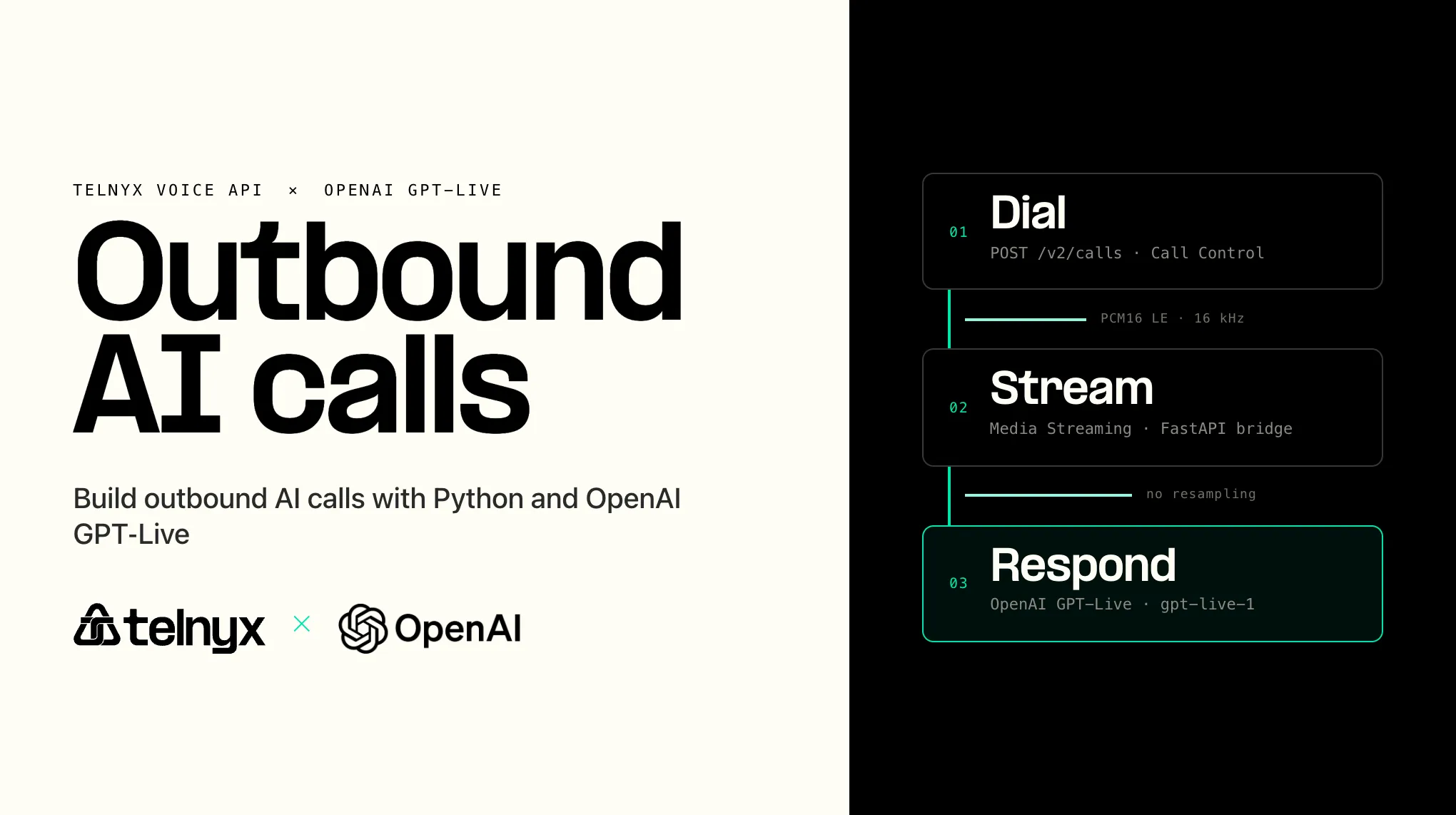
Most voice AI demos start with an inbound call: a customer calls your number, your application answers, and the assistant starts talking. Outbound calling reverses that flow. Your application starts the call, waits for the person to answer, and then connects the live phone audio to the model.
As an OpenAI GPT-Live launch partner, Telnyx gives developers two ways to connect calls to the model. This tutorial covers the code-first path using Telnyx Voice API, Telnyx Media Streaming, Python, and the OpenAI GPT-Live API. Your application owns the WebSocket bridge, session state, tools, and audio flow.
The important upgrade in this version is audio quality. A conventional G.711 phone integration carries 8 kHz narrowband audio. Telnyx Media Streaming can carry 16 kHz linear PCM bidirectionally, and GPT-Live accepts raw 16 kHz PCM. The bridge can therefore pass wideband audio in both directions without application-side resampling or codec transcoding.
By the end, you will have a FastAPI application that:
- Places an outbound phone call through Telnyx.
- Streams live call audio to your Python server over a WebSocket.
- Passes Telnyx 16 kHz linear PCM to GPT-Live without resampling.
- Streams the model’s 16 kHz spoken response back into the call.
- Executes a structured application tool and returns its result to the delegated response.
- Coordinates session and call cleanup when either side ends.
This is a Media Streaming tutorial, not a direct SIP tutorial. If you want Telnyx to connect the call directly to OpenAI over SIP while your application controls the session over a sideband connection, use the Telnyx–OpenAI GPT-Live SIP integration guide.
What you will build
The application has three routes:
- POST /call places an outbound Telnyx call.
- POST /webhooks/telnyx receives call lifecycle events.
- WebSocket /media-stream bridges audio and events between Telnyx and OpenAI GPT-Live.
The wideband audio path looks like this:
Telnyx Media Streaming and GPT-Live use the same raw mono s16le PCM format in this wideband configuration. The application forwards the audio payload; it does not change the codec, sample width, byte order, or sample rate.
Your application owns the bridge. Telnyx originates the call and carries the live media. GPT-Live understands and generates speech. FastAPI passes ordered audio between them and executes application-side actions.
Developers should be aware that wideband is not guaranteed on every PSTN call. The originating endpoint, terminating endpoint, route, and negotiated codec all affect the signal. Telnyx can preserve wideband audio when it is present, but no carrier or model can reconstruct frequencies that an earlier narrowband leg has already removed.
When to use this approach
Use this Media Streaming architecture when you want your application to manage the GPT-Live session and access every audio frame. It is a good fit when you need custom prompts, application-owned tools, your own call state and logging, or audio processing before the model receives the call.
Choose another Telnyx path when you want less infrastructure to manage:
- Use the Telnyx AI Assistants when you want Telnyx to host the voice-agent runtime.
- Use the custom LLM support for Telnyx AI Assistants when you want the Telnyx agent stack with an OpenAI-compatible inference endpoint.
Prerequisites
Before you start, make sure you have:
- A Telnyx Mission Control Portal account.
- A Telnyx API key.
- A Telnyx number with voice capabilities.
- A Telnyx Call Control application.
- An outbound voice profile connected to that Call Control application.
- An OpenAI API key with access to GPT-Live.
- Python 3.10 or later.
- A public HTTPS URL for local testing, such as ngrok or Cloudflare Tunnel.
- A supported test endpoint and route if you want to validate end-to-end HD voice.
You also need the ID of your Telnyx Call Control application. In the Calls API, this value is called connection_id.
In the Telnyx Portal, configure the Call Control application's webhook URL to point at your public webhook endpoint:
The sample also passes webhook_url when it creates the outbound call. Setting the application webhook in the Portal gives all call events a clear default destination.
Create the project
Create a project and install the application dependencies:
Create a .env file:
The launch integration uses the OpenAI-Alpha: quicksilver=v3 header. Keep the model and version values in configuration so you can update them without changing the Telnyx call or media code.
Build the FastAPI server
The application needs one task for each direction of the conversation:
- Telnyx to GPT-Live: Read Telnyx
mediaevents and append their base64 audio payloads to the GPT-Live input stream. - GPT-Live to Telnyx: Read GPT-Live output-audio deltas and send their base64 payloads to Telnyx as bidirectional media messages.
For wideband mode, configure the GPT-Live session for raw mono PCM at 16 kHz. The model then uses the same audio format as Telnyx Media Streaming, so the bridge can forward base64 audio without resampling. GPT-Live session configuration is strict; keep Realtime-specific fields out of the Live session and put delegated tools under session.delegation.responses.
Run the server locally
Open a public tunnel to your local server before starting the application:
Copy the HTTPS forwarding URL into .env as PUBLIC_BASE_URL:
Then start the FastAPI server:
Open the root URL and confirm that the service reports the selected audio mode:
Place the outbound call
Place a test call by sending a request to your local server:
Telnyx places the outbound call from TELNYX_FROM_NUMBER to the to number. When the person answers, Telnyx opens the /media-stream WebSocket, sends live audio to the application, and accepts the model audio sent back over the same connection.
Start with numbers you control. Before calling customers, review consent, calling-hour, AI-disclosure, recording, and automated-calling requirements for every destination and use case.
How the code works
The /call route creates the outbound call with POST /v2/calls. These fields do most of the work:
- connection_id identifies the Telnyx Call Control application.
- to is the destination phone number.
- from is the Telnyx number used as caller ID.
- stream_url is the public WebSocket URL Telnyx connects to for live media.
- stream_track is inbound_track, the audio spoken by the called party.
- stream_bidirectional_mode enables audio to flow back into the call.
- stream_codec and stream_bidirectional_codec select L16 for the wideband path or PCMU for the compatibility path.
Telnyx Media Streaming L16 is fixed at 16 kHz bidirectionally. Despite the name, its payload is signed 16-bit little-endian PCM (s16le), not the big-endian RTP L16 representation.
When the WebSocket opens, the application starts the OpenAI session and waits for both systems to be ready. The lifecycle is:
- Telnyx originates the call.
- Telnyx opens the Media Streaming WebSocket and sends a
startevent. - The application opens the GPT-Live WebSocket with the configured model and version header.
- The application sends
session.startand waits forsession.startedbefore appending audio. - Telnyx 16 kHz
s16lepayloads are forwarded to GPT-Live as input-audio append events without decoding or resampling. - GPT-Live 16 kHz output-audio deltas are returned in Telnyx bidirectional media messages without resampling.
- When the delegated response selects a client-actionable tool, the application validates its arguments, executes it, returns the output, and asks the response to continue.
- When either WebSocket ends, the application cancels the remaining relay task and releases per-call state.
Keep per-call state isolated. Audio order, event correlation, tool calls, and shutdown state must never be shared across callers.
The application uses Responses delegation, matching the GPT-Live SIP integration guide. Tool definitions belong under session.delegation.responses. Responses events arrive inside a response.event envelope; the application executes client-actionable functions, returns each result with response.item.create, and sends response.create after all required results have been submitted so the delegated response can continue.
Existing Realtime users
The Telnyx routes and Media Streaming lifecycle do not change when you move the model adapter from the existing Realtime API to GPT-Live. The OpenAI connection, session schema, event names, and wideband format do change.
| Integration concern | Existing public Realtime path | Launch path |
|---|---|---|
| Telnyx call creation | No change | No change |
| Telnyx media events | start, media, stop | No change |
| Compatibility audio | PCMU at 8 kHz | PCMU at 8 kHz |
| Wideband PCM | Convert Telnyx 16 kHz PCM to the Realtime API's 24 kHz PCM format | Use native 16 kHz PCM; no resampling |
| OpenAI endpoint | /v1/realtime | /v1/live/sessions |
| Model | Your configured Realtime model | gpt-live-1 |
| Session initialization | session.update | session.start, then session.started |
| Tool handling | Realtime function-call flow | Responses delegation in this tutorial |
| Shutdown | Close WebSocket and call state | Close the Live session and release call state |
Keep the migration isolated to the OpenAI adapter. Do not send Realtime session fields or events to the GPT-Live endpoint.
The choice between narrowband and wideband audio
Audio quality is a property of the whole path. A model that works internally with wideband audio cannot recover vocal information that an 8 kHz telephony leg removed before the audio reached the API.
| Mode | Telnyx stream | OpenAI stream | Benefit | Trade-off |
|---|---|---|---|---|
| Compatibility | PCMU, 8 kHz | audio/pcmu, 8kHz | Raw pass-through and broad telephony compatibility | Narrowband signal |
| Wideband | PCM16 little-endian, 16 kHz | audio/pcm, 16 kHz | Preserves more of the available voice signal with raw passthrough | More bandwidth than PCMU |
Use PCMU for the compatibility path
PCMU is G.711 μ-law audio at an 8 kHz sample rate. When Telnyx and GPT-Live both use PCMU, the application can forward each base64 payload without decoding or resampling it.
That simplicity is useful for existing deployments and narrowband call legs. The trade-off is frequency range. Because the signal has already been reduced to narrowband audio, the model receives less vocal detail than it can accept over a wideband PCM connection.
To use this path, set:
Use linear16 for wideband audio
The wideband path uses Telnyx Media Streaming's 16 kHz linear PCM option bidirectionally. The samples are raw mono signed 16-bit little-endian PCM (s16le). Configure GPT-Live for the same 16 kHz PCM format, then pass the base64 audio through without resampling:
- Telnyx to GPT-Live: 16 kHz
s16lePCM → 16 kHzs16lePCM. - GPT-Live to Telnyx: 16 kHz
s16lePCM → 16 kHzs16lePCM. - Sample width: 16 bits.
- Byte order: little-endian.
- Channel count: mono.
- Application-side resampling: none.
To use this path, set:
Wideband Media Streaming preserves the fuller signal when the phone endpoint and route provide it. If an upstream or downstream leg is narrowband, selecting linear PCM for the WebSocket does not turn that call into HD voice; it prevents the application bridge from imposing another 8 kHz bottleneck.
How this maps from Twilio to Telnyx
If you are coming from an outbound calling tutorial built on Twilio, the application shape is familiar: create the call, open a media WebSocket, forward caller audio to OpenAI GPT-Live, and send model audio back into the call.
The Telnyx implementation uses:
POST /v2/callsfor outbound call creation.- Telnyx Media Streaming for live bidirectional audio.
- Call Control webhooks for call lifecycle events.
- A FastAPI WebSocket route to bridge Telnyx media and OpenAI events.
- A selectable 16 kHz linear PCM path when you want the application bridge to preserve wideband audio.
This is an implementation map, not a SIP flow. You do not need SIP for this tutorial. SIP applies when you connect Telnyx to a PBX, SBC, SIP trunk, contact center, or GPT-Live's direct SIP endpoint.
You also do not need TeXML, use TeXML when you prefer XML call instructions or a TwiML-style control model. Telnyx supports streaming from TeXML, but Call Control keeps this outbound Python example direct.
When to use Telnyx AI Assistants instead
Use Telnyx AI Assistants when you want Telnyx to host the conversational voice runtime. In that architecture, Telnyx manages the voice-agent flow and you do not maintain the GPT-Live media bridge yourself.
This tutorial is the right fit when your application must own prompts, call state, tool execution, audio processing, and the GPT-Live session. AI Assistants are the simpler fit when you want a managed runtime. The direct SIP integration is the fit when you want Telnyx to carry inbound media directly to GPT-Live and use your application only for sideband control.
Before moving beyond internal test numbers, validate webhook signatures, tool authorization, consent, calling hours, AI disclosure, recording rules, rate limits, observability, retries, and a human handoff path.
With the bridge in place, Telnyx originates the call and carries 16 kHz linear PCM to your application. Your Python service forwards that same wideband format to GPT-Live without resampling, and GPT-Live returns its spoken response in the same format. The model can hear in HD; this architecture helps the telephony path preserve the signal it receives.
Share on Social
Fiona McDonnell is Product Marketing Lead at Telnyx. Rather than writing about AI infrastructure and messaging compliance from the outside, she's run go-to-market directly for Telnyx's inference products and its trust-focused messaging and voice capabilities. That means she's see


