
Conversational AI
Canary Deployments for Voice AI Assistants
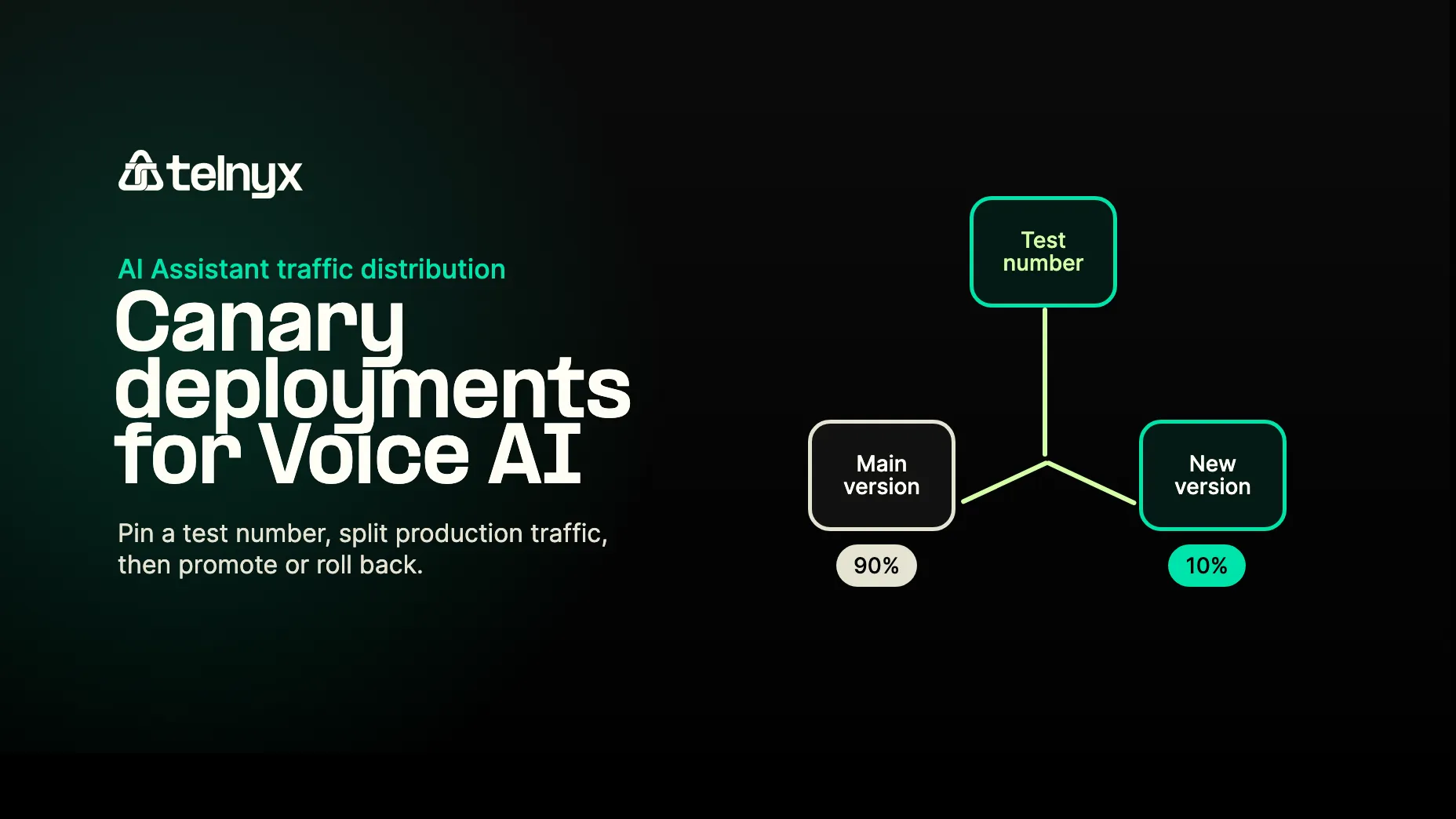
Telnyx AI Assistants now support end-user targeting on top of percentage traffic splits, so teams can test new voice AI agent versions on real calls before widening a canary.

Every web engineer knows the rule: do not ship code you have not run yourself.
You deploy to staging. You hit the endpoint. You verify the path. Then you ship.
Voice AI agents need the same deployment muscle memory. A new prompt, voice, tool, model setting, or workflow can change the experience every caller gets. Teams could already test those changes by using separate destination numbers, separate assistants, or custom routing logic. The problem was friction.
Telnyx AI Assistants now support canary deployments that layer end-user targeting on top of percentage-based traffic splits. You can pin specific phone numbers or SIP URIs to a new assistant version, keep production on the main version, then widen the rollout when you are ready.
That means the first real call on a new assistant version can be yours.
Why Voice AI Rollouts Need More Than Staging
Voice AI regressions do not always look like service failures.
The call still connects. The assistant still answers. Logs may show a normal session. The issue is that the assistant now misunderstands a common caller intent, uses the wrong tone, calls the wrong tool, or handles a real accent worse than it did before.
That kind of regression usually does not trip a clean error threshold. It shows up in call quality, completion rates, support tickets, and customer feedback. By the time someone notices, real callers have already had the bad experience.
Staging tests still matter, but they are not enough. Voice AI behavior changes under real audio, real latency, real phone numbers, real caller behavior, and real production configuration.
The safer rollout path is to validate the new assistant version through the same production route customers use, without moving all production traffic at once.
What Telnyx Added
Before, AI Assistant traffic control was mainly percentage based. You could shift a portion of traffic between versions, but you could not reliably say, "my phone number should always receive the test version" inside the same traffic distribution setup.
Now traffic distribution can route by end user target as well. The end user target is the caller, destination, SIP URI, or other identifier associated with the conversation.
That means you can use ordered targeting rules before a broader percentage split:
- Route your own phone number to a new assistant version.
- Route a QA group or internal test list to that version.
- Keep everyone else on the main version.
- Add a 10% production canary while your test number still always gets the new version.
- Ramp to 50%, then 100%, or roll back to the old main version.
It also makes same-number A/B testing simpler. You can test different assistant versions behind one production phone number instead of creating extra numbers or building your own routing layer.
This is not a general routing layer for every assistant use case. It is a deployment control layer for testing, updating, canarying, and rolling back assistant versions.
The Practical Workflow
Start with an assistant that is already in production. The main version serves all traffic.
Create a new version of the assistant with the change you want to test. That change might be a new system prompt, updated tool instructions, a different voice, a new model setting, or a modified workflow.
Then add a target rule:
- If the end user target is your phone number, serve the new version.
- Leave unmatched traffic on the main version.
Now you can call the same assistant phone number and hear the new version in the same production path customers use. No customer traffic has moved yet.
If the version looks good, add a default percentage split:
- Keep the target rule for your number at the top.
- Route 10% of unmatched production traffic to the new version.
- Keep the remaining 90% on the main version.
Because rules evaluate top down and the first match wins, your number still always receives the new version. That gives you a reliable test path throughout the rollout, even while production traffic is being split.
From there, ramp based on evidence. Move from 10% to 50%, then promote the new version to main when it is ready. If you find an issue, use rollback to clear the routing rules and send traffic back to the previous main version.
Why Target Rules Matter
Percentage canaries are useful, but they are probabilistic. If you call the assistant during a 10% rollout, you might hit the new version or you might hit the main version. That makes debugging slower because you cannot always reproduce the path you want.
Target rules make testing deterministic.
Your number can always hit the new version. A QA list can always hit the new version. A specific SIP URI can always hit the new version. Everyone else can stay on main until you intentionally open a percentage canary.
That is the important shift. The rollout is no longer just "send 10% somewhere." It is "send these known test targets to the new version, then start a controlled production split."
Rule Order Is the Control Plane
Traffic distribution rules are evaluated from top to bottom. The first matching rule wins. If no target rule matches, the assistant serves the main version unless you configure a default rule.
In practice, that lets you combine targeted testing and canary traffic without conflicts:
| Rule | Match | Serve |
|---|---|---|
| Target rule | Your phone number | New assistant version |
| Default rule | Everyone else | 10% new version, 90% main |
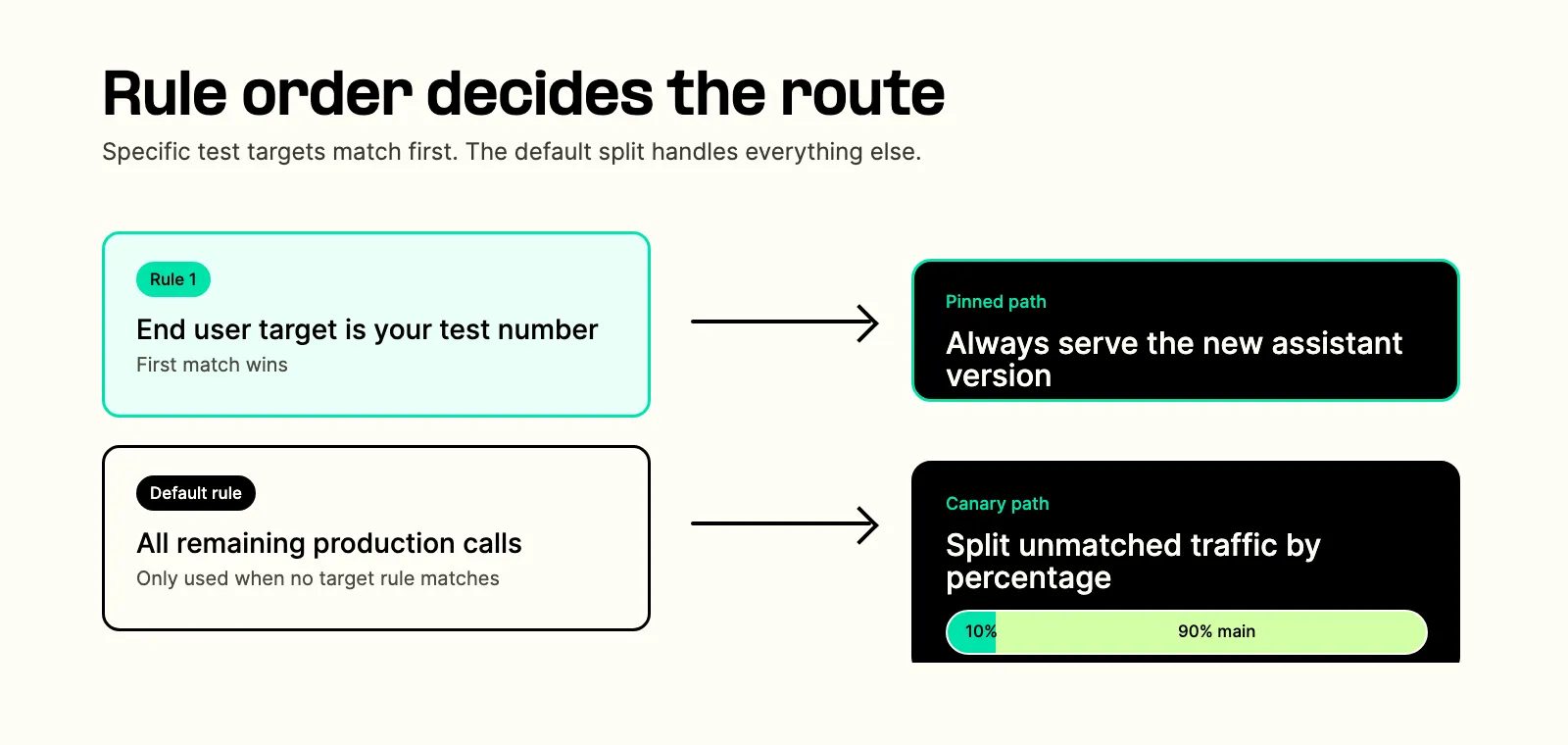
The target rule wins first, so your number always reaches the new version. The default rule only handles the remaining traffic.
This also keeps rollback clean. If something goes wrong, rollback removes the routing configuration and returns traffic to main.
Where This Helps Most
This pattern is useful whenever a small assistant change can create a large caller-facing difference.
Prompt and instruction changes are the obvious case. A new greeting, escalation rule, compliance phrase, or answer policy can sound fine in a test transcript and still feel wrong on a real call.
Voice and model experiments also fit. If you want to compare response style, latency, or caller experience across assistant versions, same-number canaries make that easier than managing separate test numbers.
Tool and workflow changes are the highest-risk case. When an assistant books an appointment, checks an account, transfers a call, or writes back to a system of record, the rollout should be controlled. This is where version traffic distribution works alongside broader AI agent orchestration: route the new behavior to known targets first, then open production traffic gradually.
What This Is Not For
This feature is for temporary deployment control: testing a new version, running a canary, ramping traffic, promoting a version, or rolling back.
It is not meant to replace permanent business logic. For example, if you need long-term language routing between English and French experiences, that is probably better handled with assistant configuration, dynamic variables, language settings, or a purpose-built workflow. Canary routing is for version rollout safety, not ongoing segmentation strategy.
That distinction matters because it keeps the system simple. Version traffic distribution answers one deployment question: which version should receive this conversation during a rollout?
Treat Assistant Changes Like Production Changes
If you change an assistant's prompt, tools, voice, model, or workflow, you changed the production experience. The safe path is:
- Create a new assistant version.
- Route your own number to it.
- Test it on real calls.
- Open a small production canary.
- Ramp if the signals look good.
- Promote the version to main or roll back.
Telnyx's traffic distribution system for AI Assistants now supports that pattern with end user target rules, percentage splits, ordered rule evaluation, main-version fallback, and rollback.
If you are shipping something that talks to people, you should hear it talk to you first.
Read the implementation guide here: Testing and Traffic Distribution for AI Assistants.
Learn more about how Telnyx Inference is low-latency by nature.
Share on Social


%20(1).png?width=96&format=webp)


