
Voice
The best voice to text software for professionals in 2026
Compare eight voice to text tools for dictation, meetings, media editing, and custom products. See how each handles pricing, privacy, platform support, and technical limits.

By Osman Husain
What is the best voice to text software in 2026?
Voice to text software does four distinct jobs: replacing typing, documenting meetings, turning recorded media into editable text, and supplying transcription inside another product. Wispr Flow is the strongest everyday dictation app, Bolo is the best open-source alternative, Dragon handles specialized vocabulary, Otter.ai documents meetings, and Descript connects transcripts to media editing.
- Wispr Flow: Best overall for system-wide dictation
- Dragon Professional: Best for specialized professional vocabulary
- Otter.ai: Best for meeting transcription
- Apple Dictation and Windows Voice Access: Best built-in options
- Google Docs voice typing: Best free browser option
- superwhisper: Best for local model control
- Bolo: Best open-source Wispr Flow alternative
- Descript: Best for editing audio and video through text
What counts as voice to text software?
Voice to text software converts spoken language into written text. The category includes several product types that solve different problems:
- Dictation apps insert text into the application you are already using.
- Meeting assistants record conversations and produce transcripts or summaries.
- Media transcription tools connect recorded audio or video to editable text.
- Built-in accessibility tools provide voice input and computer control.
- Speech-to-text APIs let developers create their own transcription products.
These tools are often grouped together, but have different use cases. A meeting assistant can produce a strong transcript but be awkward at writing an email. A dictation app may work in every text field but offer no speaker identification or media editing.
How did I evaluate these tools?
Each product was evaluated using five criteria:
- Transcription controls: Support for vocabulary, language selection, formatting, model choice, and correction.
- Workflow fit: Whether the software works across apps, inside meetings, in a browser, or with recorded media.
- Processing model: Whether transcription runs locally, in the cloud, or through a combination of both.
- Pricing transparency: Whether users can understand the free tier or paid price before signing up.
- Technical limits: Platform requirements, recording limits, file handling, storage behavior, and setup requirements.
This ranking is based on current vendor documentation, public pricing, platform support, and documented product behavior.
Speech recognition results vary with the speaker, microphone, accent, background noise, vocabulary, and recording quality. Accuracy percentages from different vendors rarely use the same test conditions.
Which voice to text tools are worth considering?
Eight voice to text software tools compared by workflow, technical tradeoffs, and pricing.
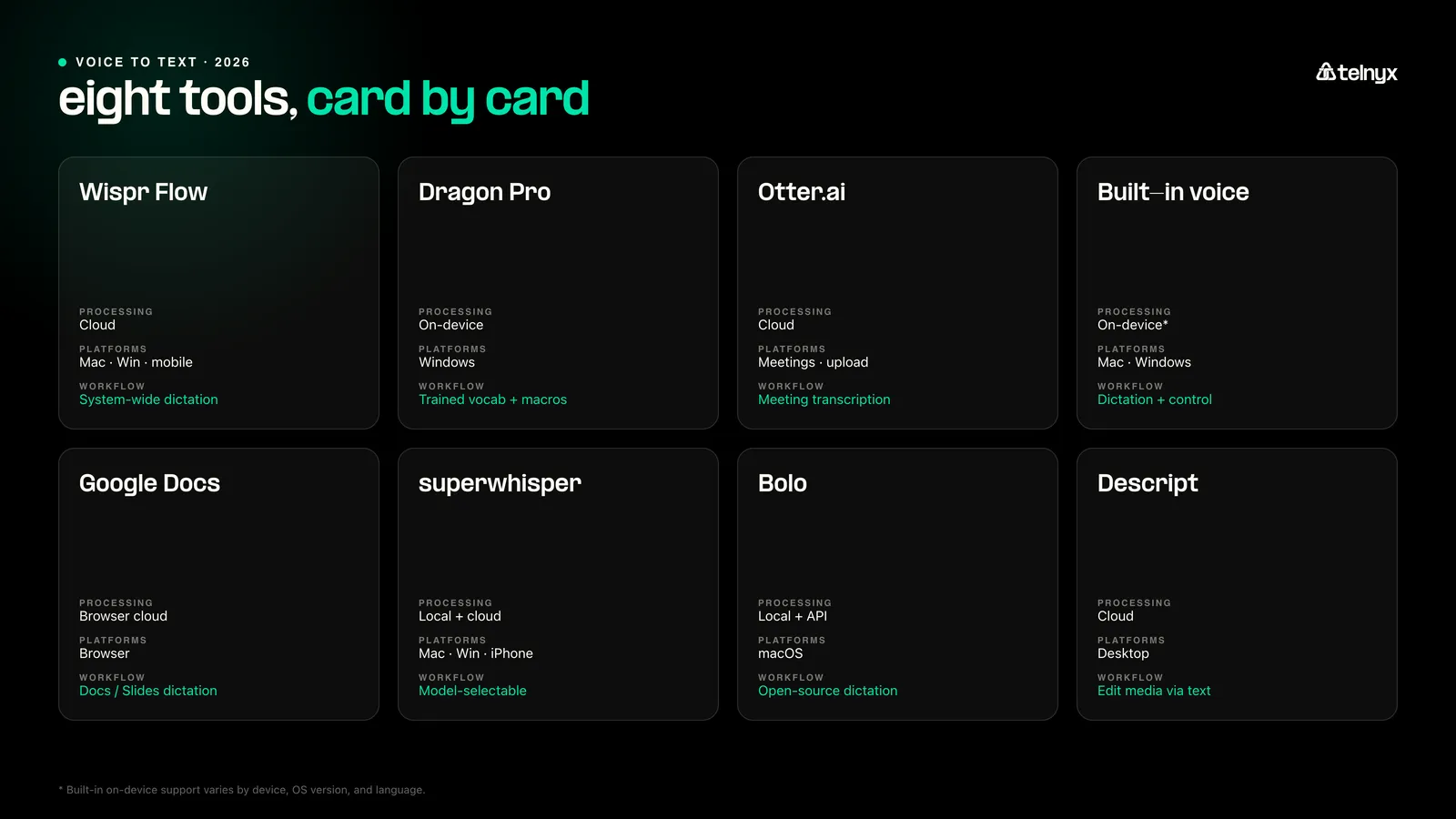
| Tool | Best for | Main technical tradeoff and pricing |
|---|---|---|
| Wispr Flow | System-wide cloud dictation | Uses cloud transcription and optional screen context. Free plan available; Pro costs $12 per user per month billed annually. |
| Dragon Professional | Specialized professional vocabulary | Runs as a Windows desktop product with user profiles, vocabulary training, and command macros. Nuance uses quote-based pricing; resellers list it at roughly $700. |
| Otter.ai | Meeting transcription | Captures live meetings or uploaded media, then applies speaker identification and meeting analysis. Free plan includes 300 minutes per month; Pro starts at $8.49 per user per month billed annually. |
| Apple Dictation and Windows Voice Access | Built-in voice input | Can use on-device speech recognition on supported hardware, but features vary by device and operating-system version. Included with supported devices. |
| Google Docs voice typing | Free browser dictation | The browser controls speech recognition and inserts text only inside supported Google editors. Free with a Google account. |
| superwhisper | Local and cloud model selection | Runs speech and language models locally or in the cloud across Mac, Windows, and iPhone. Free plan available; Pro costs $8.49 per month. |
| Bolo | Open-source dictation | Exposes the recording, transcription, correction, and cleanup pipeline, but requires local installation and API configuration. The app is free; API usage is billed separately. |
| Descript | Audio and video editing | Links transcript edits directly to recorded media rather than inserting text across other apps. Free plan includes one media hour per month; paid plans start at $16 per person per month billed annually. |
The eight best voice to text software tools
1. Wispr Flow: Best overall for system-wide dictation
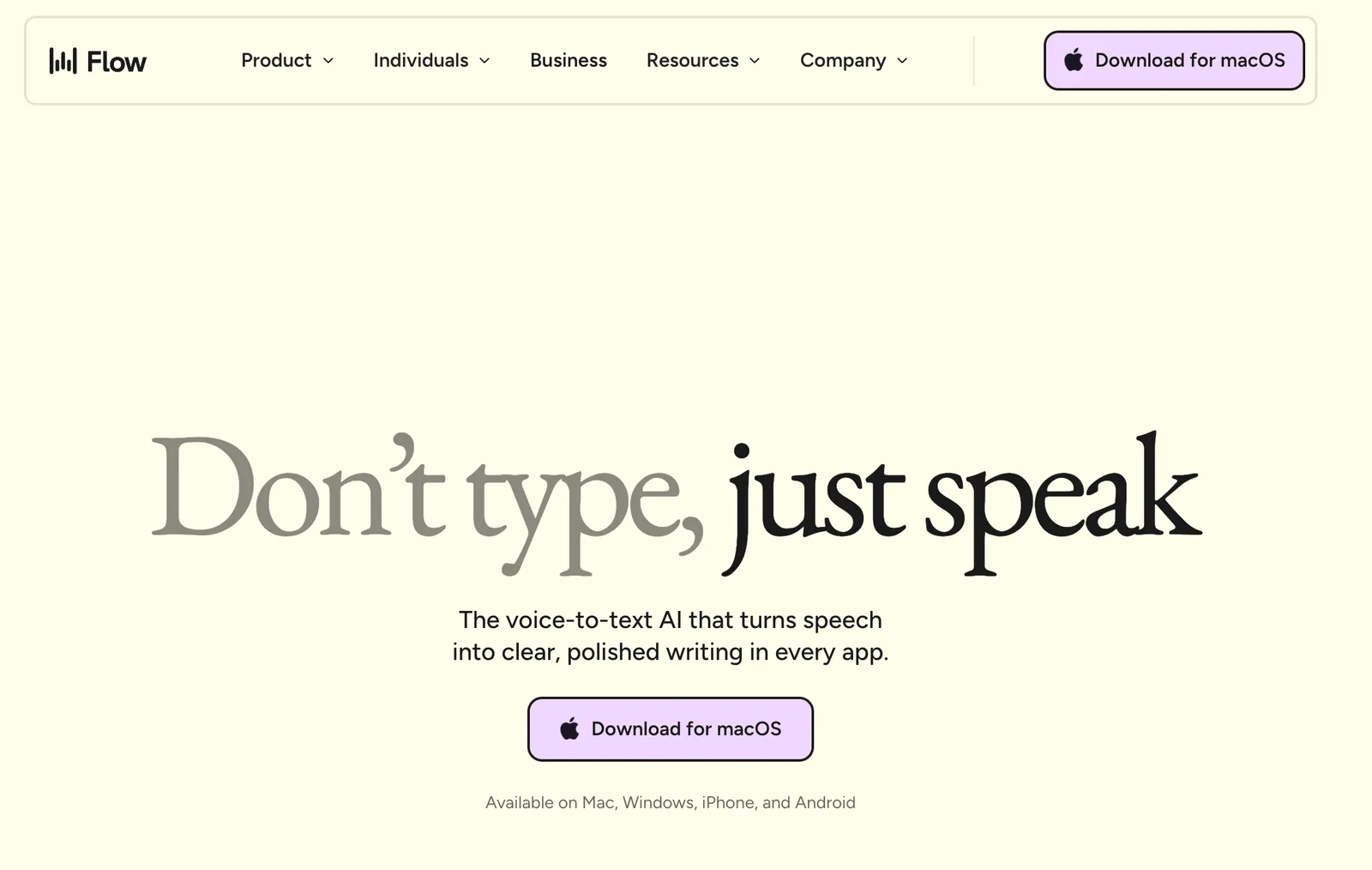
Wispr Flow captures speech from its desktop or mobile app, sends the audio to its cloud transcription pipeline, and inserts the formatted result into the active text field. Its Context Awareness feature can read the active application and nearby text to adjust names, tone, formatting, and continuation.
Best for: Professionals who want cloud-based dictation across email, chat, documents, browsers, and development tools.
Key features:
- Uses nearby cursor text and active-app metadata to adjust transcription and formatting
- Supports a personal dictionary, reusable snippets, and more than 100 languages
- Separates model-training consent from cloud transcript storage through Privacy Mode and Private Cloud Sync
Limits:
- Transcription always runs in the cloud, even when server-side transcript storage is disabled
- Context Awareness sends selected app context to Wispr during an active dictation unless the user disables it
Pricing: Flow Basic is free and includes 2,000 words per week on Mac or Windows. Flow Pro costs $15 per user per month or $12 per user per month billed annually. Pricing was checked on the vendor pricing page in July 2026.
Choose Wispr Flow if you want a polished system-wide workflow and are comfortable sending audio and selected context through a cloud transcription service.
2. Dragon Professional: Best for specialized professional vocabulary
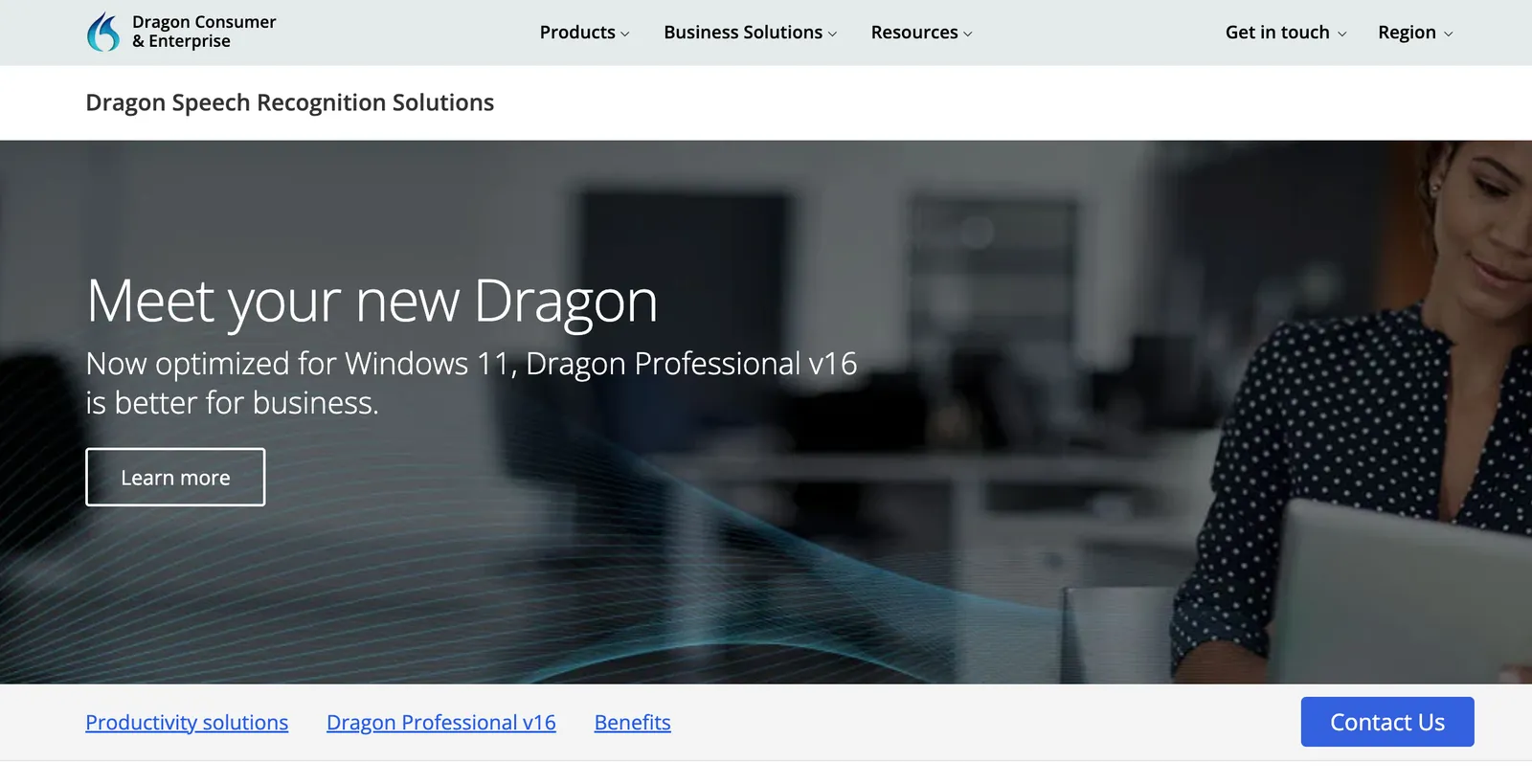
Dragon Professional v16 is a Windows desktop speech-recognition product for live dictation and prerecorded single-speaker audio. It creates a user profile that stores learned speech patterns, custom vocabulary, corrections, commands, and reusable text.
Best for: Windows users who need trained vocabulary, repeatable voice commands, or batch transcription of recorded dictation.
Key features:
- Learns custom words, phrases, names, acronyms, and corrections through the user profile
- Supports voice commands, reusable Auto-Texts, and macros for multistep desktop workflows
- Transcribes individual audio files or batches them through the Auto Transcribe Folder Agent
Limits:
- Dragon Professional v16 supports Windows 10 and Windows 11 rather than macOS
- Prerecorded transcription is designed for a single speaker and is not a meeting-diarization workflow
Pricing: Nuance directs buyers to request pricing. Authorized resellers commonly list Dragon Professional v16 at roughly $700, but the final price depends on the seller and license.
Choose Dragon if vocabulary adaptation and desktop automation matter more than mobile support, collaboration, or a lightweight setup.
3. Otter.ai: Best for meeting transcription
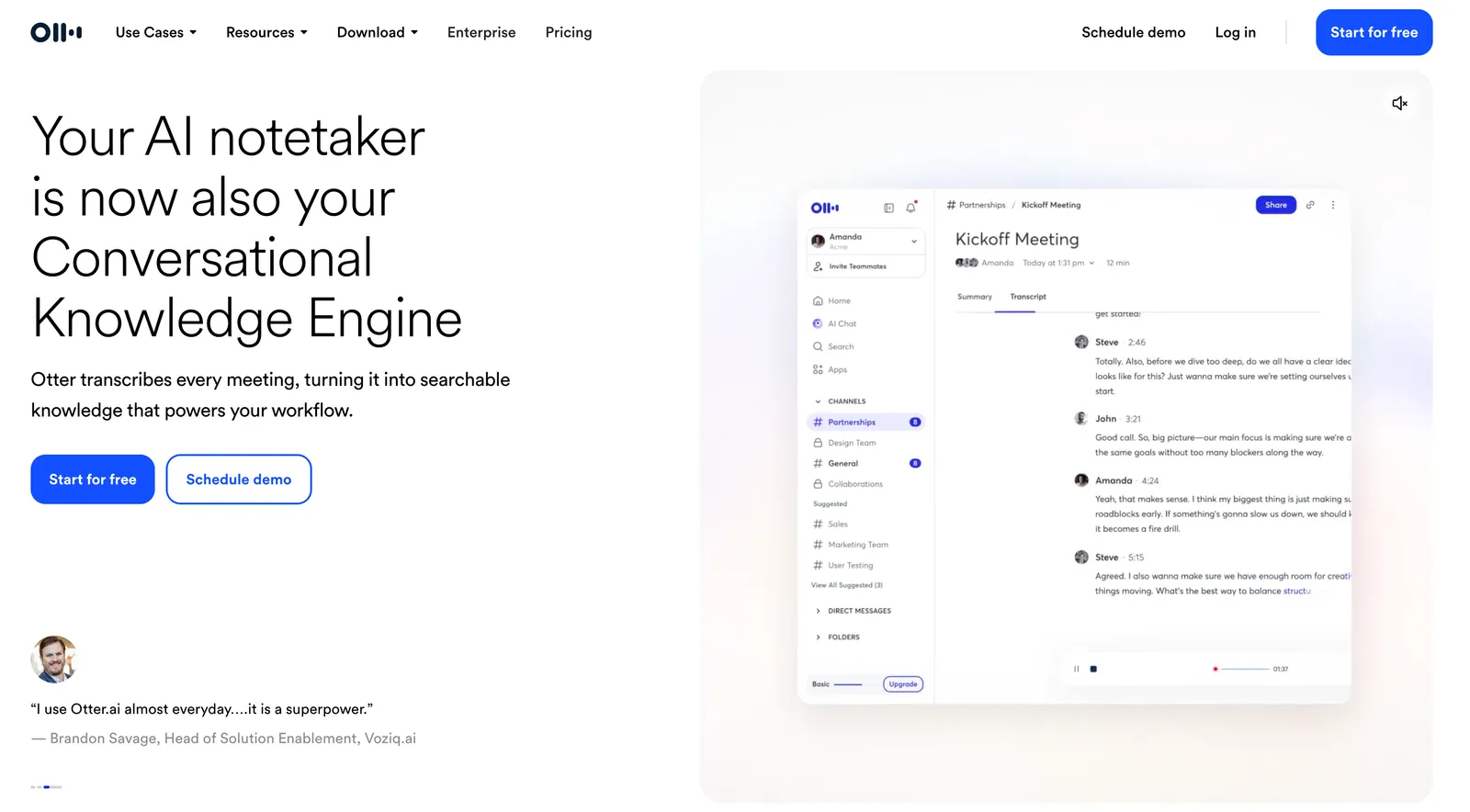
Otter.ai records through its applications, joins supported video meetings through its notetaker, or processes uploaded audio and video files. It generates a timestamped transcript and uses voice characteristics to separate the conversation into speaker-specific segments.
Best for: Teams that need searchable meeting transcripts, summaries, action items, and speaker attribution.
Key features:
- Captures Zoom, Microsoft Teams, and Google Meet sessions or records directly through Otter
- Processes uploaded audio and video files up to 5 GB and generates transcripts, summaries, action items, and outlines
- Supports named speakers, custom vocabulary, transcript search, editing, comments, and exports
Limits:
- It is built around conversations and uploaded recordings rather than text insertion across desktop apps
- Speaker labels and generated meeting notes still need review when speakers overlap or use specialized terminology
Pricing: The Basic plan includes 300 monthly transcription minutes, 30 minutes per conversation, and three lifetime file imports. Pro costs $16.99 monthly or $8.49 per user per month billed annually and includes 1,200 monthly minutes.
Choose Otter.ai if the source is a meeting or recorded conversation and the desired output is a shared, searchable record.
4. Apple Dictation and Windows Voice Access: Best built-in options
Apple Dictation and Windows Voice Access both insert speech into active text fields, but their technical models differ. Apple tells users in Keyboard settings whether their device processes general dictation locally or requires an internet connection. Windows Voice Access downloads a speech model and uses on-device recognition after setup.
Best for: People who want built-in voice input or hands-free computer control without another subscription.
Key features:
- Apple Dictation inserts text anywhere macOS accepts standard text input and supports punctuation and formatting commands
- Windows Voice Access can dictate, edit text, open applications, control the pointer, and run commands without an internet connection
- Windows Voice Access includes vocabulary additions, spelling correction, microphone states, and separate dictation and command modes
Limits:
- Apple processing behavior and language support depend on the device, language, and macOS version
- Windows Voice Access requires Windows 11 version 22H2 or later, and some features such as Fluid Dictation require a Copilot+ PC
Pricing: Included with supported Apple and Windows devices.
Choose a built-in option if your needs are occasional, accessibility-related, or broad enough to include computer control as well as dictation.
5. Google Docs voice typing: Best free browser option
Google Docs voice typing passes microphone input to a speech-to-text service controlled by the browser and inserts the result into the open document. It also supports voice editing commands in compatible browsers and languages.
Best for: People who mainly write in Google Docs and want dictation without installing a desktop application.
Key features:
- Inserts speech into Google Docs documents and Google Slides speaker notes
- Supports more than 100 languages and regional variants
- Provides commands for punctuation, selection, formatting, navigation, and editing in supported languages
Limits:
- Voice typing works only in supported browsers and Google editing surfaces
- The workflow does not provide system-wide insertion, model selection, or local speech-model controls
Pricing: Free with a Google account.
Choose Google Docs voice typing if most of your writing happens in Google Docs and you do not need dictation in email, chat, development tools, or other desktop applications.
6. superwhisper: Best for local and cloud model control

superwhisper separates its pipeline into two optional stages. A speech-recognition model converts audio into text, then a language model can rewrite, translate, or format the transcript for the active application.
Best for: Users who want to choose where speech recognition and text cleanup run.
Key features:
- Runs speech-recognition models locally or through cloud providers on macOS, Windows, and iPhone
- Allows users to pair a local transcription model with a local or cloud language model
- Supports system-wide dictation, custom modes, file transcription, vocabulary, and speaker separation
Limits:
- Local model speed and memory requirements vary by device and model size
- Cloud transcription sends audio through the superwhisper proxy, while local models keep audio on the device
Pricing: A free plan is available. Pro costs $8.49 per month, $84.99 per year, or $249.99 for a one-time license. One license covers Mac, Windows, iPhone, and iPad.
Choose superwhisper if you want explicit control over the speech model, cleanup model, processing location, and output instructions.
7. Bolo: Best open-source Wispr Flow alternative
Bolo is a free, self-hosted dictation app built primarily in Rust and powered by Telnyx speech-to-text. Hold a configurable hotkey, speak, and release it to insert the transcript into the active text field. Bolo captures audio only while the key is held and processes the recording in memory.
Best for: Technical users who want an inspectable dictation workflow with control over transcription, correction, and text cleanup.
Key features:
- Supports configurable Telnyx speech-to-text models, language hints, streaming transcription, batch fallback, and fallback providers
- Applies local vocabulary, misheard-word aliases, and deterministic replacements before optional LLM cleanup
- Inserts text through operating-system accessibility controls, restores the previous clipboard contents, and stores recent transcripts locally
Limits:
- The current public build targets macOS 12 or later
- Installation requires Rust, Python 3, a Telnyx API key, microphone permission, and accessibility permission
- The repository describes longer dictation and latency as areas still being improved
Pricing: Bolo is free under the MIT license. Users pay the speech-to-text usage rate associated with the selected Telnyx engine.
Choose Bolo if you want to inspect and configure the full dictation pipeline instead of relying on a closed commercial application.
8. Descript: Best for editing audio and video through text
Descript transcribes imported or recorded media and links each transcript segment to the corresponding audio or video. Deleting or moving words in the script changes the media composition, while transcript-correction tools can fix text without altering the recording.
Best for: Creators and marketing teams that need transcription and media editing in the same project.
Key features:
- Connects transcript edits to the media timeline, so deleting or moving text removes or rearranges the corresponding media
- Detects speakers automatically, then asks the user to identify each speaker once before applying labels across the project
- Supports non-destructive editing, transcript-only corrections, captions, filler-word removal, timeline editing, and multitrack transcription
Limits:
- It is a media editor rather than a system-wide dictation application
- Media-hour and AI-credit limits apply by plan even though transcription itself is no longer separately metered on current plans
Pricing: The Free plan includes one processed media hour per month. Hobbyist costs $16 per person per month billed annually and includes 10 media hours. Creator costs $24 per person per month billed annually and includes 30 media hours.
Choose Descript if the transcript should control an audio or video edit rather than appear in an active text field.
When should you build custom voice to text software?
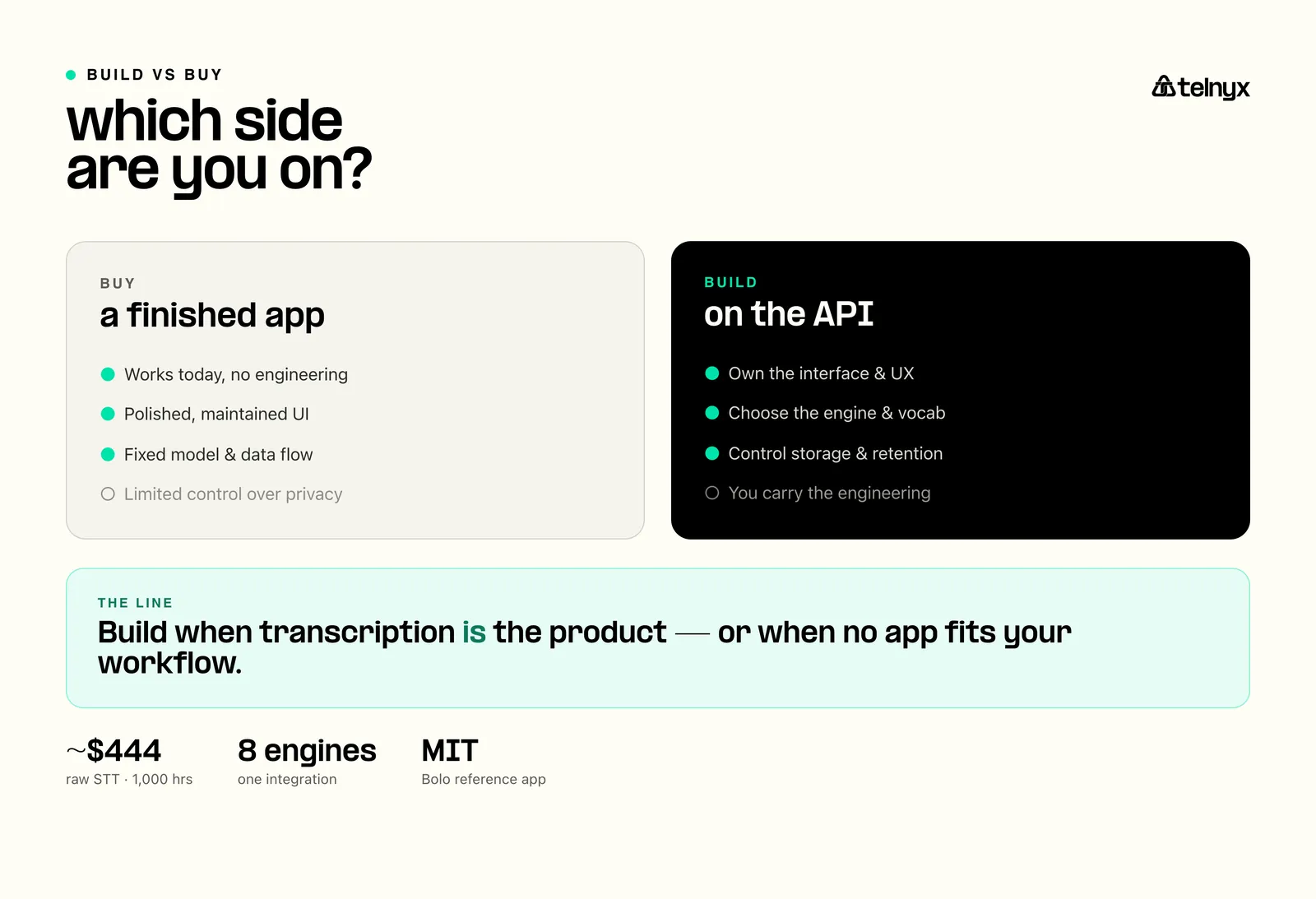 Build custom voice to text software when an existing app cannot support your interface, terminology, data flow, privacy requirements, or downstream automation. A custom product gives you control over recording, model selection, transcript storage, formatting, and the user experience.
Bolo shows what that can look like. It is a public, open-source dictation app built on Telnyx speech-to-text. It adds push-to-talk capture, streaming and batch transcription, model selection, fallback handling, local corrections, transcript history, and optional text cleanup around the underlying transcription service.
 | “DIY wins when voice is becoming part of the company’s actual product or operating system.” Abhishek Sharma, Sr Technical Product Marketing Manager, Telnyx |
The finished experience resembles a focused commercial dictation app, but users can inspect and change the source code and transcription configuration. Developers can review the Bolo implementation to see how those components fit together.
Telnyx supports streaming, file-based, and in-call transcription through separate interfaces. Its speech-to-text API provides access to eight transcription engines through one Telnyx integration, allowing teams to compare or change engines without creating a new vendor connection for each provider.
A finished app is still the right choice for most individual users. Building makes sense when transcription is part of the product you sell or an internal workflow that existing software cannot support.
Start building with Telnyx to add voice to text to your product.
How should you choose between them?
Choose Wispr Flow if you want the most polished cloud-based dictation workflow across applications.
Choose Bolo if you want to inspect and modify the recording, transcription, correction, and cleanup pipeline.
Choose Dragon Professional if you work on Windows and need vocabulary training, recorded single-speaker transcription, or voice-driven macros.
Choose Otter.ai if meetings are the source and you need speakers, summaries, action items, and a shared transcript.
Choose Apple Dictation or Windows Voice Access if you want built-in speech recognition or hands-free computer control.
Choose Google Docs voice typing if your writing stays inside Google Docs.
Choose superwhisper if you want to choose between local and cloud speech or language models across Apple and Windows devices.
Choose Descript if you need to edit podcasts, interviews, webinars, or videos through the transcript.
Build when transcription is part of your product or when control over the interface, model, vocabulary, data handling, or downstream workflow justifies the engineering cost. Review the Telnyx WebSocket transcription documentation or contact a Telnyx specialist to assess a production use case.
How much does voice to text software cost?
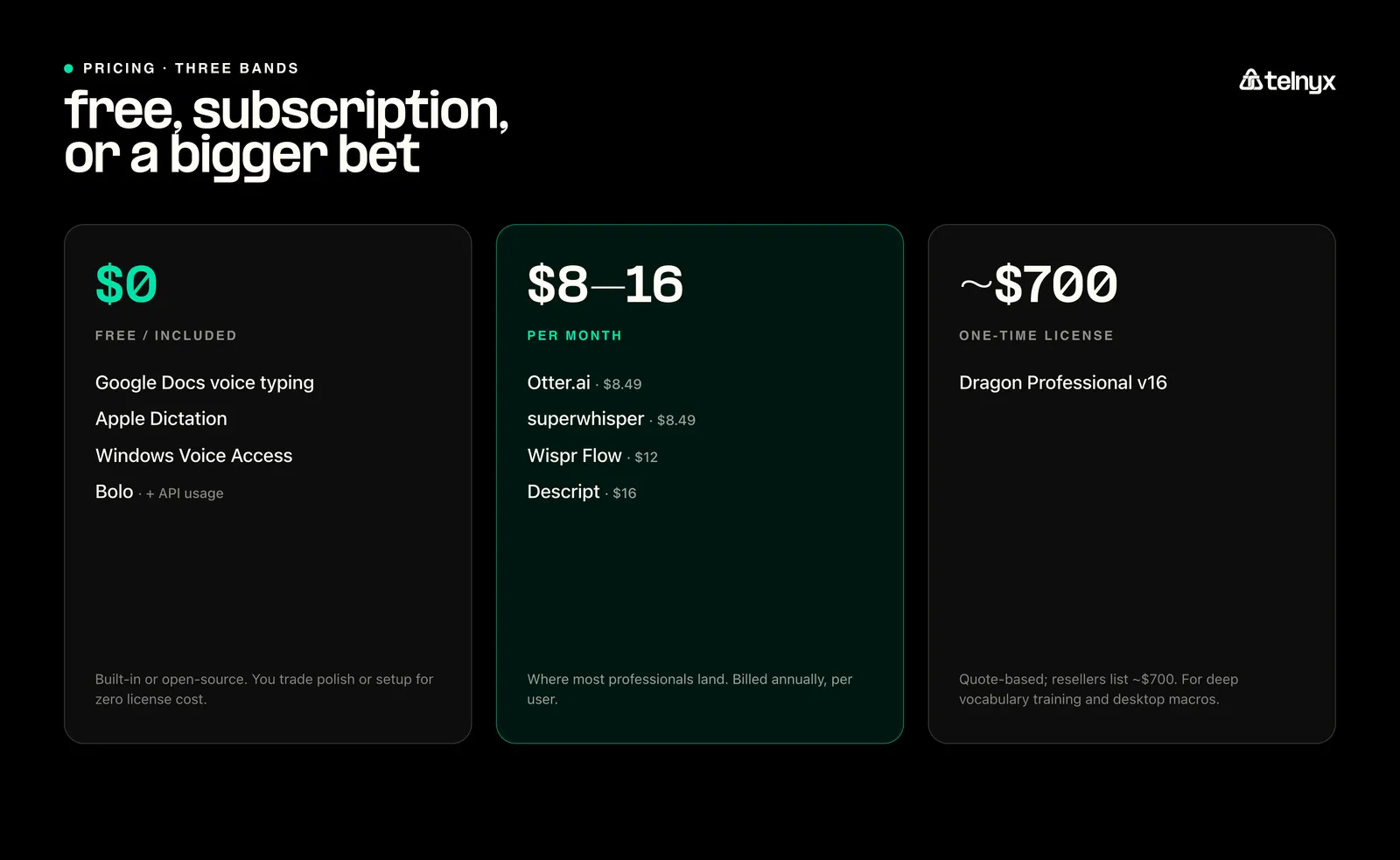
Voice to text software pricing depends on use case and category. Consumer tools range from free built-in apps (with limited features) to subscriptions of roughly $8 to $20 per month. Dragon Professional commonly costs several hundred dollars. Speech-to-text APIs like Telnyx use per-minute pricing, with the final cost determined by the engine, transcription volume, storage, and processing applied after transcription.
Frequently asked questions
What is the best free voice to text software?
Google Docs voice typing is a practical free choice for people who mainly write in Google Docs. Apple Dictation and Windows Voice Access provide broader operating-system integration. Bolo is free and open source, but it requires local installation, a Telnyx API key, and paid speech-recognition usage.
What is the best voice to text software for Windows?
Wispr Flow provides a polished cloud dictation workflow on Windows. superwhisper supports local and cloud speech models, while Dragon Professional offers deeper vocabulary adaptation and desktop commands. Windows Voice Access is the built-in option and works offline after downloading its speech model.
What is the best alternative to Wispr Flow?
Bolo is a strong open-source Wispr Flow alternative for users who want an inspectable transcription and cleanup pipeline. superwhisper is the stronger finished alternative for users who need Windows support, local speech models, or a single license across multiple devices.
Can voice to text software work offline?
Some tools can. Windows Voice Access uses an on-device speech model after setup. Apple Dictation can process general dictation on-device when the hardware and language support it. superwhisper offers local speech models. Wispr Flow and Bolo require an internet connection for their documented transcription workflows.
Is voice to text software suitable for medical or legal work?
It can support medical or legal workflows, but transcription accuracy is only one requirement. Buyers should also assess terminology controls, human review, access controls, retention policies, and applicable compliance obligations. A transcript should not become an official record until an authorized person reviews it.
What is the difference between dictation software and a speech-to-text API?
Dictation software is a finished application that turns speech into text for an end user. A speech-to-text API is a developer service used inside another product. The API provides more control over audio, models, storage, and interface design, but it requires engineering work.
How can I reduce voice to text transcription delay?
Use streaming transcription, send clean audio in the expected format, and select an engine that supports interim results. Network location and model choice also affect responsiveness. Endpointing can reduce the silence before a final result, but it does not measure total transcription latency.
Share on Social
Osman is the Global AEO/SEO Lead at Telnyx, helping make voice AI and communications products clearer for builders. With almost a decade of experience in SEO, he previously led growth at Windscribe and Enzuzo, shipping and scaling organic programs that reached millions.


