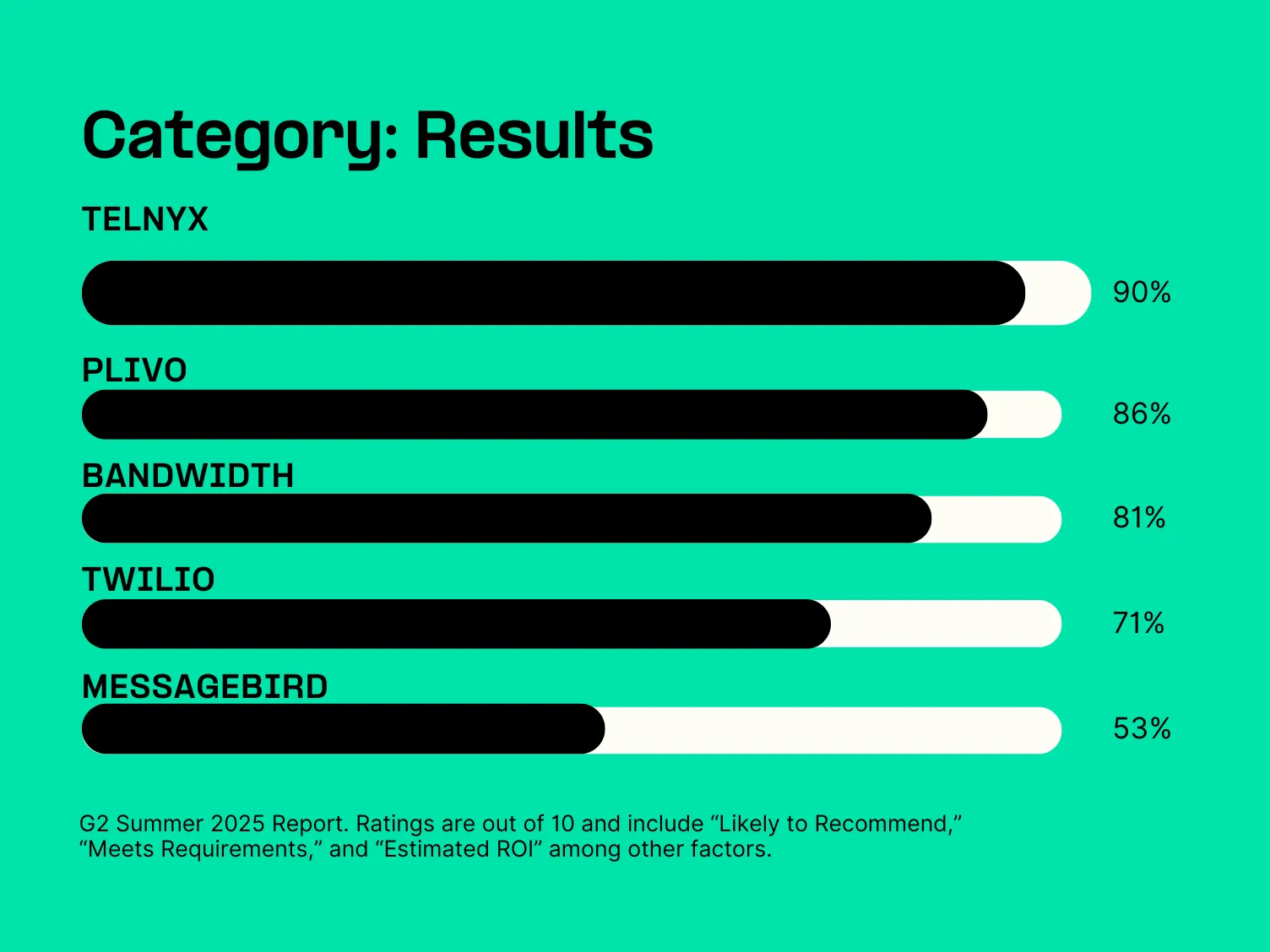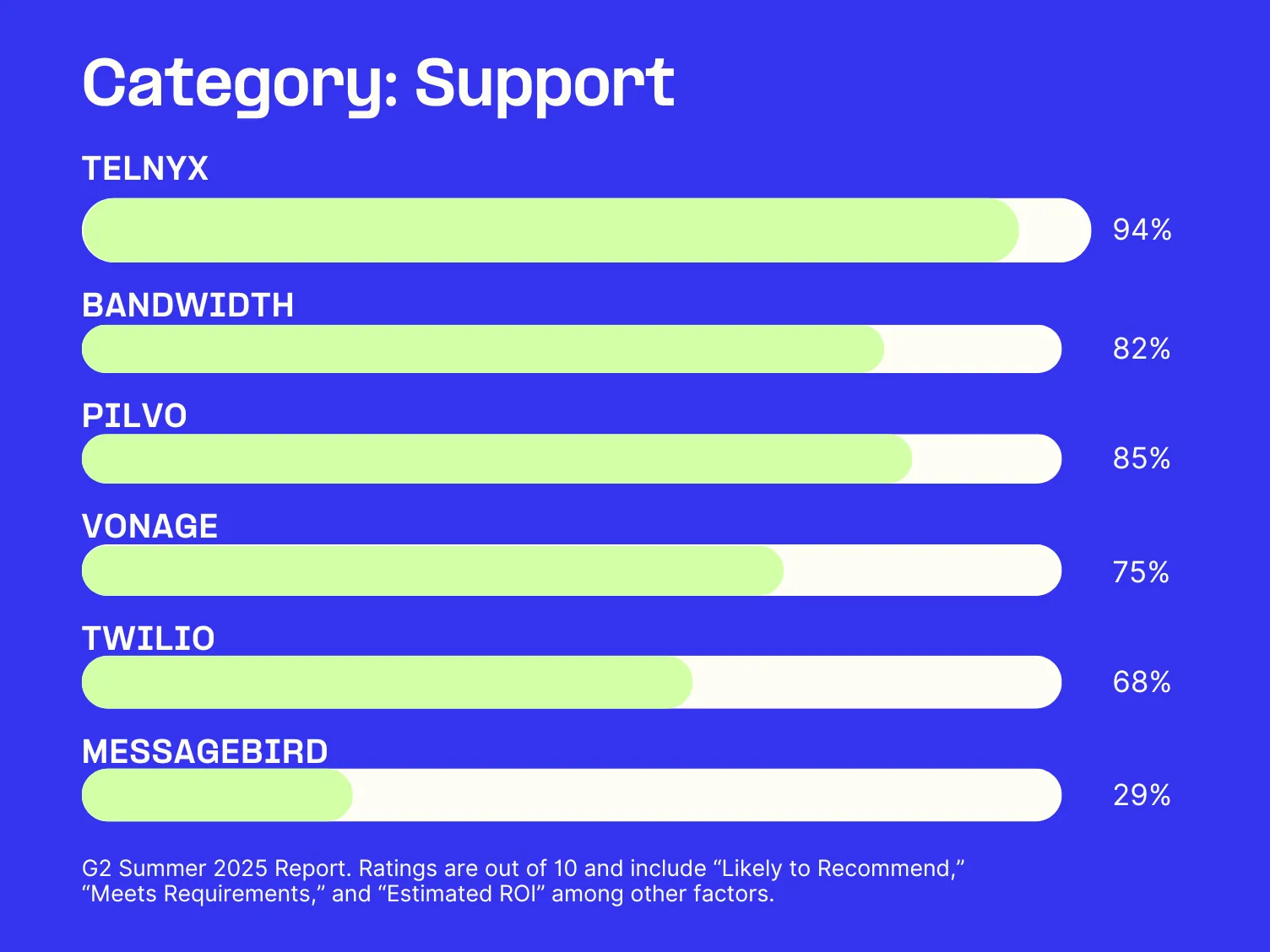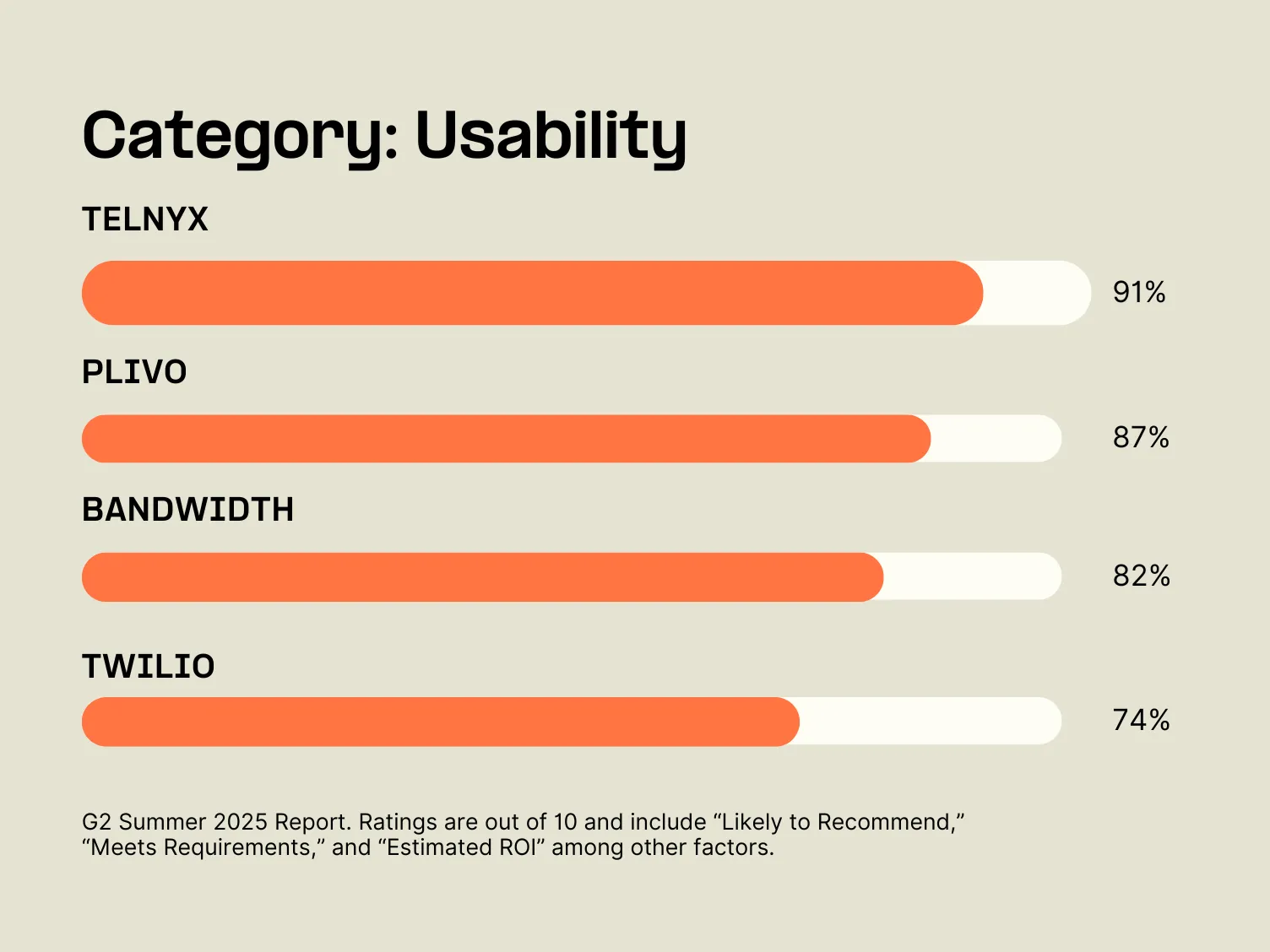





By making one simple change to your existing Plivo XML code, you can take advantage of our enterprise-grade network and save 40%.

The Telnyx network offers unparalleled security, reliability and call quality. That’s because we’re a true carrier, and unlike many CPaaS providers, we don’t rely on middlemen to provide core communications functionality and routing.
But we appreciate that switching providers is no easy task. That’s why we’ve made our SIP services incredibly easy to integrate with whichever communications provider you’re already using. By making one simple change to your existing XML code, Plivo will send your calls to Telnyx via SIP, and we’ll then deliver your calls to their destination.
So you can still experience all the benefits of our superior network while continuing to use your existing applications.

The Telnyx network improves call quality, global scalability and lowers latency, all at significantly lower costs than any other provider. Customers typically save around 40% on voice costs when they choose to leverage our private, global network.
This simple guide will show you how to configure both sides in just a few minutes — so that calls made from your pLIVO application are delivered by Telnyx.
The Telnyx customer support team is available 24/7 to provide you with technical support and answer any questions about using Telnyx with your Plivo application.
What is Plivo XML? Plivo XML is a markup format that tells a voice platform how to control a live call in real time. Your web server returns XML at a configured URL, and the platform executes those instructions during the call.
How do I handle an incoming call with Plivo XML? Point your application’s answer URL to an endpoint that returns a Response with verbs like Speak or Dial. This event-driven pattern is common to programmable communications APIs, so you can update logic without changing numbers.
Which Plivo XML verbs are most commonly used? Core verbs include Speak for TTS, Play for audio, GetDigits for DTMF input, Record for capturing audio, Dial for bridging, and Hangup to end a call. Use Redirect to fetch new instructions mid-call and Wait to add brief pauses.
How do I collect keypad input with GetDigits? Wrap your prompt in GetDigits and set an action URL that receives the digits as a webhook parameter. Configure timeouts, expected digit length, and retries to balance speed with accuracy.
Can Plivo XML send SMS or MMS? No, Plivo XML controls voice flows, while messaging is handled by separate REST APIs. If you are choosing how to deliver content, the difference between SMS and MMS determines whether you send text-only or rich media.
How do I send images or other media if XML is for calls? Use your provider’s messaging API to send media as MMS messaging, which supports images, GIFs, and longer captions. Voice XML runs separately from messaging, so plan call flows and outreach as distinct workloads.
How is Plivo XML different from Twilio’s TwiML? Both use XML instruction sets with similar verbs and request-response lifecycles, so most patterns transfer with minor changes. Always compare verb parameters and callback fields before porting to avoid mismatches in defaults and error handling.
Related articles