
WhatsApp Business API
WhatsApp Business for Hospitality: Guest Messaging, Costs and Setup
WhatsApp Business hospitality guide: how hotels, airlines and venues message guests across the stay, what it costs, and how to run it on one Telnyx number.
Takeaways
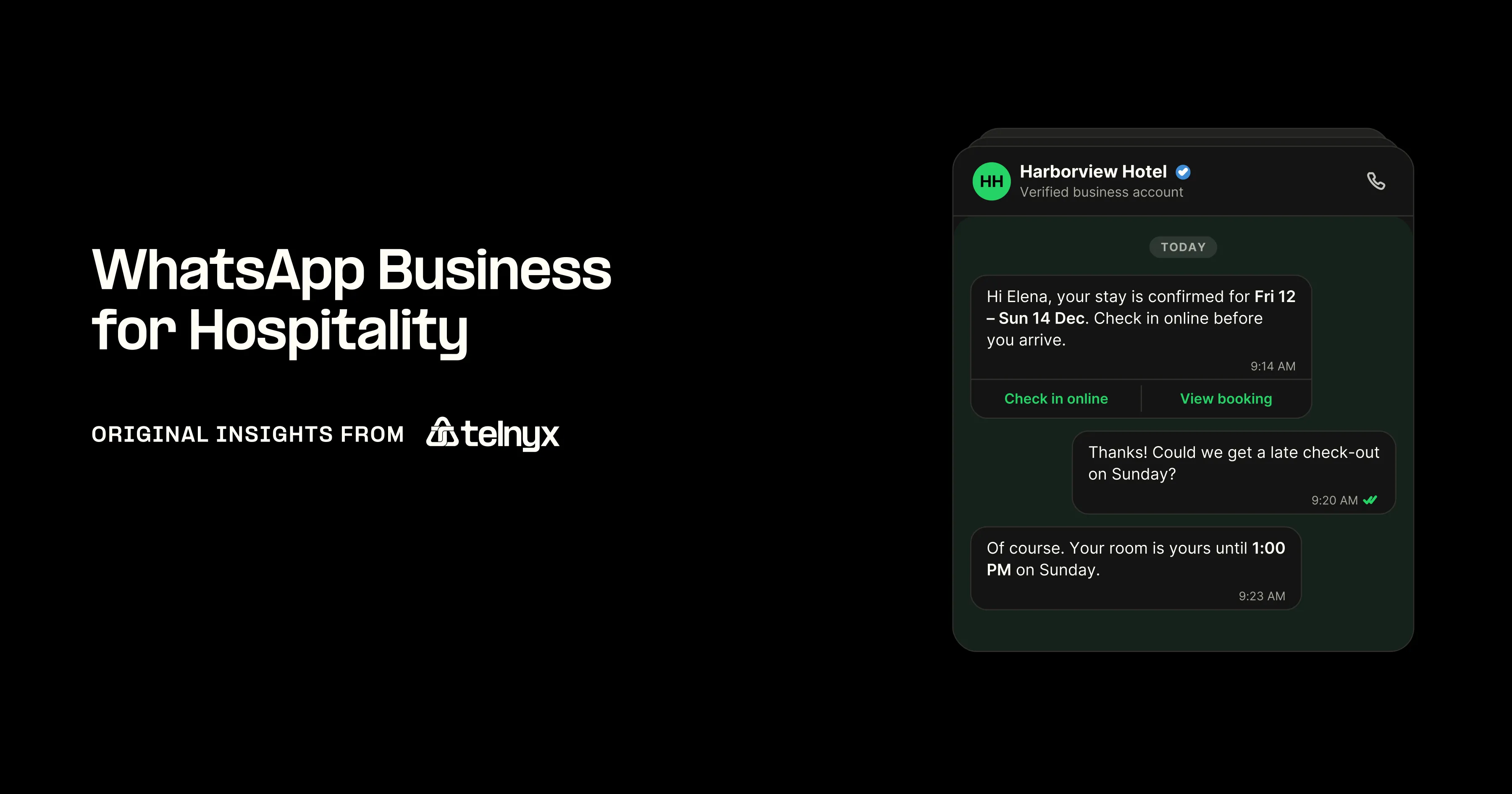
WhatsApp Business lets you confirm bookings, answer guest requests and take guests' calls in the app they already use, on the number you already own, at Meta's per-message rate plus a Telnyx fee from $0.004.
- Your messages follow the stay: a confirmation and a check-in link before arrival, requests during it, the invoice and a review request after checkout.
- Each message has a Meta category: a utility, marketing or authentication template you send first, or a service reply after the guest has written to you. Since October 1, 2026 you pay for service replies after the first 1,000 per number each month, and for utility templates even inside the 24-hour window.
- On Telnyx you pay a platform fee from $0.004 per message, Meta's fee arrives on the same invoice, and guests' WhatsApp calls ring on the phone system you already have.
How WhatsApp Business works in hospitality, from booking to checkout
Most of your guests already have WhatsApp: more than 3 billion people use it every month, Meta said in April 2025. With WhatsApp Business you message them from a verified number that shows your hotel's name, and they reply, or call, in the same chat. Here is how that works at each stage of a stay.
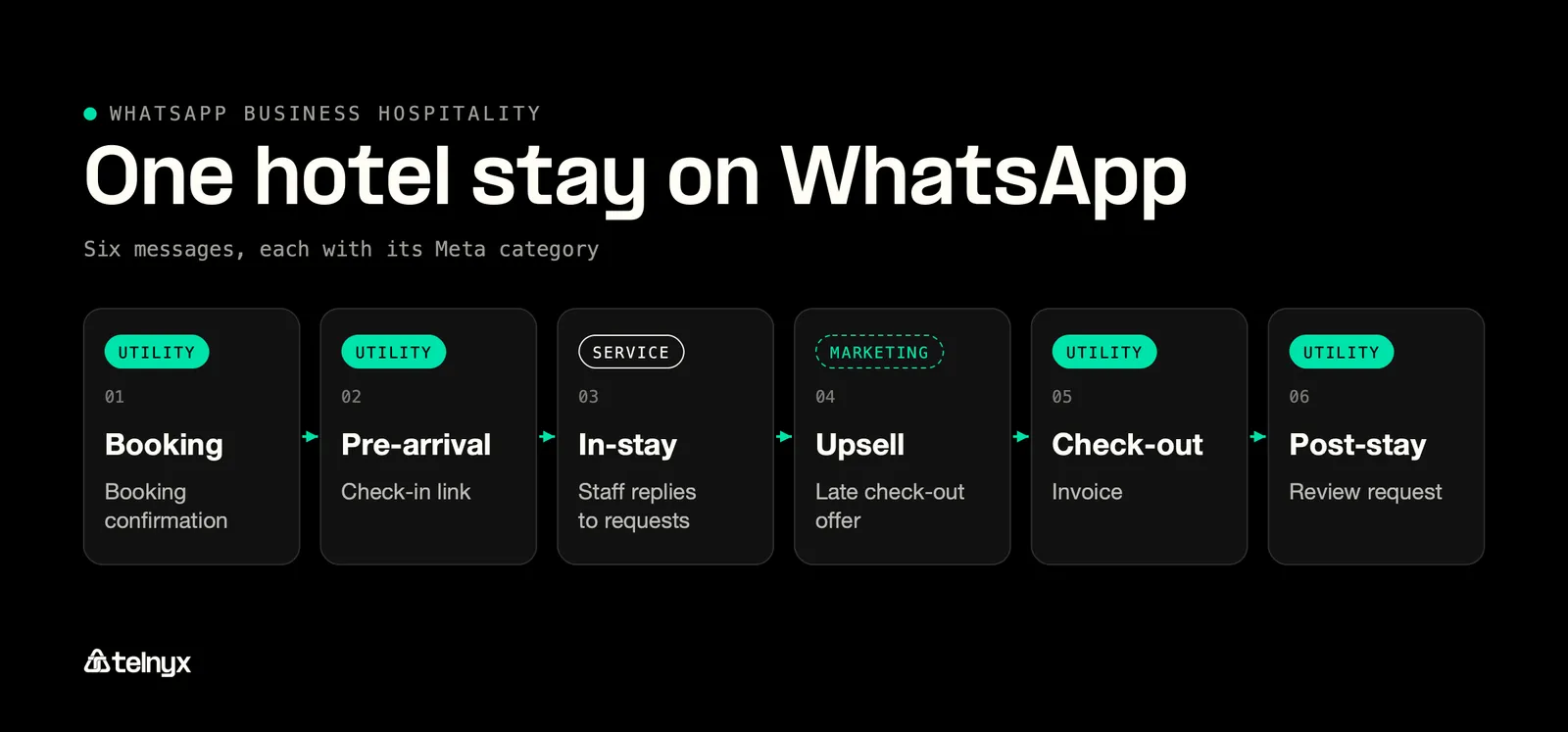
Each message of a stay has a Meta category: utility, service or marketing.
Confirmations, check-in links and reminders before arrival
Your first WhatsApp message goes out the moment a guest books. Send the booking confirmation straight away, then a check-in link a day or two before they arrive. Meta calls both of these utility templates: you write the message once, Meta approves it, and you can then send it without waiting for the guest to write to you. Because you start the conversation, you need the guest's permission first, so add an opt-in checkbox to your booking engine or ask at the desk, as the WhatsApp Business Messaging Policy requires. If you also run a restaurant, a reservation reminder works the same way, as covered in WhatsApp for restaurants. Bookings that come through an online travel agency (OTA) often arrive without the guest's phone number, so ask for the number and the opt-in on your pre-arrival page or in your first SMS.
Here is the whole stay in one table. Two things decide what Meta charges you for each message: its category, and whether the guest has written to you in the last 24 hours.
One hotel stay, message by message, with its Meta category and window status
| Stay moment and message | Who starts it and Meta category | Inside the 24-hour window and what it means for the bill |
|---|---|---|
| Booking confirmation | Hotel, utility template | Outside, billed at the utility rate |
| Pre-arrival check-in link | Hotel, utility template | Outside, billed |
| Guest asks for early check-in | Guest, user message | Free, opens the window |
| Staff reply about the room | Hotel, service message | Inside, free up to 1,000 service messages per number per month, billed from the 1,001st |
| Spa or late check-out offer | Hotel, marketing template, needs marketing opt-in | Billed at the marketing rate in or out of the window |
| Urgent request as a WhatsApp call | Guest, call to the Telnyx number | Rings on your existing phone system |
| Check-out invoice | Hotel, utility template | Billed even inside the window since October 1, 2026 |
| Review request | Hotel, utility template | Billed |
| Repeat-booking offer | Hotel, marketing template | Billed |
If a guest isn't on WhatsApp, send the same message by SMS or email from the same number. The after-checkout stage below shows how.
The most common problem before arrival is a wrong number: the guest typed a landline or a relative's mobile into the booking form, and your check-in link goes to a stranger. You can prevent it by sending a one-time code over WhatsApp with the Telnyx Verify API and sending the link only once the guest confirms it. If you have a developer, these are the two requests it takes, the first to send the code and the second to check it:
Requests, upsells and calls during the stay
The stay is where WhatsApp earns its keep. When a guest writes to you, a 24-hour customer service window opens, and your front desk can reply in plain text with no template. Guests ask for extra towels, a later check-out or a table for dinner, and your team answers in the chat. Upsells are the exception: a spa slot or a late check-out offer counts as marketing, so it needs a marketing template and the guest's marketing opt-in, even if they wrote first.
When something is urgent, guests can call your WhatsApp number straight from the chat. The call rings on the phone system you already use, through your SIP, Voice API or TeXML connection. At 3 a.m. it goes wherever your night line rings, or to a Telnyx AI Assistant that answers WhatsApp calls today and can log a maintenance request or wake the duty manager.
Each department at your hotel sends its own kind of message, and most of them are utility templates.
The core WhatsApp message for each hotel department
| Department | Core WhatsApp message | Meta category |
|---|---|---|
| Reservations | Booking confirmation | Utility |
| Front desk | Room-ready message on arrival day | Utility |
| Restaurant | Reservation reminder | Utility |
| Housekeeping | Reply to a towel or pillow request | Service |
| Spa | Treatment offer to opted-in guests | Marketing |
| Concierge | Reply to a dinner or taxi request | Service |
Plan an SMS or email version of each one for guests who aren't on WhatsApp, when you write the template rather than after the first message fails.
Staffing rule: Give each stage one owner. Reservations owns the chat before arrival, the front desk during the stay, and a night manager or a Telnyx AI Assistant on WhatsApp calls overnight. Set a reply time your desk can keep, such as 15 minutes during the day: an unanswered WhatsApp message sits on the guest's lock screen in a way an unanswered email never does.
Invoices, reviews and repeat bookings after checkout
The conversation doesn't end at checkout. Send the invoice and a review request within hours of departure, while the stay is fresh; both are utility templates. A repeat-booking offer three months later is a marketing template, so send it only to guests who opted in to marketing. Two kinds of guests need different handling. If a guest gave you a landline, a number lookup catches it before your first template, so you can switch to email. If a guest never replies on WhatsApp, send your next message by SMS from the same Telnyx number instead of a third template into a silent chat.
If your team builds its own integration, the whatsapp-sms-bridge-python example, checked against the Telnyx SDK, shows how. It forwards a WhatsApp message over SMS, and back, from the same number. These are the two send functions and the forwarding step:
If you run more than one hotel, give each its own local number so guests see a local country code; Telnyx has local numbers in 130+ countries. To keep your current front-desk number, import it with Bring Your Own Number, and guests keep the number they already saved. For guests who aren't on WhatsApp, SMS or RCS (Rich Communication Services) from the same number is the fallback, and RCS messaging pricing covers what that costs. Hotels in the European Union have their own opt-in and data rules, covered in WhatsApp Business in Europe. For published results from hotel brands, see Meta's success stories.
Try the WhatsApp Business API on the number your front desk already answers, from $0.004 per message with Meta's fee on the same invoice.
WhatsApp Business pricing for hospitality: what a guest stay costs
Since October 1, 2026 Meta charges for service messages, your free-form replies, once a number passes 1,000 in a month. The allowance doesn't roll over, and you pay from the 1,001st. Utility templates you send inside the 24-hour window are now billed at the utility rate too; they used to be free. If you use Meta Business Agent, Meta's own AI, you pay $2.00 per 1M tokens, about 4 to 5 cents a message, with no free tier. Replies written by your staff or by a third-party AI such as a Telnyx AI Assistant are service messages, so they count toward the free 1,000 instead. Meta charges the same with every provider. On Telnyx you add a platform fee from $0.004 per message, lower as your volume grows, and both arrive on one invoice.
What will each guest message cost after October 1?
- Guest messaged you in the last 24 hours: send a service reply. The first 1,000 per number each month carry no Meta fee, and replies beyond that are billed.
- Booking confirmation inside the window: budget for a utility template fee. Since October 1, 2026 utility templates sent inside the 24-hour window are billed too.
- Late-checkout offer to past guests: use a marketing template. Promotions need their own Meta category, billed per message plus the Telnyx platform fee from $0.004.
- Login code for the guest app: send an authentication template. One-time codes are a separate Meta category, billed per message on top of the Telnyx fee.
- Want Meta and platform fees on one bill: send through Telnyx. The platform fee starts at $0.004 per message and Meta's charge appears on the same invoice.
Do you need the free WhatsApp Business App or the paid API?
WhatsApp gives you two options: a free phone app for one person running one business, and a paid API that your booking software and your whole team can use on one number. The table shows where the free app runs out once you have a front desk.
What a hotel needs from WhatsApp, app versus API on Telnyx
| What a hotel needs | WhatsApp Business App | WhatsApp Business API on Telnyx |
|---|---|---|
| Devices | One phone plus four linked | Any number of agents and systems through the API |
| Broadcasts | At most 256 saved contacts | Meta-approved templates to opted-in guests |
| Message templates | None | Created and submitted for Meta approval from Mission Control |
| Voice calls on the same number | App calls only | Inbound and outbound WhatsApp calls routed to the existing SIP, Voice API or TeXML connection |
| Price | Free app | Meta's per-message rate plus a Telnyx platform fee from $0.004 per message, on one invoice |
Rule of thumb: If two people ever need to answer your WhatsApp number at once, if your property management system (PMS) should send messages, or if you need to reach guests who haven't saved your number, you need the API. The app suits a small property where one person holds the phone.
You get the API through a Business Solution Provider (BSP) such as Telnyx, and the number stays yours. Many BSPs put WhatsApp on a separate number with a separate bill, which is the setup most hotel teams want to leave; choosing a WhatsApp provider lays out what to compare.
What a guest stay costs, message by message
Because you pay per message, you can add up a whole stay. The rates below are Meta's North America rates from its July 1, 2026 rate card, under the October 1, 2026 rules, with the Telnyx fee from $0.004 added to each.
One US guest stay on WhatsApp, Meta rate plus Telnyx fee
| Message in the stay | Meta category | Cost per message (Meta rate + Telnyx fee from $0.004) |
|---|---|---|
| Booking confirmation | Utility template | $0.0034 + $0.004 = $0.0074 |
| Pre-arrival check-in link | Utility template | $0.0074 |
| Guest's question | User message | No Meta fee |
| Three staff replies | Service, inside the window | No Meta fee within the first 1,000 service messages per number per month, charged from the 1,001st. Telnyx fee from $0.004 each |
| Late-check-out offer | Marketing template | $0.0250 + $0.004 = $0.0290 |
| Check-out invoice | Utility template, billed even inside the window since October 1 | $0.0074 |
| Review request | Utility template | $0.0074 |
| Total per guest | Four utility, one marketing, three service | About $0.071 (utility $0.0296 + marketing $0.0290 + service $0.012 Telnyx fee), all on one invoice |
Meta's rates differ by country: UK utility is $0.0220 and India utility and authentication are $0.0014, and the full rate card is in our WhatsApp Business API cost guide. Two more things affect your bill. When a guest taps one of your Click to WhatsApp ads in the mobile app, a free entry point window opens and every message in it is free except Meta Business Agent messages. And if your Messaging account has no payment method on file, service messages stop delivering once you pass the free 1,000, so add a card before your busy month.
How to set up the WhatsApp Business API on Telnyx
You connect WhatsApp in Mission Control in three steps, then add your templates. You don't need a developer for any of it, and your existing number can be the one that goes live.
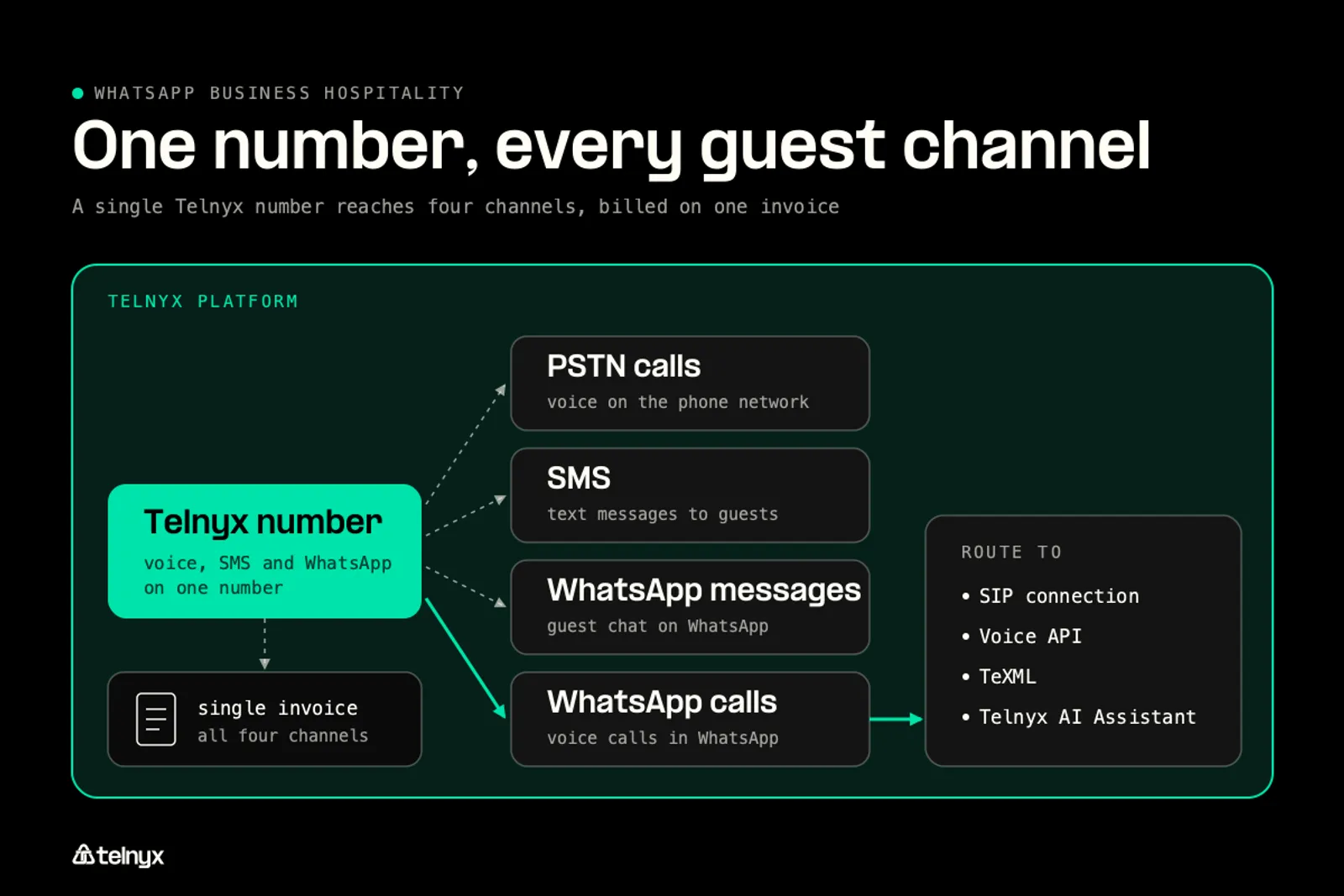
WhatsApp calls ring on your existing SIP, Voice API or TeXML connection, with no extra setup.
Connect your WhatsApp Business Account in three steps
Here are the three steps:
- Connect your WhatsApp Business Account (WABA). In Mission Control go to WhatsApp, then Connect, and select your WhatsApp Business Account through Meta's Embedded Signup. Meta business verification happens here, without leaving the portal.
- Verify your number. Pick an active Telnyx number, or a number imported with Bring Your Own Number, and enter the verification code Meta sends to confirm ownership.
- Toggle WhatsApp Calling on, assign the number to a Telnyx AI Assistant if you want one answering, then create and submit your first message template.
To keep your current front-desk line, import it with Bring Your Own Number: it works with the WhatsApp Business API exactly like a number bought from Telnyx, calls included.
How to manage message templates on the WhatsApp Business Platform
You create templates in Mission Control and submit them to Meta for approval from the same screen. Meta has three template categories: authentication, utility and marketing. Your free-form replies inside the 24-hour window are service messages and need no template. Four templates get a hotel started: booking confirmation (utility), pre-arrival check-in link (utility), late check-out offer (marketing) and review request (utility). One tip saves money: if you put marketing wording in a utility template, such as a discount line on the invoice, Meta re-categorises it and charges you the marketing rate of $0.0250 instead of $0.0034.
Once a template is approved, your system sends it with one request. This is the request from our product page, set up as a booking confirmation with the guest's first name and booking reference:
Run guest communications on the Telnyx platform
The result is one number for four channels: phone calls, SMS, WhatsApp messages and WhatsApp calls, with one set of analytics. WhatsApp calls your hotel places are billed per minute, pay as you go, with no monthly subscription. Calls guests place to you ring through your existing SIP, Voice API or TeXML connection, so if you already use business SIP trunking, a WhatsApp call rings on the same desk phones as any other call. Meta's fees and the Telnyx platform fee arrive on one invoice, the line most teams were missing when WhatsApp sat with a second vendor.
Build or buy on top: The number and the WhatsApp Business Account are yours, so your PMS can call the API directly or any inbox tool can sit on top. Meta charges the same with every provider, so when you compare providers, compare the platform fee, the channels that share your number, and the analytics.
FAQ
Price every guest message and keep one number
Send every WhatsApp message of a stay, and take guests' calls, on the number you already own, from $0.004 per message with Meta's fee on the same invoice and no second messaging vendor.
Connect your WhatsApp numberShare on Social

Serhii Omelchenko
Global AEO/SEO Manager
Serhii is Global AEO/SEO Manager at Telnyx, based in Amsterdam, he is focused on making communications infrastructure findable and credible across both traditional search and AI-driven discovery. He previously led SEO and GEO strategy for some of the world’s most recognized consu


