TELNYX MEETING BOT

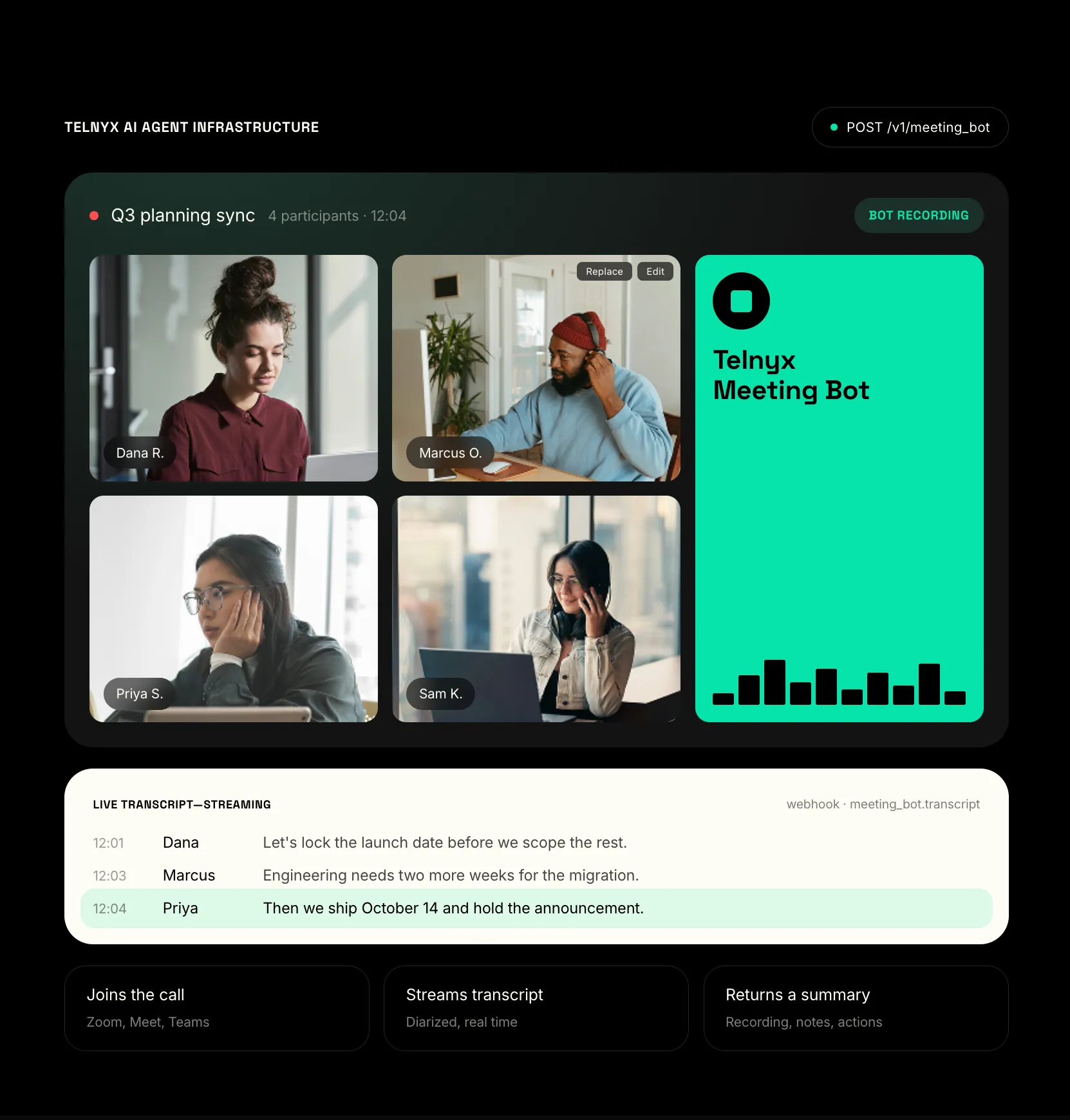
Send an AI participant into any meeting with one API call.

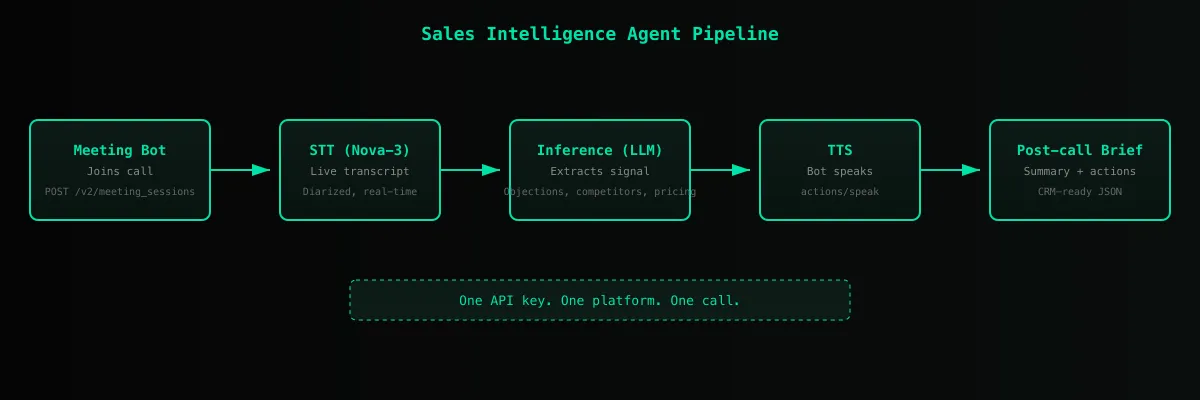
Meeting Bot joins Zoom, Google Meet, Microsoft Teams, and Webex meetings as a programmable participant. It transcribes live, speaks and chats on command, and returns structured summaries and action items when the meeting ends. All through the same Telnyx API key your agent already uses for calls, STT, and TTS.

Meeting bot
WHY MEETING BOT

Built for agents, not for humans with calendars.

FEATURES

Everything an agent needs to show up in a meeting.

Each primitive is independently useful and composes with the rest of the Telnyx stack.

  • Live transcription

    Stream the meeting transcript to your agent as it happens, with speaker labels and timestamps. Default STT is Nova-3.

  • Programmable speech

    Your agent can make the bot say anything at any point in the meeting. Text goes through Telnyx TTS and plays into the meeting audio.

  • Chat injection

    Drop messages into the meeting chat on Zoom, Google Meet, Teams, and Webex. Useful for sharing links or follow-up actions without interrupting the speaker.

  • Post-meeting artifacts

    When the meeting ends, receive structured summaries and action items generated by Telnyx Inference. summarize_on_end auto-generates a summary from the final transcript.

  • Webhook-driven lifecycle

    Set a webhook_url on session create to receive signed meeting lifecycle events. No polling required, but polling is supported for batch workflows.

  • Cross-platform support

    One API surface for Zoom, Google Meet, Microsoft Teams, and Webex. Same request shape, same response shape, same webhook contract.

HOW IT WORKS

Four API calls cover the full meeting lifecycle.

Create a session, poll for status, fetch the transcript, and tell the bot to speak.

Create, poll, transcribe, speak

# 1. Create a meeting session
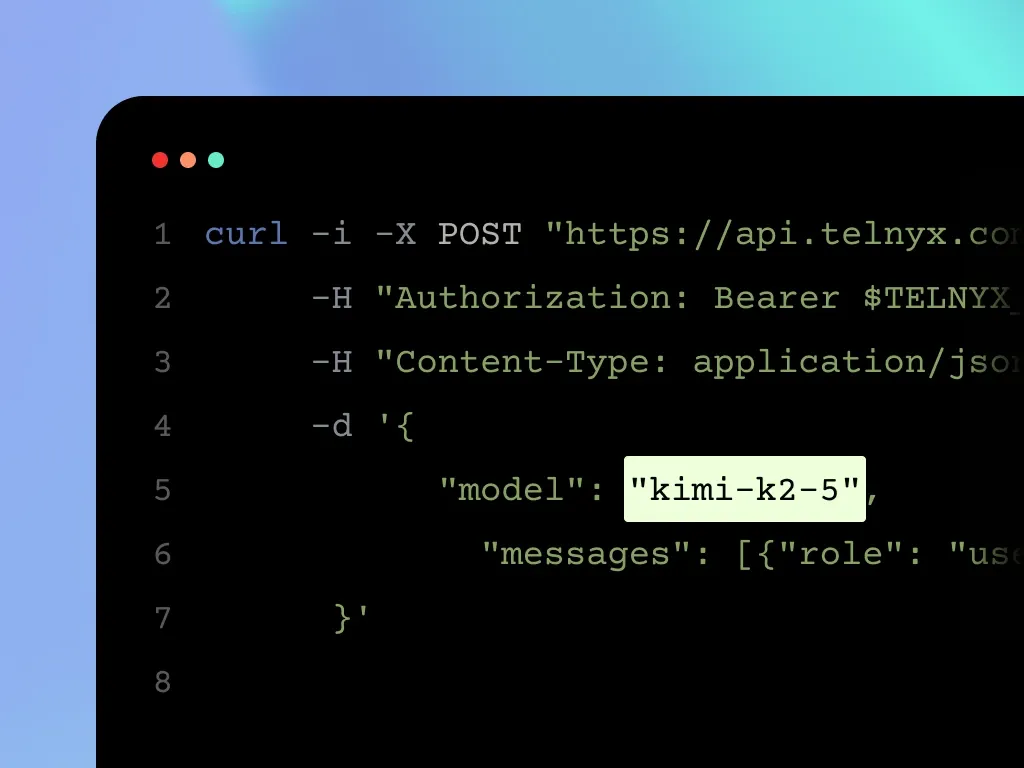
curl -X POST https://api.telnyx.com/v2/meeting_sessions \
  -H "Authorization: Bearer $TELNYX_API_KEY" \
  -H "Content-Type: application/json" \
  -d '{
    "meeting_url": "https://meet.google.com/abc-defg-hij",
    "bot_name": "Standup Bot",
    "summarize_on_end": true
  }'

# 2. Poll session status until active
curl https://api.telnyx.com/v2/meeting_sessions/$SESSION_ID \
  -H "Authorization: Bearer $TELNYX_API_KEY"

# 3. Fetch the live transcript
curl "https://api.telnyx.com/v2/meeting_sessions/$SESSION_ID/transcript?after=0&limit=100" \
  -H "Authorization: Bearer $TELNYX_API_KEY"

# 4. Make the bot speak
curl -X POST https://api.telnyx.com/v2/meeting_sessions/$SESSION_ID/actions/speak \
  -H "Authorization: Bearer $TELNYX_API_KEY" \
  -H "Content-Type: application/json" \
  -d '{ "text": "I have the action items from last week." }'

Same flow with requests

import os, time, requests

API = "https://api.telnyx.com/v2"
HEADERS = {"Authorization": f"Bearer {os.environ['TELNYX_API_KEY']}", "Content-Type": "application/json"}

# 1. Create a meeting session
session = requests.post(f"{API}/meeting_sessions", headers=HEADERS, json={"meeting_url": "https://meet.google.com/abc-defg-hij", "bot_name": "Standup Bot", "summarize_on_end": True}).json()["data"]
session_id = session["id"]

# 2. Poll until active
while True:
    status = requests.get(f"{API}/meeting_sessions/{session_id}", headers=HEADERS).json()["data"]
    if status["status"] == "active": break
    time.sleep(5)

# 3. Fetch the transcript
transcript = requests.get(f"{API}/meeting_sessions/{session_id}/transcript?after=0&limit=100", headers=HEADERS).json()["data"]

# 4. Make the bot speak
requests.post(f"{API}/meeting_sessions/{session_id}/actions/speak", headers=HEADERS, json={"text": "I have the action items from last week."})

Same flow with fetch

const API = "https://api.telnyx.com/v2";
const headers = {Authorization: `Bearer ${process.env.TELNYX_API_KEY}`, "Content-Type": "application/json"};

// 1. Create a meeting session
const session = await fetch(`${API}/meeting_sessions`, {method: "POST", headers, body: JSON.stringify({meeting_url: "https://meet.google.com/abc-defg-hij", bot_name: "Standup Bot", summarize_on_end: true})}).then(r => r.json());
const sessionId = session.data.id;

// 2. Poll until active
let status;
do {
  await new Promise(r => setTimeout(r, 5000));
  status = await fetch(`${API}/meeting_sessions/${sessionId}`, {headers}).then(r => r.json());
} while (status.data.status !== "active");

// 3. Fetch the transcript
const transcript = await fetch(`${API}/meeting_sessions/${sessionId}/transcript?after=0&limit=100`, {headers}).then(r => r.json());

// 4. Make the bot speak
await fetch(`${API}/meeting_sessions/${sessionId}/actions/speak`, {method: "POST", headers, body: JSON.stringify({text: "I have the action items from last week."})});
RELATED PRODUCTS

Same API key, same primitives, more surfaces.

Get a Telnyx API key and send an agent into a meeting.

Sign up, grab your key, and run the cURL example above. Meeting Bot is in beta.

FAQ

Meeting Bot is an API-first agent primitive that lets a developer programmatically add a Telnyx-controlled AI participant to a Zoom, Google Meet, Microsoft Teams, or Webex meeting. The bot transcribes the meeting live, can speak and chat into it, and returns structured summaries and action items when the meeting ends.