

Shared or dedicated email IP? How to tell if your volume justifies one, and how to warm it up safely.
- The dedicated IP vs shared IP choice comes down to whose mail shapes your sender reputation, and whether your volume is high and steady enough to build one alone. If it is, you can provision, warm, and pool a dedicated IP through an API without losing inbox placement.
- Static vs dynamic is a separate question. It asks whether the address changes, not who else sends from it.
- A dedicated IP does nothing for search rankings or page speed.
- A dedicated IP needs a gradual warm-up and daily monitoring, and five API calls take one from purchase to verified delivery.
Dedicated IP vs shared IP: what's the difference?
The difference is whose traffic shapes the reputation of the address you send from, not whether that address changes. The same split applies to web hosting and outbound office traffic, but email is where it decides whether your messages reach the inbox.
What is a shared IP?
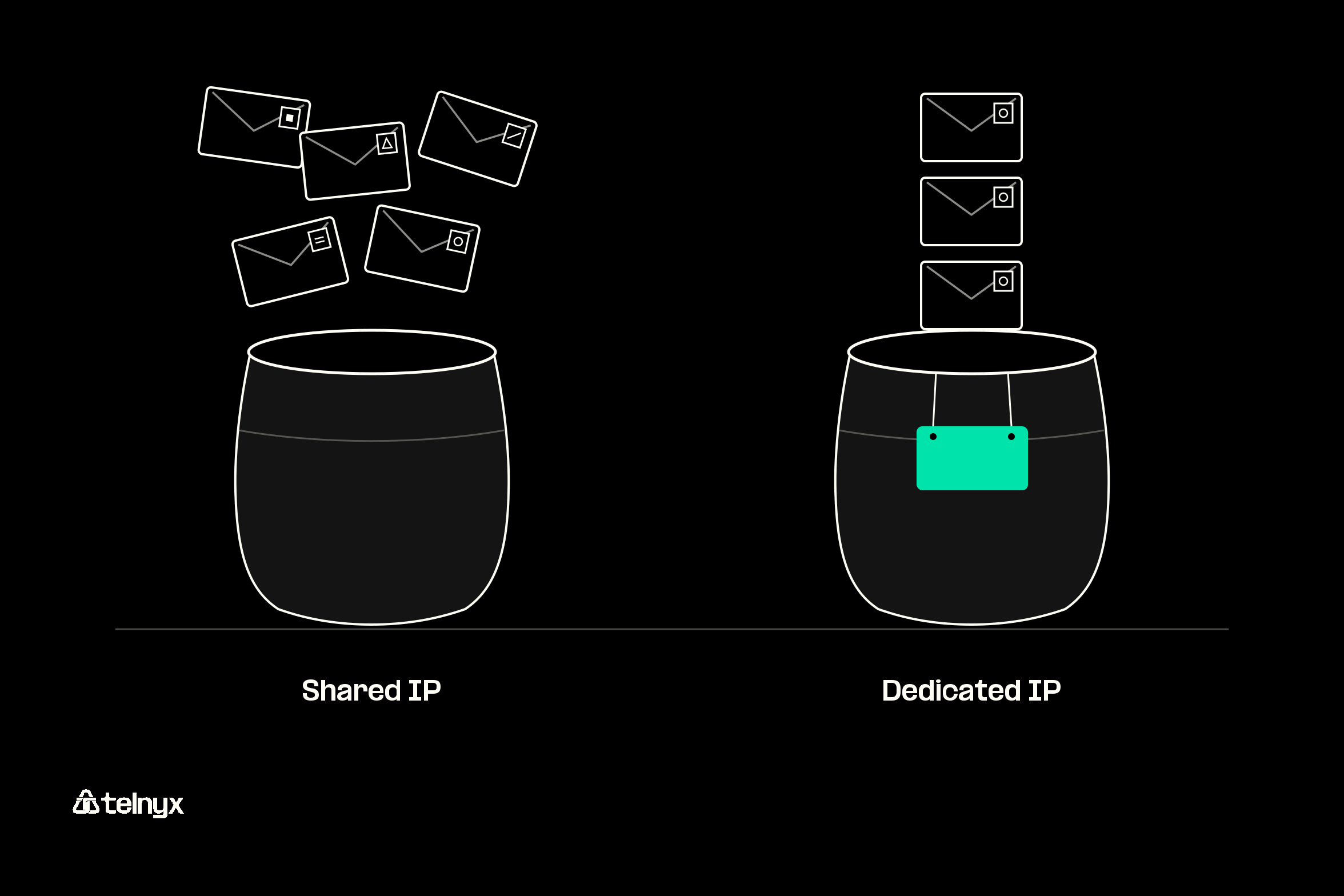
A shared IP is one public address that many senders use at once. Your email provider's shared pool sends mail from many customers through the same handful of addresses, and mailbox providers like Gmail score the address, not the customer behind it. When another tenant on that address sends spam, placement drops for everyone on it. That is IP reputation spillover.
The trade is control. The provider watches for abuse, removes bad senders, and keeps the pool warm, so you inherit a reputation someone else built and maintains.
What is a dedicated IP?
A dedicated IP belongs to one account, so its reputation comes only from your sending. At high, steady volume that works in your favor: your clean list and low complaint rate earn placement no other sender can spend. At low volume it works against you, because filters see too little mail from the address to judge it.
Here is how the two compare on the factors that matter for an email team.
Shared IP vs dedicated IP at a glance
| Factor | Shared IP | Dedicated IP |
|---|---|---|
| Who uses it | Many senders on the provider's pool | Your account only |
| Whose sending shapes the reputation | Every tenant on the address | Yours alone |
| Cost | Included in most plans | An added fee ($14 per IP a month on Telnyx) |
| Warm-up needed | No, the pool is already warm | Yes, volume ramps up gradually |
| Who monitors abuse | The provider | You |
| Best for | Low or irregular volume | High, steady volume and allowlisting |
Static vs dynamic is a different question
Static means the address stays the same. Dynamic means it gets reassigned. Dedicated means nobody else uses the address, and shared means others do. A provider's shared pool address can stay static for years, and a dedicated IP is normally static too.
The confusion often comes from Network Address Translation (NAT). Your office router gives each laptop a private internal address and translates all outbound traffic to one public IP, which is why a whole building can show a single address to the internet.
If you suspect spillover is behind your last deliverability dip, the Telnyx docs on deliverability reporting explain how to check whether the drop tracks your own sending or the pool's.
Send from an IP only you use
Add a dedicated sending IP to the Telnyx Email API, with warm-up and IP pools managed through the same API.
Dedicated vs shared email IP: which gets to the inbox?
A dedicated IP gets more of your mail to the inbox only when your volume is high and steady enough to build its own reputation. Getting one live takes five API calls: provision a dedicated sending IP, start its warm-up, create an IP pool, route the IP through the pool, and send a test email.
How mailbox providers score a sending IP
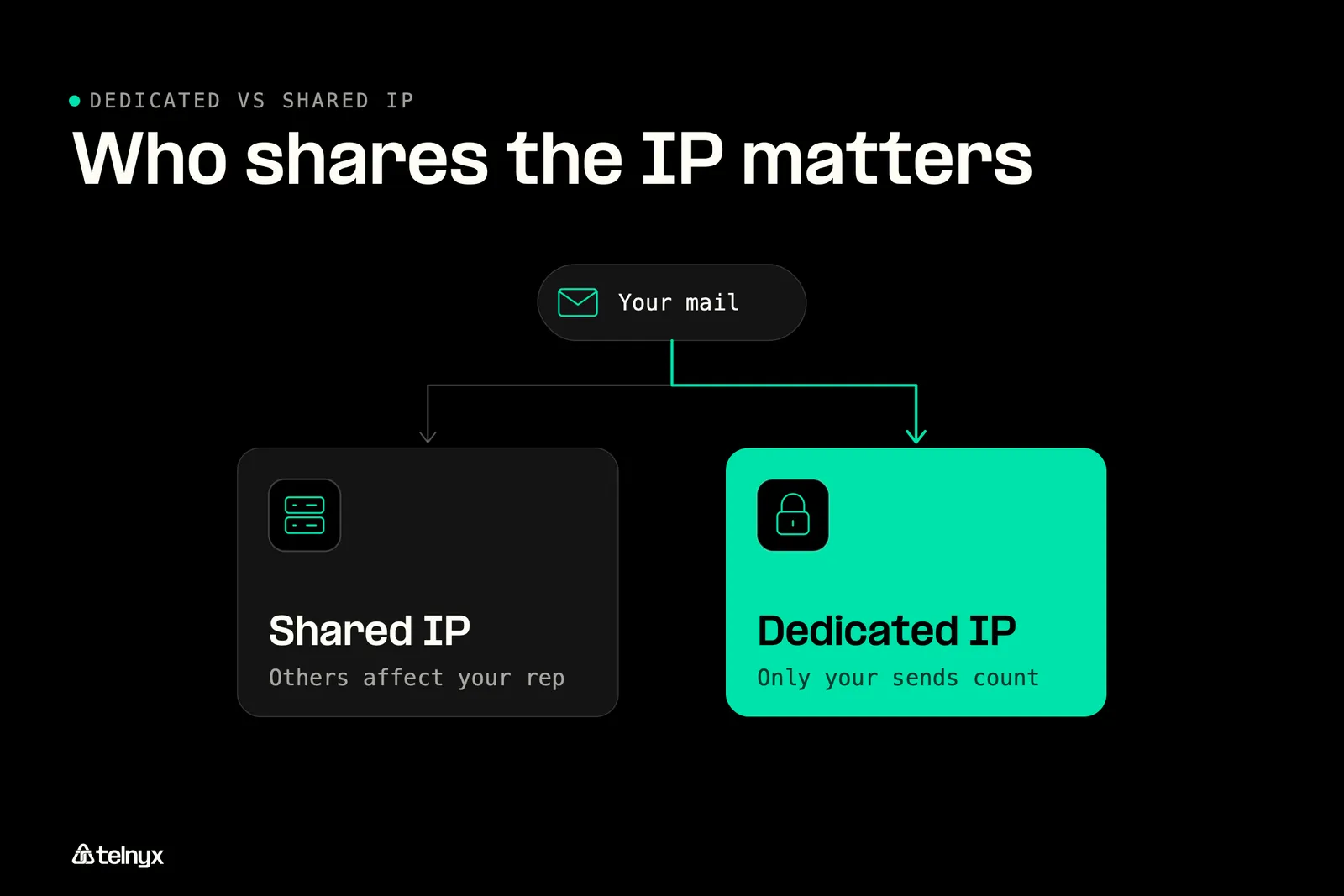
A mailbox provider sees each message arrive from an IP and a domain. It tracks your bounce rate, complaint rate, engagement, and blocklist listings against both, and that running record is your sender reputation. On a shared pool, one tenant's bad numbers land on every tenant's IP reputation. On a dedicated IP, only your numbers count.
Authentication sits underneath all of it. The Gmail sender guidelines require SPF, DKIM, and DMARC, and a matching PTR record tells receivers your IP really belongs to your domain. A dedicated IP without them is still unauthenticated mail.
When a dedicated IP makes deliverability worse
A dedicated IP with little or irregular traffic has no history, so filters treat it as unknown. A sudden jump in volume from that address looks like a hijacked server, and receivers throttle or reject it. This is why small or bursty senders usually do better in a warm shared pool.
The fix is a warm-up that ramps volume gradually while receivers learn the address. If you can't pause sending during a provider switch, keep your shared pool carrying the bulk and your hourly peaks while the new IP takes a growing share. The dedicated IPs docs list the current ramp.
How to provision, warm and pool a dedicated IP
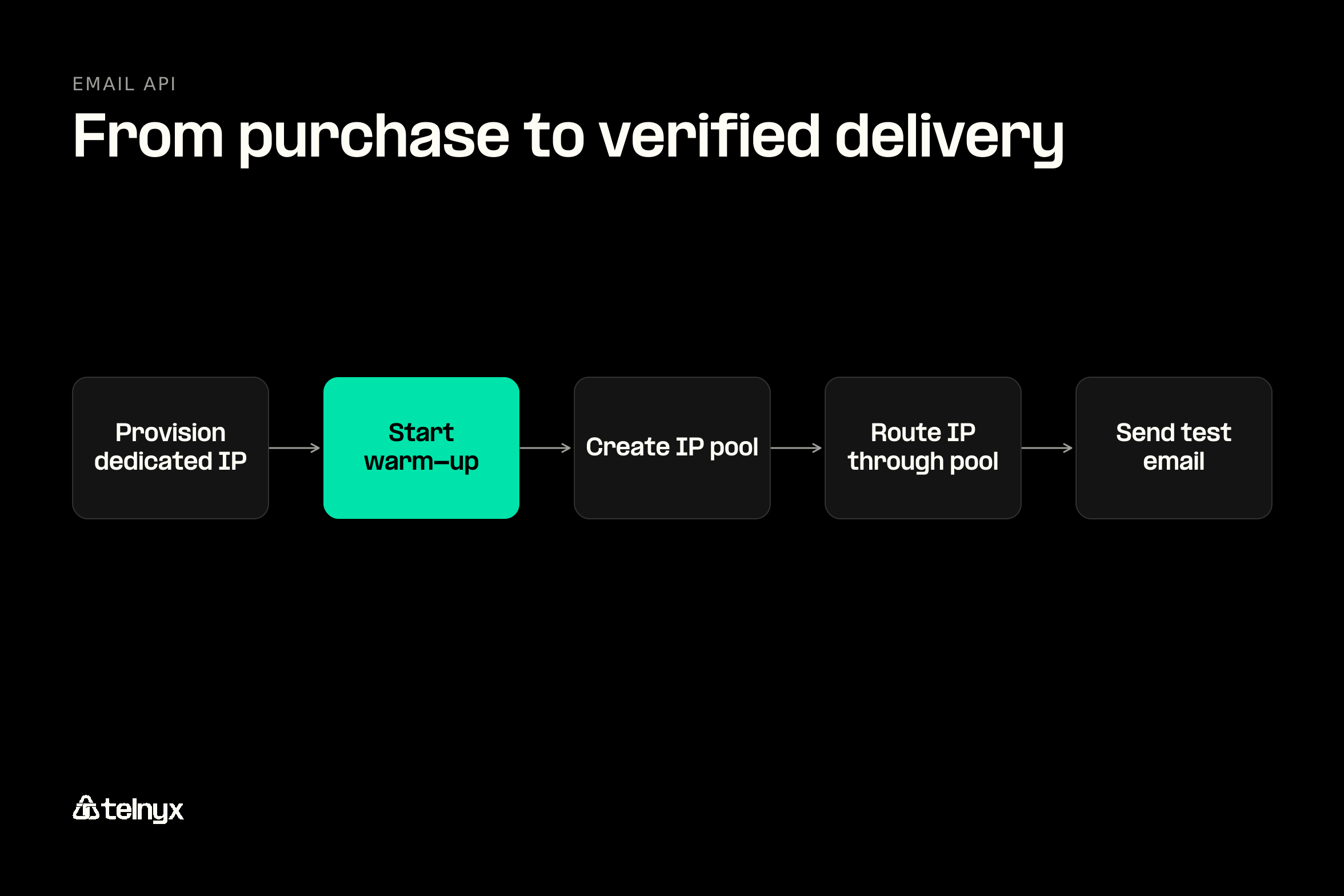
On the Telnyx Email API, a dedicated IP goes from purchase to verified delivery in five steps:
- Provision a dedicated sending IP.
- Start its warm-up.
- Create a default IP pool.
- Route the IP through the pool.
- Send a test email to verify delivery.
If you have a developer, these are the five REST requests behind those steps. Treat them as reference code to adapt, and check each against the dedicated IPs docs, which are the source of truth.
Before you route traffic, poll the IP until its status reads warming_up and its DNS shows as confirmed. Then watch four signals through the first weeks:
- Bounce rate: A rise in hard bounces points to stale addresses. Pause the segment and clean it before adding volume.
- Complaint rate: Slow the ramp and review the campaign that triggered the complaints.
- Blocklist listings: Check the IP on the Spamhaus IP lookup. If it's listed, stop the ramp, fix the cause, and request removal.
- Inbox placement: Watch seed accounts or engagement by mailbox provider. If opens fall at one provider, hold your volume there until they recover.
Should marketing and transactional mail share an IP?
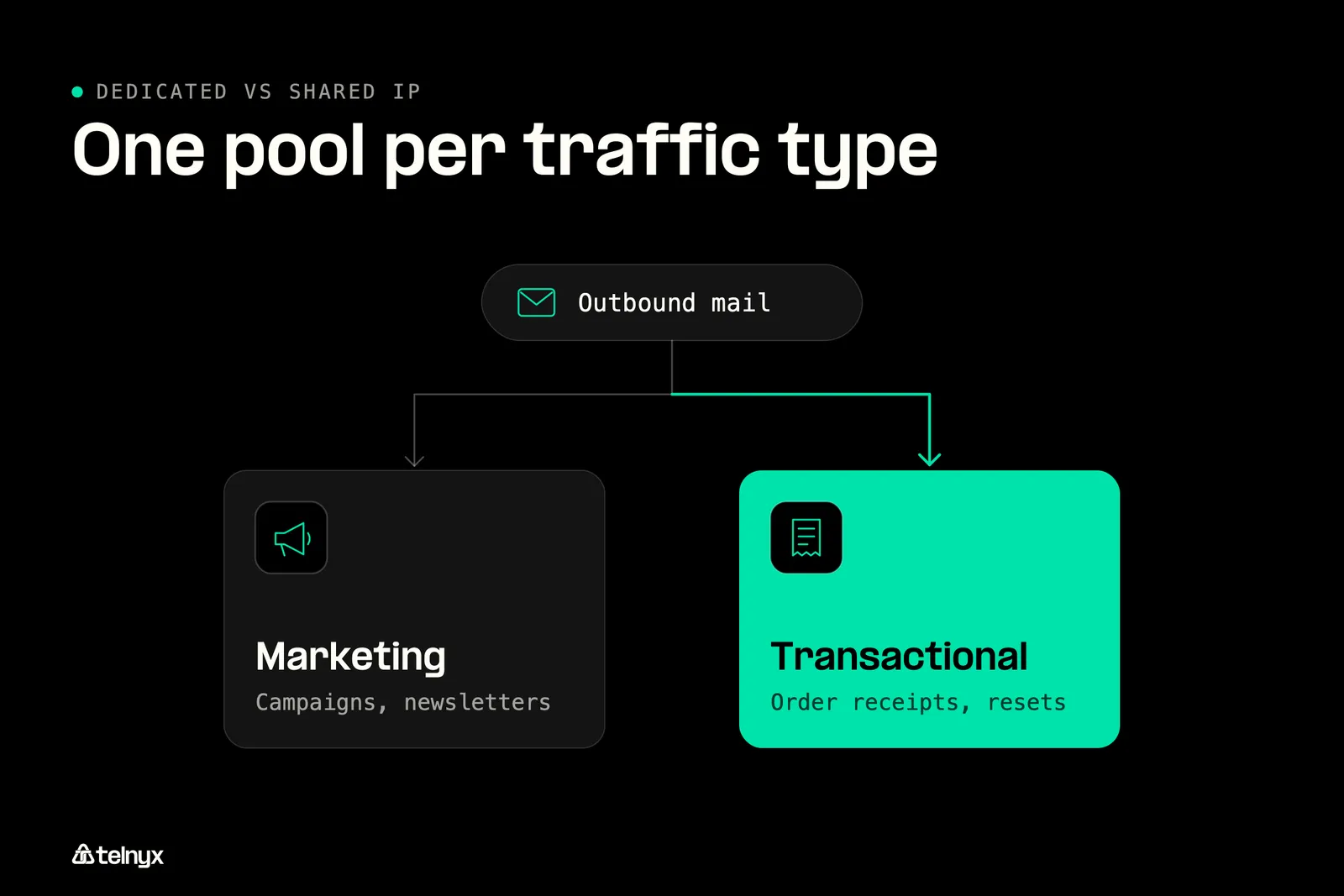
No, not once your volume supports more than one dedicated IP. Marketing mail carries higher complaint and unsubscribe rates than password resets and order confirmations. Send both from one IP and a campaign's complaints can delay the receipt your customer is waiting for, a real cost for ecommerce communications.
The cleaner design is one pool per traffic type, so each stream builds its own reputation. Ask about pool support when you compare transactional email APIs, because this split is the main design decision in any migration.
Shared pool fits if your volume is irregular or low, you have no one to monitor reputation, or you're just starting to send.
Dedicated IP fits if your volume is high and steady, you run separate marketing and transactional streams, or partners allowlist your sending IP.
Shared IP vs dedicated IP for SEO: does it matter?
No. Whether your website's host IP is shared or dedicated has no effect on search rankings, page speed, or your ability to serve HTTPS.
Why a dedicated IP does not change rankings
Search engines rank pages on content, relevance, authority, and page experience. Most HTTPS sites on the web share an IP address with other sites, and they rank without penalty. Three claims about IP type come up often, and none holds:
- A dedicated IP boosts rankings: It doesn't. Rankings look at content, relevance, and authority, not the address.
- A dedicated IP makes pages faster: It doesn't. The server, caching, and network path set your speed.
- HTTPS needs a dedicated IP: It doesn't. Server Name Indication (SNI) serves many certificates from one address.
Speed and SSL: the IP is not the bottleneck
Advice on speed contradicts itself because it mixes up the address with the server behind it. The address carries no speed. A crowded shared hosting plan does slow down at peak times, but that comes from shared CPU, memory, and bandwidth, so a dedicated IP on the same server changes nothing.
Early HTTPS needed one IP per certificate. Server Name Indication (SNI) lets a server present the right certificate for each domain on a single IP, and that is how shared hosting serves HTTPS today. Transport encryption is a separate question from the address. The one solid hosting reason for a dedicated IP is an API, payment gateway, or database that only accepts allowlisted source addresses.
Dedicated vs shared IP: which should you choose?
Start on a shared pool, and move to a dedicated IP once your volume is steady enough to build a reputation and your traffic mix is worth separating.
Should you pay for a dedicated sending IP?
- Low or irregular email volume: stay on the shared pool. It is already warm and included in most plans. A quiet dedicated IP gives filters too little to judge.
- High, steady volume and a clean list: buy a Telnyx dedicated IP at $14 a month. Nobody else's spam can drag your placement down once only your mail counts.
- Other tenants' spam is sinking your inbox rate: move to a Telnyx dedicated IP. Spillover stops because only your own sending sets the score for that address.
- No one free to watch reputation every day: keep the shared pool. A dedicated IP needs gradual warm-up and daily monitoring, while shared pool abuse is the provider's job.
- Hoping a dedicated IP lifts your SEO: skip it for that goal. Rankings and page speed stay the same, so the $14 a month buys you nothing there.
Stay on a shared pool if
Your volume is low or comes in bursts, nobody on your team owns reputation monitoring, or you're just starting to send. Each of these makes a dedicated IP a liability: a cold address with thin traffic looks suspicious to filters, and an unwatched one can slide onto a blocklist before anyone notices. Most email marketing providers start new accounts on a shared pool for this reason.
Move to a dedicated IP if
You send high, steady volume, you want marketing and transactional mail on separate pools, or a partner allowlists your sending IP. Allowlisting works in both directions. Stripe and PayPal publish the IP ranges their webhooks come from so you can allowlist them, and a partner that allowlists you needs an address that never changes. For sales and marketing teams running campaigns alongside receipts and alerts, the stream split alone often justifies the move. Alerts that also go out over the SMS API stay on their own channel either way.
What changes when you switch
Changing a dedicated IP later resets its reputation, so plan the switch once and run it in this order:
- Provision and start warm-up while your current pool still carries most of your mail.
- Update DNS so the PTR record resolves to your sending domain and SPF includes the new source.
- Move transactional mail first, and confirm bounce and complaint rates stay flat.
- Move marketing mail onto its own pool once transactional is stable.
- Retire the old pool one stream at a time, never all at once.
The deliverability best practices doc covers the monitoring side of each step.
Dedicated IP vs shared IP FAQ
Should marketing and transactional email go out from the same dedicated IP or from separate pools?
Separate pools, once your volume supports more than one dedicated IP. Marketing mail draws more complaints and unsubscribes, and on a shared address those numbers can slow password resets and order confirmations. One pool per traffic type lets each stream build its own reputation. Below that volume, keep both on a warm shared pool.
How do I move high-volume sending from a shared pool at another provider to a dedicated IP without losing inbox placement?
Warm the new IP while your current pool still carries most of your mail. Update your PTR and SPF records first, then move transactional mail, then marketing. Watch bounce rate, complaint rate, blocklist listings, and inbox placement daily, and slow the ramp if any of them moves. Retire the old pool one stream at a time.
What is a shared IP address and how does it work?
A shared IP is one public address that many senders use. An email provider routes mail from many customers through the same pool of addresses, and mailbox providers score those addresses on everyone's combined bounces, complaints, and engagement. You get a warm, provider-managed reputation, but another sender's spam can lower your placement.
Dedicated IP vs shared IP: which one should you use?
Use a shared IP if your volume is low or bursty, or nobody owns reputation monitoring. Use a dedicated IP if you send high, steady volume, want marketing and transactional mail separated, or need a fixed address a partner can allowlist. Most senders start shared and move once their volume can keep a dedicated IP warm.
Does the difference between a dedicated and a shared IP matter for a small sender?
Yes, and it usually favors the shared pool. A small sender can't send enough mail to give a dedicated IP a history, so filters treat the address as unknown and may throttle it. A well-run shared pool already has a reputation, and your provider handles abuse monitoring for you.
Does a dedicated IP improve speed?
No. An IP address carries no speed of its own. Page load time depends on the server's resources, caching, and network path, and email delivery speed depends on the receiving mailbox provider. Moving to a dedicated IP on the same crowded server changes nothing. Upgrading the server or the sending infrastructure is what makes a difference.
Can I change my dedicated IP address later?
You can, but the new address starts with no reputation and needs its own warm-up. Partners who allowlisted the old address would also need the new one, and your PTR and SPF records would need updating. Treat a dedicated IP as permanent, and plan any change as a full migration.