

- An ICCID (Integrated Circuit Card Identifier) number is the serial number of your SIM (subscriber identity module) card or eSIM (embedded SIM) profile, and you can tell it from the other long numbers by its opening 89, read off the last 4 digits a form asks for, and catch a mistyped digit before you submit it.
- You can read it printed on the card, under Settings > General > About on an iPhone, or on the SIM status screen on Android.
- When a form asks for the last 4 digits, give the final four exactly as printed or shown.
- It is a different number from the IMEI (International Mobile Equipment Identity), which identifies the device, and from your phone number, which identifies your line.
What is an ICCID number?
An ICCID number (Integrated Circuit Card Identifier) is the serial number of your SIM card or eSIM profile.
What should you enter in the ICCID field?
- Form asks for only the last 4 digits: type the closing four digits only. The form wants the end of the number, not the opening 89.
- Two long numbers, unsure which is the SIM's: use the one starting with 89.
- Your screen shows 20 digits, not 19: enter all 20 without trimming. E.118 caps the number at 19, but some carriers display one more.
- Porting your number to a new carrier: give the ICCID of the new SIM.
You can recognise it by its first two digits. Under ITU-T E.118, the International Telecommunication Union's standard for the number on a SIM card, it starts with 89 and runs to at most 19 digits including its check digit. You will be asked for it at three moments:
- When you activate a new SIM or eSIM, so the carrier knows which SIM to switch on.
- When you move your phone number to another carrier, so the number lands on the right SIM.
- When support checks that the SIM in your phone matches their records.
Where to find your ICCID
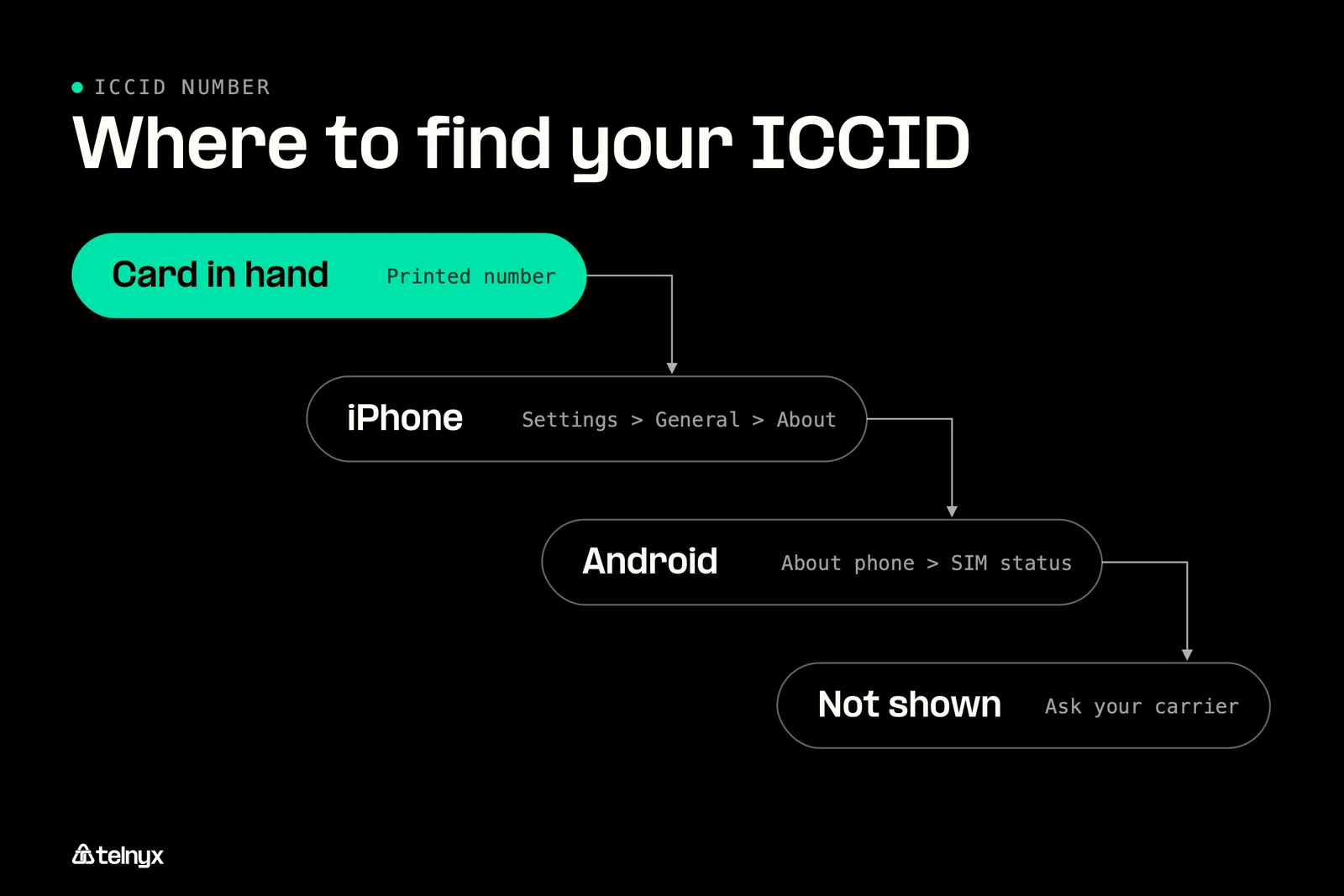
Your ICCID reads the same wherever you find it, so start with whichever of these you have in hand.
Where is the ICCID number on a SIM card?
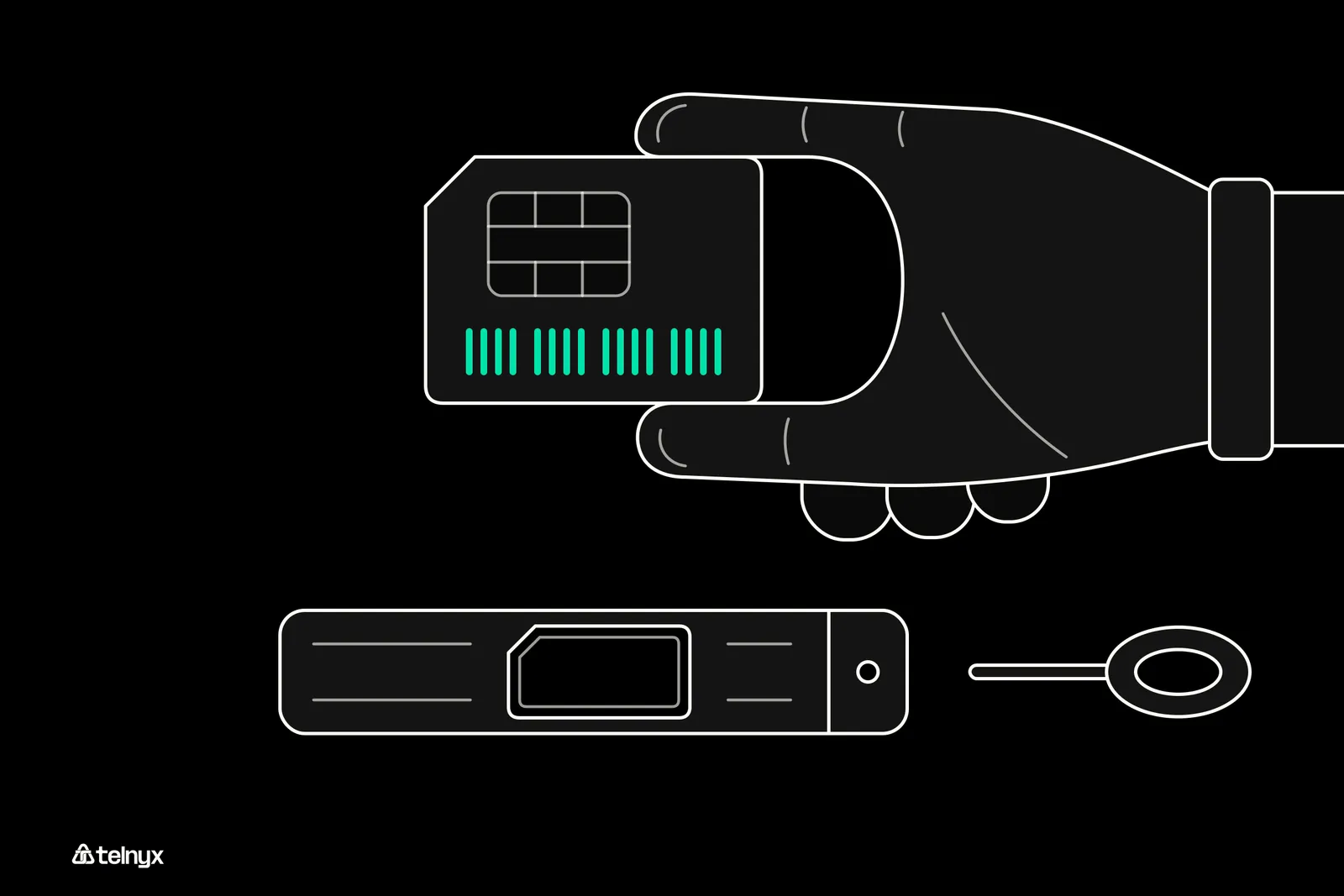
The ICCID is the long number starting with 89, printed in two places:
- On the SIM itself, in small print on the card.
- On the plastic holder or packaging the SIM came in, which is usually easier to read.
How to find the ICCID number on an iPhone
On an iPhone the ICCID sits on the About screen, where Apple's support page lists it.
- Open Settings.
- Tap General, then About. The full path is Settings > General > About.
- Scroll down to the line labelled ICCID and copy every digit.
How to find the ICCID number on Android
The path depends on who made your phone and which Android version it runs. If your menus differ from these steps, look for a screen called SIM status.
- Open Settings.
- Tap About phone, then SIM status. On a Samsung phone, tap Connections, then SIM manager.
- Your ICCID is listed on that screen.
How to decode an ICCID
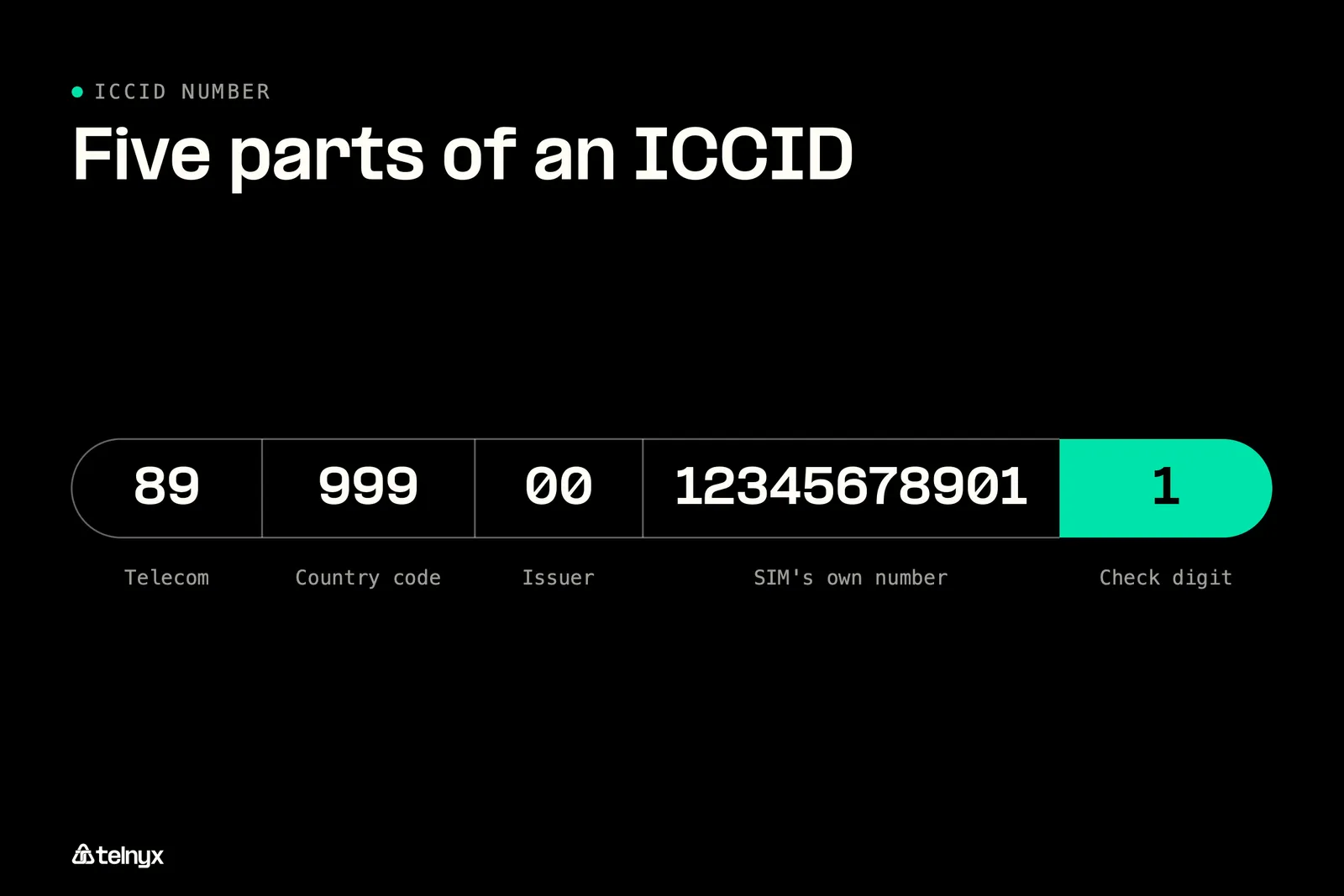
You read an ICCID left to right, and the order is fixed. Take 8999900123456789011, a number made up for illustration that belongs to no real SIM, country or carrier. The parts of your own number tell you the country code and the issuer of your SIM, and they tell you nothing about your phone number or who owns it. ITU-T E.118 sets five of them, and you will find the same five in the same order on your SIM:
- 89 tells you the industry is telecommunications (the major industry identifier).
- 999 tells you the country code.
- 00 tells you the issuer (the issuer identifier).
- 12345678901 is the SIM's own number (the individual account identification number).
- 1 is the check digit.
Which are the last 4 digits of the ICCID?
The last 4 digits are the final four exactly as printed or shown, check digit included. In the example they are 9011.
How to check an ICCID number for a typo
The final digit is there so a mistyped number can be caught. It is worked out with the Luhn formula, and you can run the same check by hand on your own number:
- Start from the right of your number and leave the last digit as it is. Read right to left, the example is 1,1,0,9,8,7,6,5,4,3,2,1,0,0,9,9,9,9,8.
- Double every second digit before it.
- Subtract 9 from any result you get above 9. The example becomes 1,2,0,9,8,5,6,1,4,6,2,2,0,0,9,9,9,9,8.
- Add all the digits. If your total ends in 0, your number passes, and the example adds up to 90.
ICCID vs. IMSI vs. IMEI
Your settings screen lists several long numbers, and each one identifies something different.
| Number | What it identifies | How to recognise it |
|---|---|---|
| ICCID | The SIM card or eSIM profile | Starts with 89, at most 19 digits under ITU-T E.118 |
| IMSI (International Mobile Subscriber Identity) | Your subscription on the mobile network | Up to 15 digits, stored on the SIM |
| IMEI (International Mobile Equipment Identity) | The phone or device hardware | 15 digits |
| EID (embedded Universal Integrated Circuit Card identifier) | The eSIM chip built into the device | 32 digits |
| Phone number | Your line with the carrier | Usually stays the same when you get a new SIM |
To pick the right one, check how each number on your screen starts and how long it is against the table.
Because the SIM and the device carry separate numbers, the two can be paired. In the Telnyx portal a SIM can be tied to a device's IMEI for theft prevention.
Managing the ICCID of every SIM at scale
With one SIM, you read the number off the card. With hundreds, spread across a fleet of devices in logistics and transportation or any other field, you need a record that pairs each SIM's ICCID with the device it sits in. Keep four things for each SIM:
- Its ICCID.
- The IMEI of the device it is in.
- A tag for the customer or site, with SIMs that belong together placed in SIM card groups.
- Its status: enabled, standby or disabled.
If you run a fleet, Clair Global shows what changes when that record keeps itself. Before Telnyx, it used several carriers and had to switch SIMs as its racks and modems moved around the world. Now it integrates the Telnyx SIM card application programming interface (API) with its enterprise resource planning (ERP) system as new devices get deployed into the field.
ICCID number FAQ