


- Securing IoT devices in a fleet starts by taking the public internet out of the path. A Private Wireless Gateway does that for $100 a month per gateway, with no per-SIM charge for the first 100 SIMs, before you change a single device.
- Apply five controls in order: inventory, identity, private path, patch or isolate, and watch usage.
- Devices installed in homes and schools should not depend on the local router. A cellular SIM keeps them off the shared LAN entirely.
- A device that cannot run security software still shows compromise in its data usage, and a short Python script can watch for it.
Securing IoT devices: five controls in the order they matter
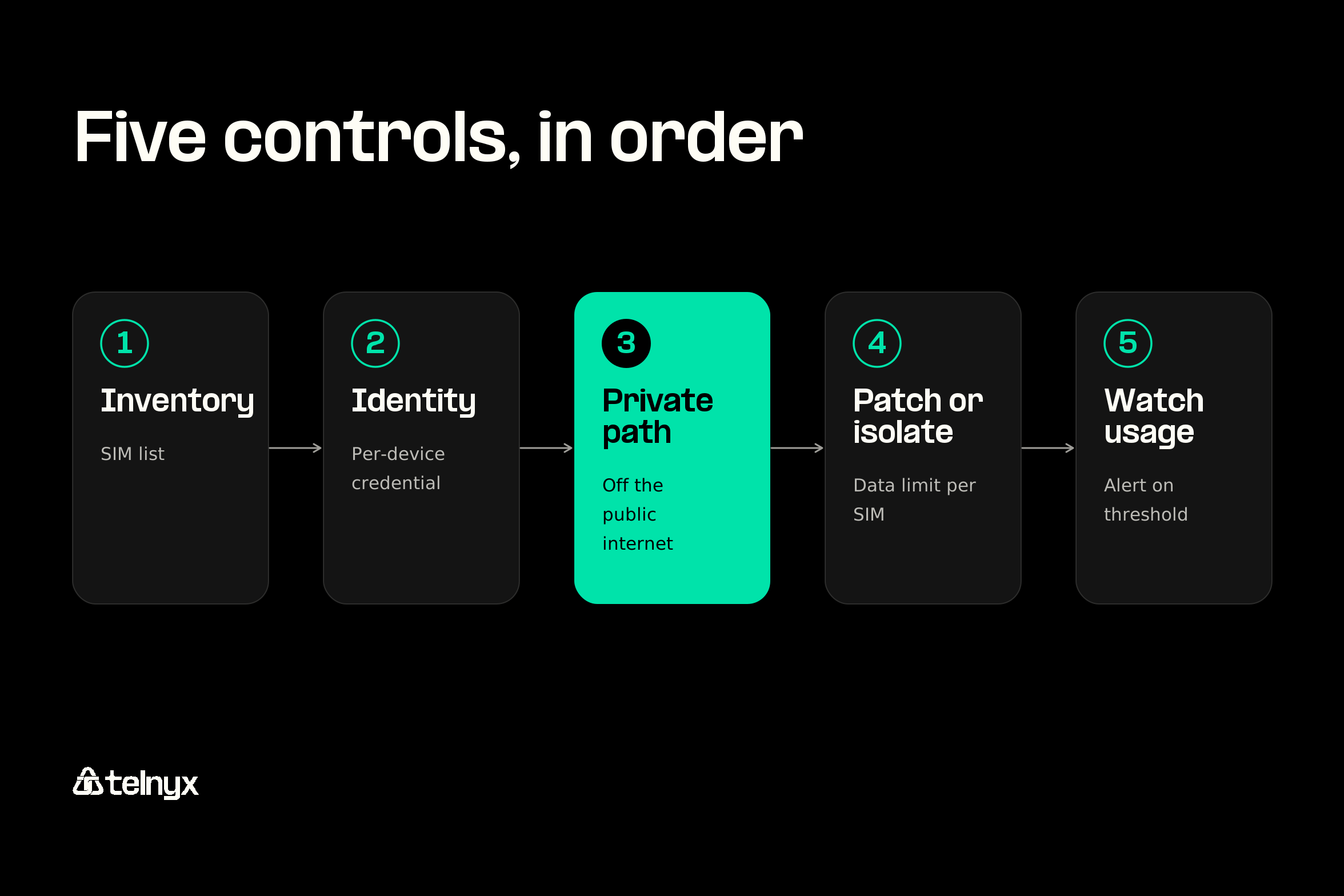
Securing IoT devices in a fleet comes down to five controls applied in a fixed order, and the first three happen at the SIM and the network, before anyone touches the device. You cannot secure a device you have not listed, you cannot segment one with no identity, and a device you cannot patch has to be isolated.
That order fits the IoT devices you actually ship: meters, trackers, chargers, and kiosks with no room for an endpoint agent and no technician scheduled to visit.
Inventory every device and the SIM inside it
Every Telnyx SIM carries an ICCID, a unique serial number, and you can group SIMs by deployment, customer, or region in the portal or through the API. Record each ICCID against its device ID at manufacture, and your SIM list becomes your device list.
A device on customer Wi-Fi drops off a network scan when someone swaps a router. A SIM stays on your account wherever the device ends up, so securing your IoT devices starts there.
Give each device its own identity, not a shared password
CISA's IoT guidance notes that default passwords are easily found online and give no protection. NIST IR 8259 lists a unique device identifier as a baseline capability for device makers, so give every unit its own credential before it ships.
On the cellular side, the SIM is itself a credential. Telnyx eUICC profiles can be provisioned, replaced, and switched over the air with no physical access to the device, and they comply with GSMA SGP.02 and SGP.22. You can also lock a SIM to an approved IMEI, so a card pulled from a meter and pushed into a phone stops working.
Keep device traffic off the public internet
A device on a public path is reachable by anyone who scans for it. With a Telnyx IoT SIM, device traffic can terminate in the Private Wireless Gateway or IoT VPN instead, traveling from the SIM through the Telnyx mobile core to your cloud without crossing the public internet. No custom hardware or firewalls are needed.
The Private Wireless Gateway costs $100 a month per gateway, with $0 per attached SIM for the first 100 SIMs. For a fleet, that is what CISA's advice to connect carefully looks like.
Patch what you can reach, isolate what you cannot
Many low-cost devices were never designed to receive updates. Patch the ones that accept over-the-air firmware, and isolate the rest. On a Telnyx SIM, isolation is two settings, both set from the portal or API: a private IP address, so nothing outside your network can open a connection to the device, and a data limit per SIM, so a compromised unit cannot send more than its normal load.
Ask whether it needs to be online at all: CISA points out that once a device is on the internet, it is also connected to millions of other computers. If a unit only reports once a day, size its data limit to that schedule, and disable the SIM from the portal when the device is retired, with no site visit.
Watch data usage for the signs of a compromised device
A device that cannot run an agent still shows compromise in its data usage. A meter that normally sends a few kilobytes an hour and suddenly pushes hundreds of megabytes deserves a look. Telnyx usage alerts flag any SIM that crosses a threshold you set.
The monitor-iot-data-usage-python example from the Telnyx code examples repository polls each SIM's network usage and flags any SIM that crosses a threshold. It defaults to 500 MB, so start from each device type's normal monthly use and set the threshold a margin above it. If you have a developer, this is the function that does the check:
Here are the five controls in order, with where each one is set:
- Inventory: Record each ICCID against its device ID and group SIMs in the portal or API.
- Identity: Give each device its own credential and lock each SIM to its IMEI in the portal or API.
- Private path: Attach SIMs to a Private Wireless Gateway or IoT VPN in the portal.
- Patch or isolate: Assign a private IP and a per-SIM data limit in the portal or API.
- Watch usage: Poll per-SIM usage through the API and alert when a SIM crosses its threshold.
The challenges of securing IoT devices
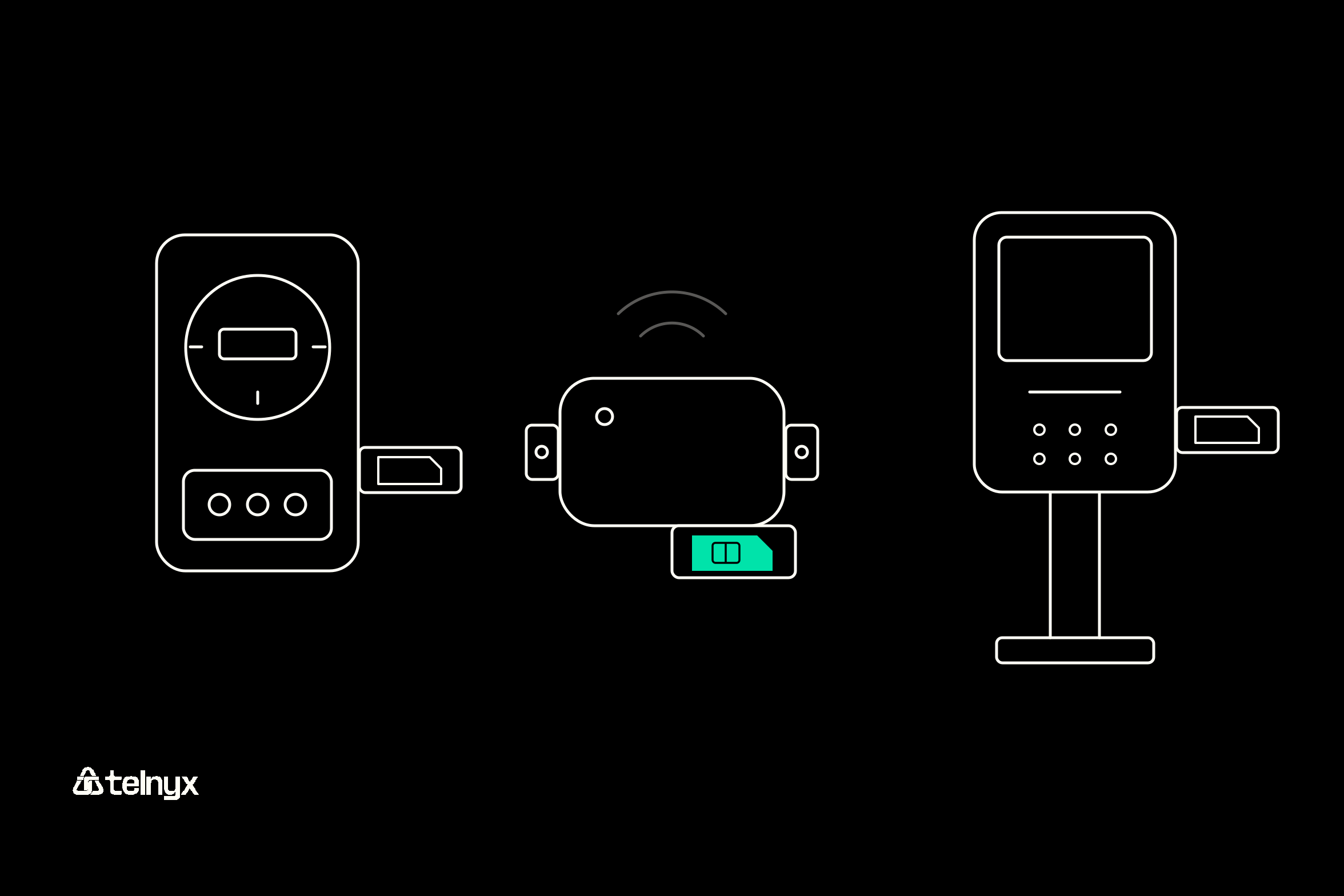
The challenges of securing IoT devices come down to four things a device cannot do for itself, and each one moves the control to the SIM and the network. What has changed is the number of devices on each network, so one weak unit now exposes far more than itself.
The stake is bigger than one meter: CISA warns that compromised devices are used as part of a botnet to attack other computers and devices. That puts your customer's network and your reputation at risk, plus the recall costs that follow.
The device cannot run security software
Most meters, trackers, and payment kiosks have no spare memory or processor for an antivirus agent. The control moves to the SIM: a private IP and a private APN mean the device only talks to your network, so traffic it cannot inspect never reaches it.
Its traffic is unencrypted and crosses the public internet
Much IoT traffic leaves the device unencrypted, and on the public internet anyone on the path can read or alter it. The Private Wireless Gateway removes the public path, running each customer's traffic in a dedicated VRF on the Telnyx backbone before it exits into your cloud.
Its firmware may never be patched
Low price points and short development cycles leave many devices without an update path. Per-SIM data limits cap how much a compromised unit can send, and you can disable a SIM from the portal the day it misbehaves.
You do not know every device you have
Rogue devices and forgotten routers are where breaches start. When every unit carries a SIM on your account, the SIM list in the Telnyx portal is your inventory, grouped by deployment.
Securing IoT devices at home
Securing IoT devices at home means not depending on the household router, because you do not control it. A smart meter or EV charger on customer Wi-Fi shares a network with every laptop and phone in the house, protected by a router password and firmware you never see.
Securing your own smart home? CISA's four steps cover it: review your settings, keep software updated, connect carefully, and change default passwords. The rest of this section is for the company that ships the device.
Securing IoT devices through the router
The household can change the router password, update its firmware, and use a guest network, but none of it is under your control. If the owner skips an update, a compromised laptop on the same Wi-Fi can reach your device. Where a site needs a cellular router for several of your devices, the GL.iNet MiFi router guide shows how to run one on a Telnyx SIM.
Why a cellular SIM keeps your device off the customer's network
A Telnyx IoT SIM gives each device its own network path across 650+ networks in 180+ countries, with automatic failover when a network drops. The device never joins the home LAN. Add a private IP and the Private Wireless Gateway, and it stays off the public internet too.
Where people can reach the device, an embedded MFF2 chip is soldered to the board, so nobody can pop it out. The SIM and eSIM docs cover both form factors.
Three home-installed devices that usually ship on cellular rather than Wi-Fi:
- Smart meters: Utilities cannot rely on every household's Wi-Fi staying up.
- EV chargers: Payments and remote management should not share a LAN with the owner's laptop.
- Home security panels: They must keep reporting when an intruder takes the router down.
Securing IoT devices in an enterprise network
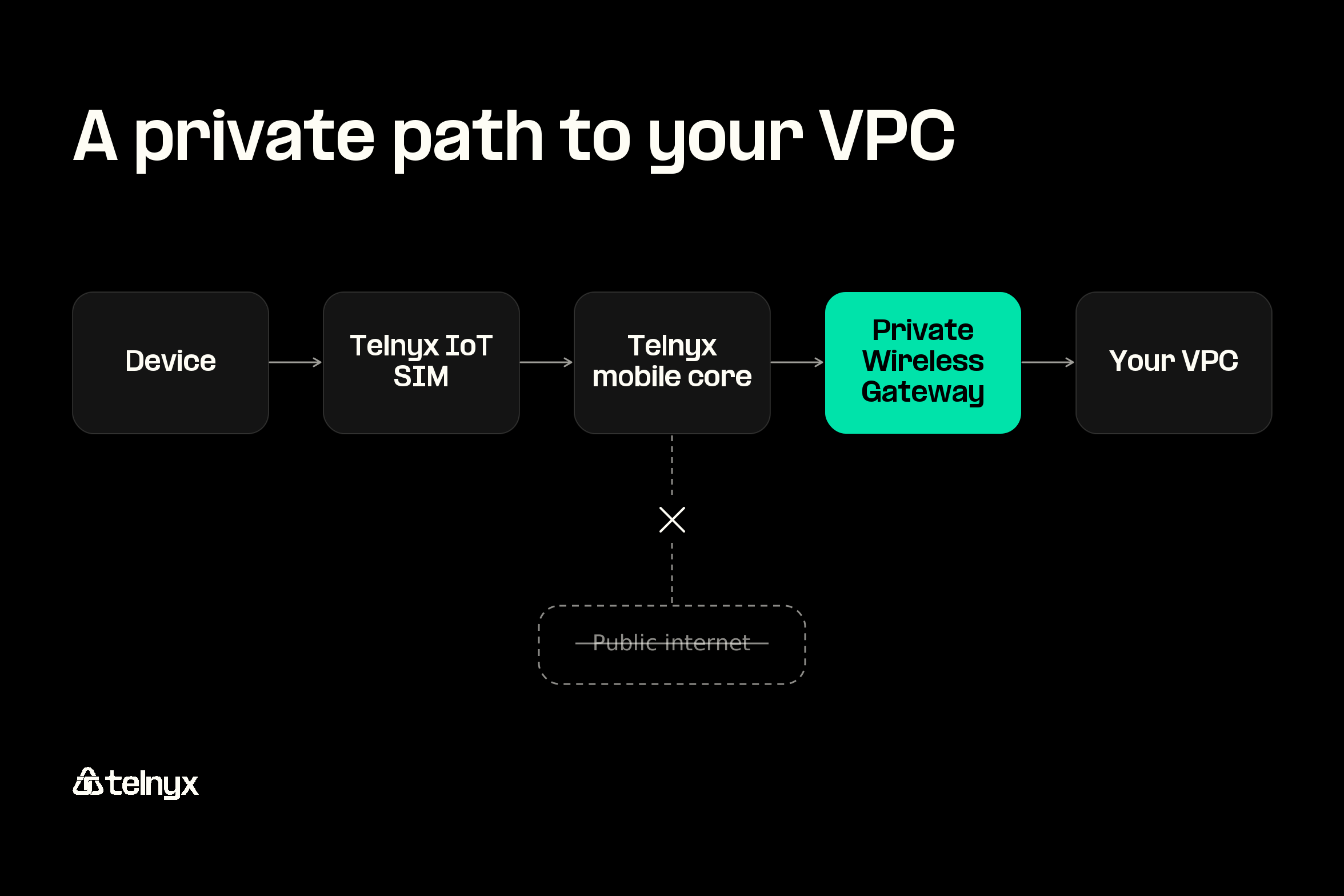
Securing IoT devices in an enterprise network works best when the devices never join the enterprise network at all. Traffic runs from the device to its Telnyx IoT SIM, through the Telnyx mobile core, into a Private Wireless Gateway, and out to your VPC or point-of-presence compute. No custom hardware or firewalls are needed.
Keep the fleet off the corporate LAN and off the public internet
Segmenting IoT devices from user traffic is standard zero-trust practice, and on cellular it happens at the SIM. Each device gets a private, non-routable IP address inside your VRF, so a patient monitor or badge reader never sits next to a staff laptop. That matters most for regulated data, as with healthcare connectivity.
What the Private Wireless Gateway costs at your fleet size
The Private Wireless Gateway is billed per gateway plus per attached SIM. Data starts at $0.01 per MB, and each SIM carries a $2 monthly recurring charge on top.
Private Wireless Gateway monthly pricing
| Attached SIMs | Monthly per gateway | Monthly per attached SIM |
|---|---|---|
| 0-100 | $100 | $0 |
| 101-1,000 | $100 | $0.60 |
| 1,001-3,000 | $100 | $0.54 |
| 3,001-5,000 | $100 | $0.48 |
| 5,001-10,000 | $50 | $0.36 |
| 10,001+ | $50 | $0.30 |
Worked example: A 300-SIM fleet behind one gateway costs $100 plus 300 times $0.60, or $280 a month, plus the $2 per-SIM charge ($600), before data. At the published starting rate, 500,000 MB a month adds $5,000.
The IoT data plans pricing page maps every country to its data zone, and the IoT VPN adds a second private path with WireGuard on top of the gateway.
Segment by SIM group and cap each device
Group SIMs by site, customer, or device type, then set a data limit and a public or private IP for each, all from the portal or API. SIM card groups let a sensor fleet run as one group per city. For route isolation on the gateway side, see the subnet router isolation docs. The usage monitor from the first section runs across each group.
Securing IoT devices in schools
Securing IoT devices in schools means keeping them off the shared student Wi-Fi, the most exposed network on campus, and giving each campus its own SIM group. A kiosk on that Wi-Fi inherits hundreds of unmanaged student devices as neighbors.
The devices you supply to schools each map to one control:
- Bus telematics: Runs over 650+ networks with automatic failover.
- Kiosks and vending: A data limit per SIM caps any unit that starts sending too much.
- Building sensors: A private IP inside the campus SIM group keeps them unreachable from outside.
Why campus devices should not share the student network
A bus is outside the school network anyway, so give campus-fixed devices the same private path. For bus fleets, see logistics and transportation.
One SIM group per campus, one data limit per device
Give each campus its own SIM group, set data limits on every SIM, and point the usage monitor at each group so alerts arrive per campus. The school's own network policy stays theirs to set.
Campus rollout in one line: Order SIMs with no minimum quantity, group them by campus, set the data limit, and activate from the portal or API.
Securing IoT devices FAQ