

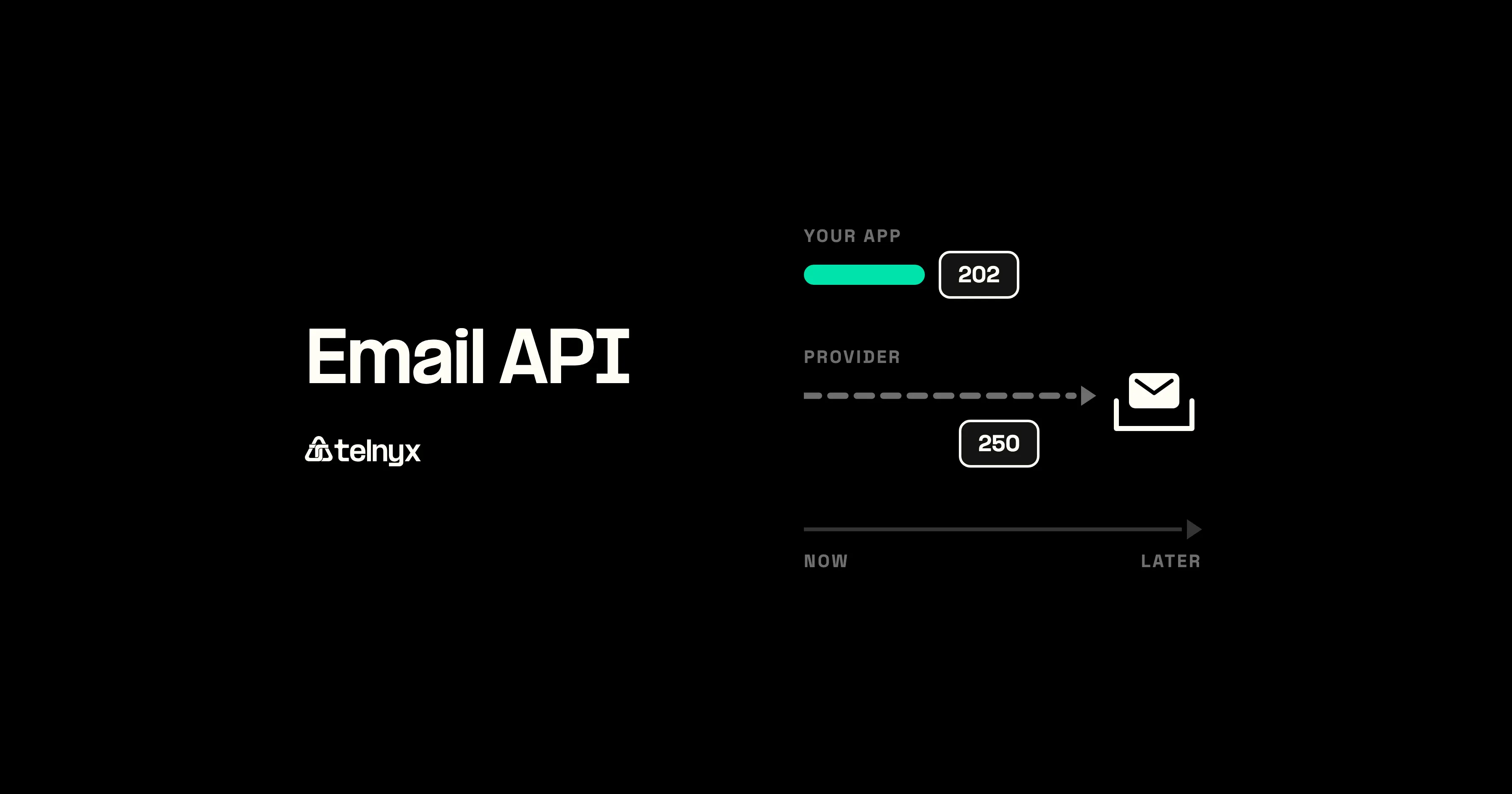
An email API lets your app send email with an HTTPS request. See how a send reaches the inbox, when to use SMTP relay instead, and what to set up first.
What is an email API?
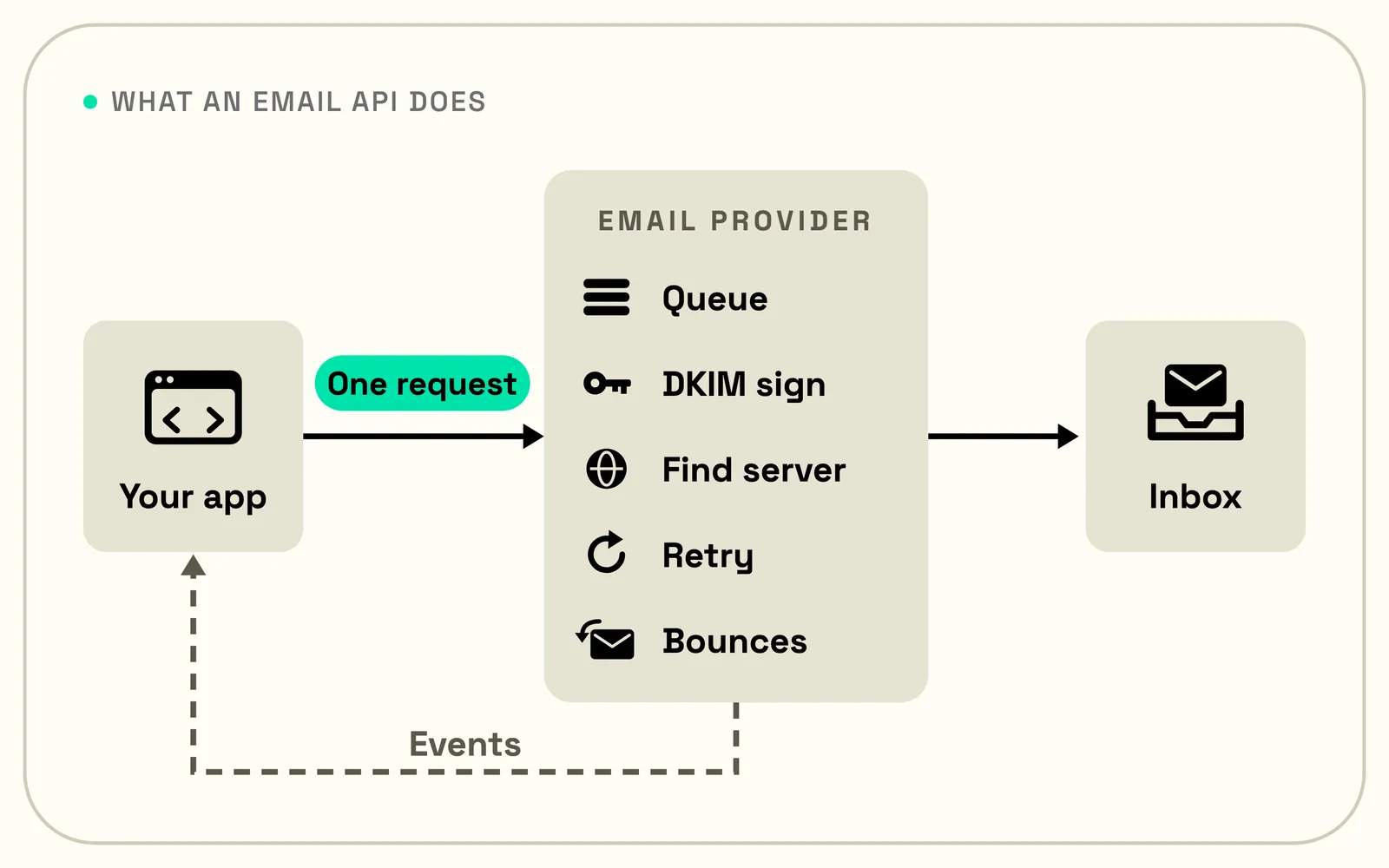
An email API is a programmatic interface for sending emails without a mail server: your code makes one HTTPS request, and a provider handles everything after that. The sender, recipient, subject, and body are structured as JSON, authenticated with an API key.
That's why an email API for developers is triggered with a few lines of code. A sign-up flow calls it when someone asks for a password reset. A billing job calls it when a payment clears.
Email sending APIs vs mailbox APIs (like the Gmail API)
An email sending API sends domain-level email to anyone: receipts, password resets, and customer alerts. A mailbox API, such as the Gmail API, works inside an individual's mailbox. It reads, sorts, and sends that person's mail only after explicit permission.
| Interface | What it does | How it connects | Typical auth |
|---|---|---|---|
| Email sending API | Sends mail from an app through a provider | HTTPS | API key |
| SMTP relay | Accepts mail from an app over SMTP and delivers it onward | SMTP submission, port 587 | Username and password, or API key |
| Mailbox API (Gmail API, Microsoft Graph) | Reads, sends, and manages one user's mailbox | HTTPS | OAuth, with the user's consent |
| IMAP or POP | Lets a mail client read a mailbox | IMAP or POP3 | Username and password, or OAuth |
Transactional vs marketing email APIs
Transactional email carries information about a user action: a password reset message, an order confirmation, or a change of address. It contains no promotional text and is used strictly to transmit key information. Marketing emails drive sales through promotional offers, discount codes, restock notifications, and holiday sales. They have different compliance rules.
Many providers send both through one API, but each kind belongs on its own sending stream (its own subdomain and, at high volume, its own IP), so a complaint spike from a newsletter can't drag down your receipts.
In the US, under the FTC's CAN-SPAM guidance, a purely transactional message, such as a receipt, is exempt from most of the Act's rules, including the unsubscribe requirement.
How does an email API work?
An email API works like handing a letter to the clerk at a post office counter. The clerk takes it, says they've got it, and you walk out. That nod means the post office has your letter, not that it reached anyone's mailbox. Delivery happens after you've left.
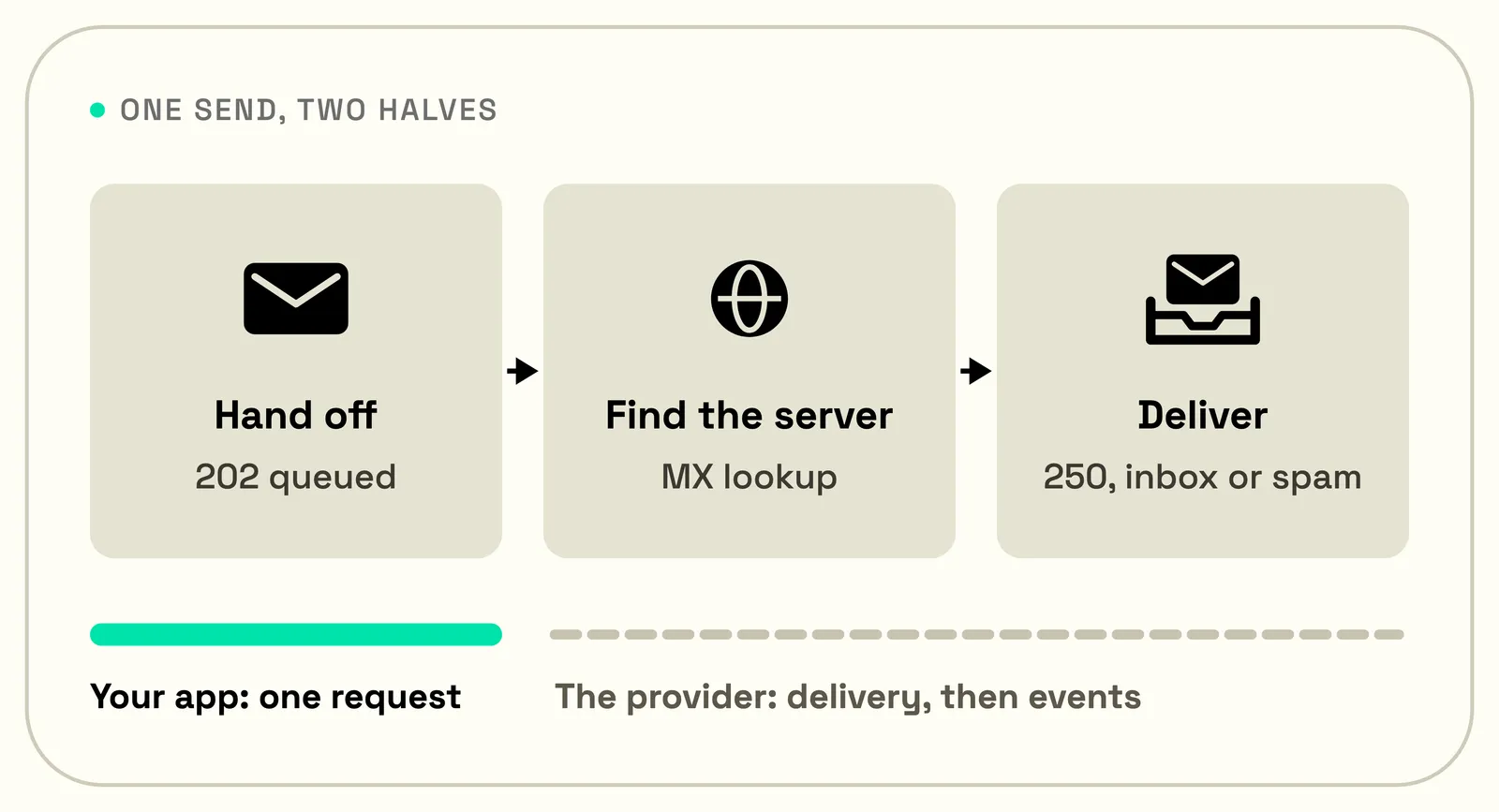
For an API, the app is the customer and the email provider is the post office. The app sends one HTTPS request, the provider immediately confirms it has the message, and the code moves on. Then the provider does the slow part: it signs the message, finds the recipient's mail server, hands the message over, and tries again later if the server is busy.
That gap explains a support ticket every developer gets eventually. A user swears the password reset never arrived, and your logs show the request succeeded. Both are true: the app did its part, and the message stalled somewhere after the handoff.
From API request to the recipient's mail server
A send email API request passes through six steps between the sending app and the recipient's server:
- The app sends an HTTPS POST with the message as JSON and an API key in the header.
- The provider checks the request: a verified sending domain, a valid recipient, an address not on its suppression list.
- The provider queues the message and signs it with DKIM, a cryptographic signature that lets the receiver confirm the sending domain sent it unaltered.
- The provider's mail server looks up the recipient domain's MX record, the DNS entry that names the server accepting mail for that domain.
- The mail server connects to that server over SMTP and sends the message.
- The receiving server accepts the message with a 250 or rejects it with an error code, then its filters file an accepted message in the inbox or the spam folder.
Delivery events: delivered, bounced, deferred, complained
Delivery events are reports on what happened to each recipient after the API call. One recipient can produce several, such as deferred, then delivered, then complained:
- Delivered means the receiving server accepted the message with a 250. It doesn't mean the inbox: no event reports where the receiving server filed the message.
- Bounced means delivery failed and the provider stopped trying. A hard bounce is permanent, such as a mailbox or domain that doesn't exist, or a policy block. A soft bounce is temporary, and providers define it differently: some report it as deferred, some as a bounce once retries run out.
- Deferred means the receiving server asked the provider to try again later, so the provider retries.
- Complained means the recipient marked the message as spam, on mailbox providers that report complaints back.
Providers also keep a suppression list: addresses that hard-bounced or complained stop receiving mail from the account, protecting the sender's reputation.
Webhooks push these events to a webhook endpoint as they happen.
Tracing an email send
The Telnyx Email API is a REST API: you send a message with a POST request to https://api.telnyx.com/v2/email_messages, authenticated with your Telnyx API key as a Bearer token.
The response comes back as a 202 Accepted with a message ID and a status of queued. That means Telnyx has the message, not that it arrived:
Sending email programmatically with Telnyx (video demo)
The API reference has more details on API capabilities.
Email API vs SMTP relay
An email API and an SMTP relay are two ways to hand the same message to an email provider. The difference is how the app talks to it. With an API, the app sends one HTTPS request with the message as JSON, and the provider answers with a message ID or an error.
With SMTP relay, the app opens a connection to the provider's mail server and walks through a short back-and-forth: it says hello, logs in, names the sender and each recipient, then sends the message. Mail servers use the same protocol to talk to each other, which is why almost any software can speak it.
After the handoff, the provider delivers the message the same way, no matter which door it came through. So the choice comes down to the software. Use the API when you control the code and want detailed errors and delivery events. Use the relay when the software can only speak SMTP.
When to use SMTP relay
SMTP relay works best for software you can't or won't rewrite: a CMS plugin, a monitoring tool, a scanner that emails PDFs, any app with an SMTP settings screen and nothing else. Pointing that software at a relay takes a hostname, a port, and a password. Rewriting it to call an API takes a project.
When to use an email API
An email API suits in-house products because it answers every request with a specific error code and a message ID trackable through delivery events. It also carries features SMTP has no field for, such as scheduled sends, batches, and retry protection.
Retry protection solves a problem every app hits eventually: a send request times out, and you can't tell whether the provider got it. Retry, and your user may get two password reset emails; don't, and they may get none.
An idempotency key, a unique ID you attach to each send, lets the provider spot the retry and return the first result instead of sending again. On Telnyx, an Idempotency-Key header makes a retried send safe for 24 hours.
Batches turn a thousand order confirmations into one request: on Telnyx, one batch request sends up to 1,000 messages and returns a result for each one. Scheduled sends fail safe there too: Telnyx rejects past send times with a 422 error instead of sending at once.
Email API vs SMTP relay, side by side.
| Email API | SMTP relay | |
|---|---|---|
| How the app connects | HTTPS request | SMTP session on port 587 |
| Errors | Specific error code per request | SMTP reply codes |
| Scheduling and batches | Common | Varies by provider |
| Safe retries | Idempotency keys on some providers | Varies by provider |
| Delivery events | Webhooks and polling | Depends on the provider |
| Works with SMTP-only software | No | Yes |
| Works from cloud VMs | Yes | Yes, on port 587 |
Telnyx also runs an SMTP relay at smtp.telnyx.com on port 587 with STARTTLS. The username is apikey and the password is a Telnyx API key. Mail sent over the SMTP relay gets no open or click tracking; use the API when you need it.
What an email API service replaces
An email API service replaces the mail server an app would otherwise need. That server is an MTA (mail transfer agent: the software that queues mail and delivers it to other mail servers). Running one means retry queues, bounce processing, DNS records, and watching the sending IP's reputation with Gmail and Outlook.
On a cloud server, running an MTA is harder still, because by default the big clouds block outbound port 25, the port mail servers use to deliver to each other:
Outbound port 25 on the three largest clouds.
| Cloud | Outbound port 25 | What the provider recommends |
|---|---|---|
| AWS | Blocked by default on EC2 instances and Lambda functions | Removal on request, or a relay |
| Google Cloud | Blocked to destinations outside the VPC network | Port 587 or 465 to a mail service |
| Azure | Blocked for VMs, except Enterprise Agreement and MCA-E subscriptions | Authenticated relay on port 587 |
An email provider runs all of that and returns an HTTPS endpoint and a stream of events.
How to set up an email API
Before an email API can start delivering emails, the receiving servers need proof that the sender is allowed to send for the domain. Here's how to get that up and running:
- Create an API key and keep it on your server, never in browser code.
- Add a sending domain. A subdomain such as
mail.example.comkeeps app mail apart from the company's own email. - Publish the DNS records the provider generates: usually a verification record, a DKIM key, an SPF entry, and a DMARC record.
- Wait for the provider to see the records and mark the domain verified.
- Set up a webhook endpoint, or plan to poll the events API.
- Test in the sandbox, then send real mail, raising volume gradually on a new domain.
A DMARC record is one line of DNS text. This one asks receivers to report on the domain's mail without blocking any of it yet:
Verify your sending domain with SPF, DKIM, and DMARC
Domain verification authenticates the primary owner of the domain. Authentication records pass that on to receiving servers. SPF is an authorized server allowlist, with DKIM signing each message to verify emails for receivers.
DMARC tells receivers what to do with mail that doesn't pass SPF or DKIM for the domain and where to send reports.
Google and Yahoo bulk email sender rules
Google's sender requirements say sending to Gmail accounts must set up SPF or DKIM, use TLS, have valid forward and reverse DNS for the sending domain or IP, and keep the spam rate below 0.3%.
Senders of more than 5,000 messages a day to Gmail accounts must also publish SPF, DKIM, and DMARC, align the From domain with the SPF or DKIM domain, and offer one-click unsubscribe on marketing mail.
Yahoo's sender requirements closely match Google's, asking senders to honor unsubscribes within two days.
Shared IPs, dedicated IPs, and sending subdomains
Most senders start on a provider's shared IPs, where there is one pooled reputation. A dedicated IP gives your mail its own reputation, which suits high volume senders.
Sending subdomains split reputation at the domain level. M3AAWG, the industry's anti-abuse working group, recommends a separate subdomain for each kind of mail, such as info.example.com for receipts and offers.example.com for marketing.
How to test email APIs safely
A sandbox is the safest way to test APIs: it accepts requests and records delivery outcomes without sending real mail.
Sandbox mode and test recipients
On Telnyx, sandbox mode accepts a message without delivering it, with no billing and no quota use. Eight reserved test addresses simulate fixed outcomes such as a hard bounce or a spam complaint.
For a first send with real delivery, Telnyx lets you send from a shared Telnyx domain with no DNS setup, only to your own verified address.
Do sandbox sends fire webhooks?
Sandbox sends fire webhooks on some providers and not others.
On Telnyx, sandbox sends do fire webhooks: each test address runs a fixed chain of events, such as queued, sending, sent, and bounced for the hard-bounce address. Telnyx's send guide recommends them for testing webhook handling, event polling, and the error screens in your app.
The simulated soft bounce ends in bounced and never sends a deferred event. Simulated hard bounces and complaints add the test address to your suppression list, just as real ones would. Telnyx also lets you fetch any sent message by ID, with its body and its full event history.
Frequently asked questions about email APIs

Osman is the Global AEO/SEO Lead at Telnyx, helping make voice AI and communications products clearer for builders. With almost a decade of experience in SEO, he previously led growth at Windscribe and Enzuzo, shipping and scaling organic programs that reached millions.