
Telnyx
Inference benchmarks: which numbers predict latency on your traffic
Inference benchmarks only predict your latency when they match your traffic. Learn which metric fits your workload, then run your own tail-latency check in an afternoon.

By Eli Mogul
Takeaways
Inference benchmarks only predict your latency when their request shape, concurrency, and tail percentile match yours, so you can set aside a mismatched one in under a minute and run your own check against a hosted provider in one afternoon.
- MLPerf, InferenceX, RTX 5090 reviews, and llama.cpp numbers each answer a different question, from audited hardware comparisons to one user at one desk.
- Throughput per GPU and tokens per user trade against each other, so a throughput figure tells you little until you know the interactivity level behind it.
- Every published Telnyx benchmark result refers to the Default tier. Priority and Flex move the serving point on the same model.
What do inference benchmarks measure?
Inference benchmarks measure how fast and how consistently a hardware and software stack answers requests at a given load. Inference is a trained model producing output for a request (here is what LLM inference is), so a benchmark grades the serving stack, while a model-quality leaderboard grades the model. The Telnyx Inference API runs open-weight models on GPUs Telnyx owns in the Americas, Europe, MENA, and APAC, publishes its benchmark results against the Default tier, and offers Priority and Flex tiers that move the serving point without changing the model.
Which inference benchmark number fits your workload?
- Voice agent, callers wait in silence: check p99 TTFT, not average throughput. 99 of 100 requests must land fast, and callers hear the silence before the first token.
- Buying GPUs for a data center: compare MLPerf Inference v5.1 results first. They are audited hardware comparisons, unlike vendor decks or single-desk reviews.
- Running a model on one desktop GPU: read RTX 5090 and llama.cpp numbers. They describe one user at one desk, not a provider serving concurrent traffic.
- Overnight batch jobs, no live user: weigh tokens per second per GPU over per-user speed. Total output sets your cost, and nobody is waiting on the first token.
- Choosing a hosted API for production: run your own traffic against Telnyx Inference API for an afternoon. Published results reflect the Default tier, and Priority or Flex shift the serving point.
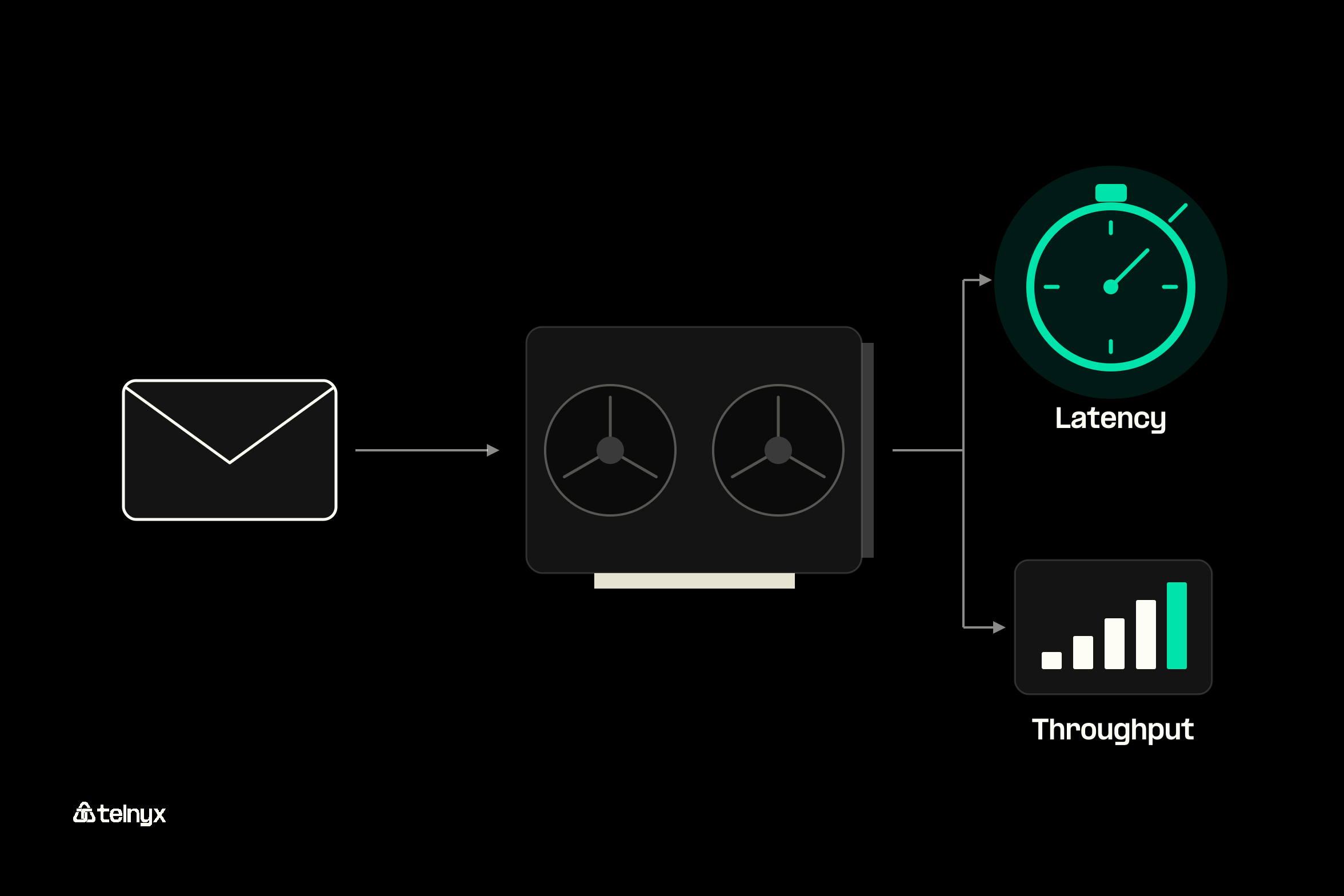
Six numbers show up in every vendor deck you will be handed, and each one decides something different for you.
Six metrics behind every inference benchmark
| Metric | What it measures | Who it decides for |
|---|---|---|
| Time to first token (TTFT) | Time from sending a request to receiving the first output token | Your chat or voice user, who waits in silence until it arrives |
| Inter-token latency (TPOT) | Average gap between output tokens once streaming starts | Your user reading a streamed answer |
| Tokens per second per GPU | Total output one GPU produces across all concurrent requests | Your batch jobs, and the provider's cost per GPU |
| Tokens per second per user | Output speed a single request sees at a given load | Your agent's end-to-end task time |
| p99 latency | The latency that 99 of 100 requests come in under | Your SLA and your on-call engineer at 2am |
| Cost per million tokens | Price of input, cached input, and output tokens | Your finance team. Telnyx publishes per-token rates by model and tier |
Throughput per GPU versus tokens per user
A GPU serves many requests at once by batching them. A bigger batch raises tokens per second per GPU, because the GPU's matrix units stay busy, and lowers tokens per second per user, because each request gets a smaller share of every step. The InferenceX benchmark from SemiAnalysis (formerly InferenceMAX) plots this as a curve and compares the two ends to a bus and a sports car: the bus moves more people per hour, and the sports car gets one person there first.
Its warning applies to every slide you see. Four times the throughput is worthless for a chatbot if each user receives 5 tokens per second. When a provider quotes throughput, ask which tokens-per-user level it was measured at.
Time to first token, inter-token latency, and the tail
Time to first token (TTFT) is the wait before the first output token. Inter-token latency, which some benchmarks call time per output token (TPOT), is the gap between tokens after that. E2E Networks' benchmark guide joins the two in one formula:
Formula: total latency = TTFT + (number of tokens x inter-token latency)
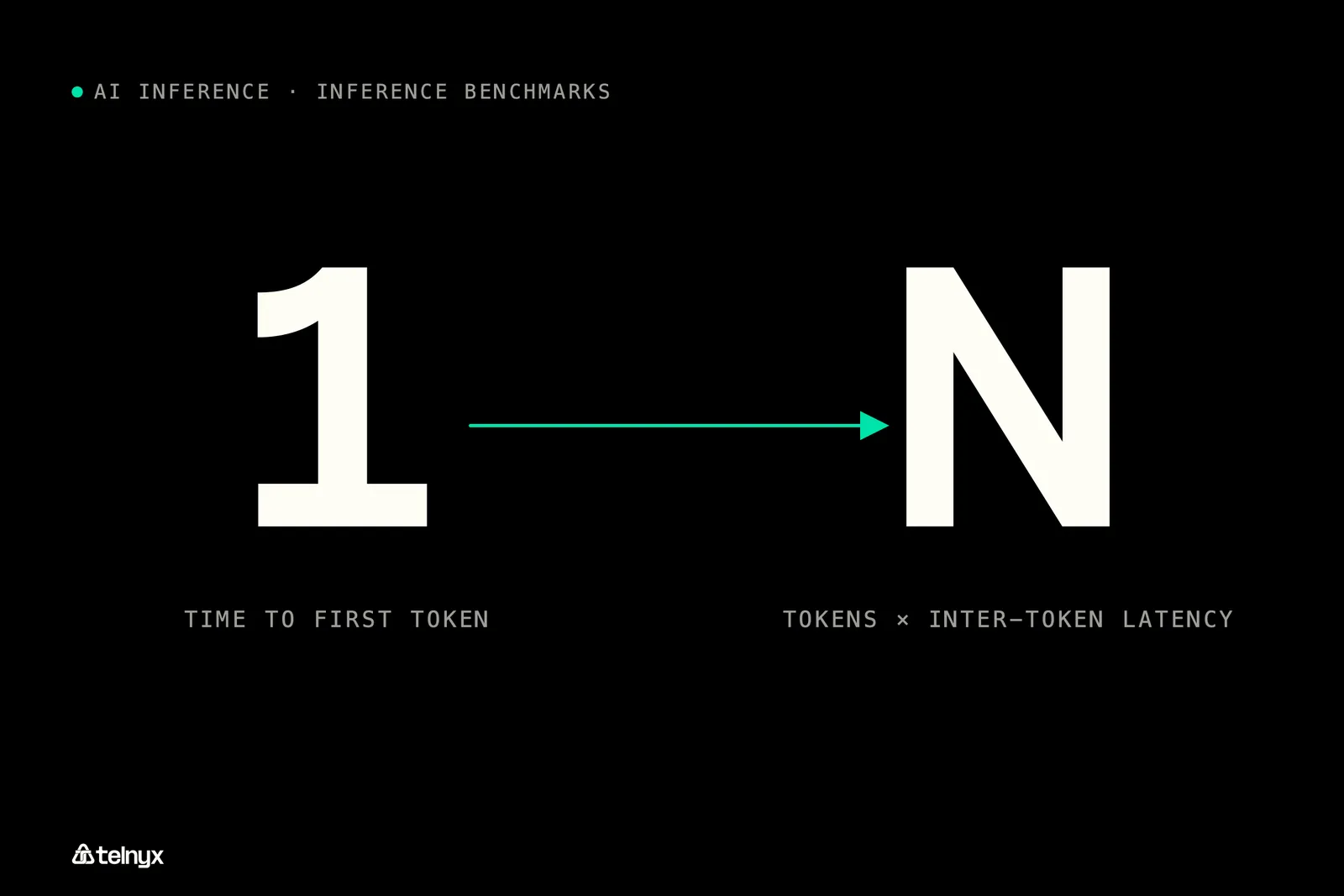
For a voice agent, TTFT is most of the delay a caller hears. For an agent that writes 1,000 tokens before it calls a tool, the second term dominates: at 20 ms per token it adds 20 seconds. Our breakdown of TTFT versus end-to-end latency works through both cases.
Means and medians hide the requests that hurt. The p95 and p99 figures tell you the latency that 1 in 20 and 1 in 100 requests exceed, and that is where your SLA and your support tickets live. Ask every provider for p99 TTFT and p99 inter-token latency at the concurrency they quote.
Before you benchmark: check the per-token pricing by tier so cost per million tokens sits next to latency from your first run. On the Telnyx inference pricing page in October 2026, DeepSeek V4 Flash lists at $0.13 per million input tokens, $0.03 per million cached input tokens, and $0.26 per million output tokens.
Online serving benchmarks versus offline batch benchmarks
An online benchmark sends requests the way users would and measures latency under that load. An offline benchmark hands the system a full queue and measures how fast it empties, so only throughput counts. Your inference engine choice shifts both results, since vLLM, SGLang, and TensorRT-LLM batch and schedule requests differently.
Telnyx maps the same split to tiers on one model. Priority selects faster serving capacity for interactive work, including contact center voice agents. Flex carries the lowest rates for background work such as offline evaluation and document processing, where minutes of end-to-end latency are acceptable. Default is standard capacity, and it is the tier every published Telnyx benchmark refers to.
Benchmark your traffic on Telnyx Inference
Send your own prompts to open-weight models on Telnyx-owned GPUs, with OpenAI-compatible endpoints so the base URL is the only change.
Try Telnyx Inference
Check benchmarks against your own traffic
Set aside a mismatched benchmark in under a minute and run your own latency check against a hosted provider in one afternoon.
The MLPerf Inference v5.1 benchmarks list, and what changed since v4.0
MLPerf Inference is the audited, cross-vendor suite from MLCommons, and its results tables are what you read before you buy or rent hardware. The MLPerf Inference Datacenter results hold one row per submitter stack, with a change log for results that were later invalidated.
How MLPerf scenarios, divisions, and availability tiers work
Each row is one submitter, one hardware and software stack, one benchmark, and one scenario. A benchmark is a dataset plus a quality target the system must hit. The load generator runs four scenarios: Server sends requests at random arrival times under a latency bound, Offline hands over every sample at once, Single stream sends one query after another, and Multiple stream sends groups of samples per query.
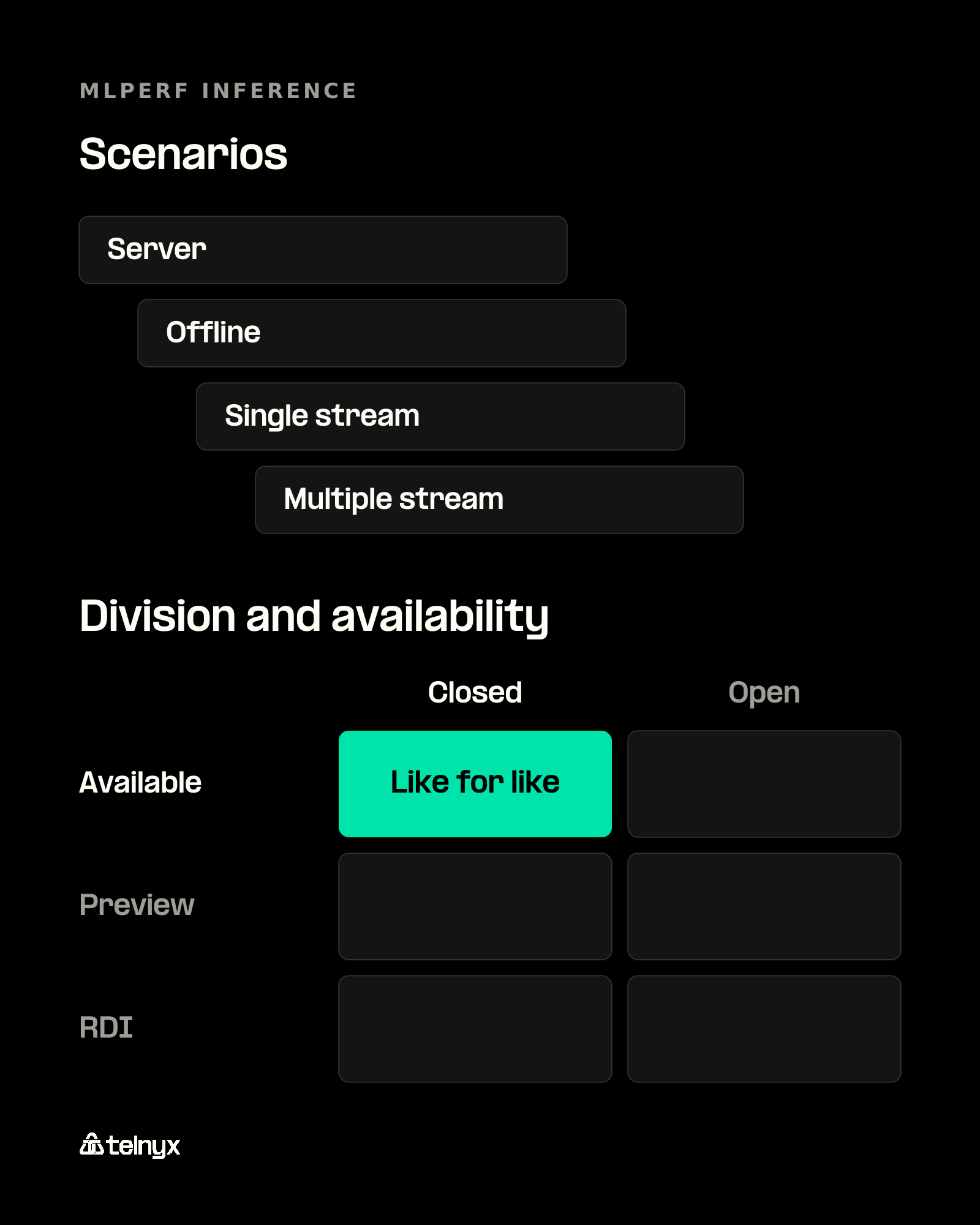
The Closed division requires the same model as the reference implementation, so Closed rows compare like for like. The Open division allows a different model or retraining and adds Model Used and Notes columns. Each row also carries an availability tag: Available means you can buy or rent every component today, Preview means the system must be Available by the next round, and RDI covers research, development, or internal hardware. MLCommons measures full-system power at the wall and does not validate TDP or power supply ratings.
Reading rule: a vendor's MLPerf number means nothing without its division and availability tag. Only a Closed, Available row is evidence for a purchase. Open division and RDI rows show what is possible.
MLPerf Inference v5.1 benchmarks list
MLCommons published v5.1 on September 9, 2025, with three new benchmarks: DeepSeek-R1, the suite's first reasoning model, Llama 3.1 8B, which replaced the 6-billion-parameter GPT-J as the small LLM test, and Whisper Large V3 for speech-to-text. The round also extended interactive scenarios, with tighter TTFT and inter-token limits, to more LLM tests, including Llama 3.1 405B.
What the v5.0 and v4.0 benchmarks lists looked like
Version 5.0, published April 2, 2025, added Llama 3.1 405B, Llama 2 70B Interactive, RGAT as a graph neural network test for datacenter systems, and Automotive PointPainting for edge systems. Version 4.0, published March 27, 2024, added Llama 2 70B and Stable Diffusion XL. Two rounds have shipped since, v6.0 on April 1, 2026, and v6.1 on September 16, 2026, which is the current suite. Here is each round in one place, taken from the MLCommons release notes.
MLPerf Inference datacenter rounds, v4.0 to v6.1
| MLPerf round | Benchmarks added | What changed |
|---|---|---|
| v4.0 (March 2024) | Llama 2 70B, Stable Diffusion XL | First large LLM and first text-to-image test |
| v5.0 (April 2025) | Llama 3.1 405B, Llama 2 70B Interactive, RGAT, Automotive PointPainting (edge) | Interactive scenario with TTFT and TPOT limits, inputs and outputs up to 128,000 tokens |
| v5.1 (September 2025) | DeepSeek-R1, Llama 3.1 8B, Whisper Large V3 | First reasoning model, Llama 3.1 8B replaces GPT-J, interactive scenarios on more LLMs |
| v6.0 (April 2026) | DeepSeek-R1 Interactive, Qwen3-VL-235B-A22B, GPT-OSS-120B, Wan 2.2 text-to-video, DLRMv3 | First multimodal and first text-to-video tests, first sequential recommender |
| v6.1 (September 2026, current) | End-to-End RAG, Agentic Edge Inference | 10 datacenter and 6 edge benchmarks, new Interactive scenario for the Qwen3 VLM, speculative decoding allowed in GPT-OSS-120B Interactive |
RTX 5090 LLM inference benchmarks: what a consumer GPU result tells you
Before you use a 2026 RTX 5090 review to judge a production service, check how the test was run. A review that sends one request at a time to one model file measures what a single user sees, which sits at the far end of the interactivity curve from the first section. Our guide to AI inference hardware covers the datacenter side.
Why single-user tokens per second does not predict serving throughput
With one request in flight, the batch holds one sequence, so the review's tokens per second is a tokens-per-user figure. It shows nothing about how the card behaves with dozens of sessions sharing it, and you cannot divide it into a cost per million tokens for a service. Five things change between a workstation run and a serving node:
- Batch size. A serving node batches many requests per step, which moves the result along the throughput curve.
- KV cache memory. Every live session holds its own KV cache, so memory can cap concurrency before compute does.
- Multi-GPU parallelism. Large models split across GPUs with tensor or expert parallelism, which adds communication that a single card never sees.
- Runtime. A desktop test often uses a local runtime, while serving benchmarks such as InferenceX run vLLM, SGLang, or TensorRT-LLM.
- Request arrival. Production traffic arrives at random and in bursts, while a review sends the next prompt when the last one finishes.
When an RTX 5090 benchmark is the right one to read
A single-user number is the right one when you run a model locally for yourself, prototype prompts on a workstation, or want to know whether a quantized model feels responsive at a desk. For that use, check the review's setup and date before you trust the figure.
Version rule: inference engines ship releases days apart, so an RTX 5090 number without the runtime version, the model file and its quantization, and the test date is already stale.
llama.cpp inference benchmarks and AirLLM: reading local runtime numbers
Local runtimes such as llama.cpp and AirLLM benchmark one user on one machine, and each reports speed in its own way. Here is how they sit next to a self-hosted server and a hosted API.
Local runtimes compared with hosted inference
| Runtime or service | What its benchmark measures | Fits when |
|---|---|---|
| llama.cpp | Prompt processing and token generation speed, one user, local hardware | You run a quantized model on your own machine |
| AirLLM | Whether a large model runs at all in small memory, slow by design | You need a model larger than your GPU memory |
| vLLM or SGLang, self-hosted | Serving throughput against latency under concurrency | You operate your own GPUs |
| Telnyx Inference API | Hosted TTFT and total time including network, in-region, Default tier published | You want a hosted model compared on your real prompts |
How to read a llama.cpp benchmark: prompt processing versus token generation
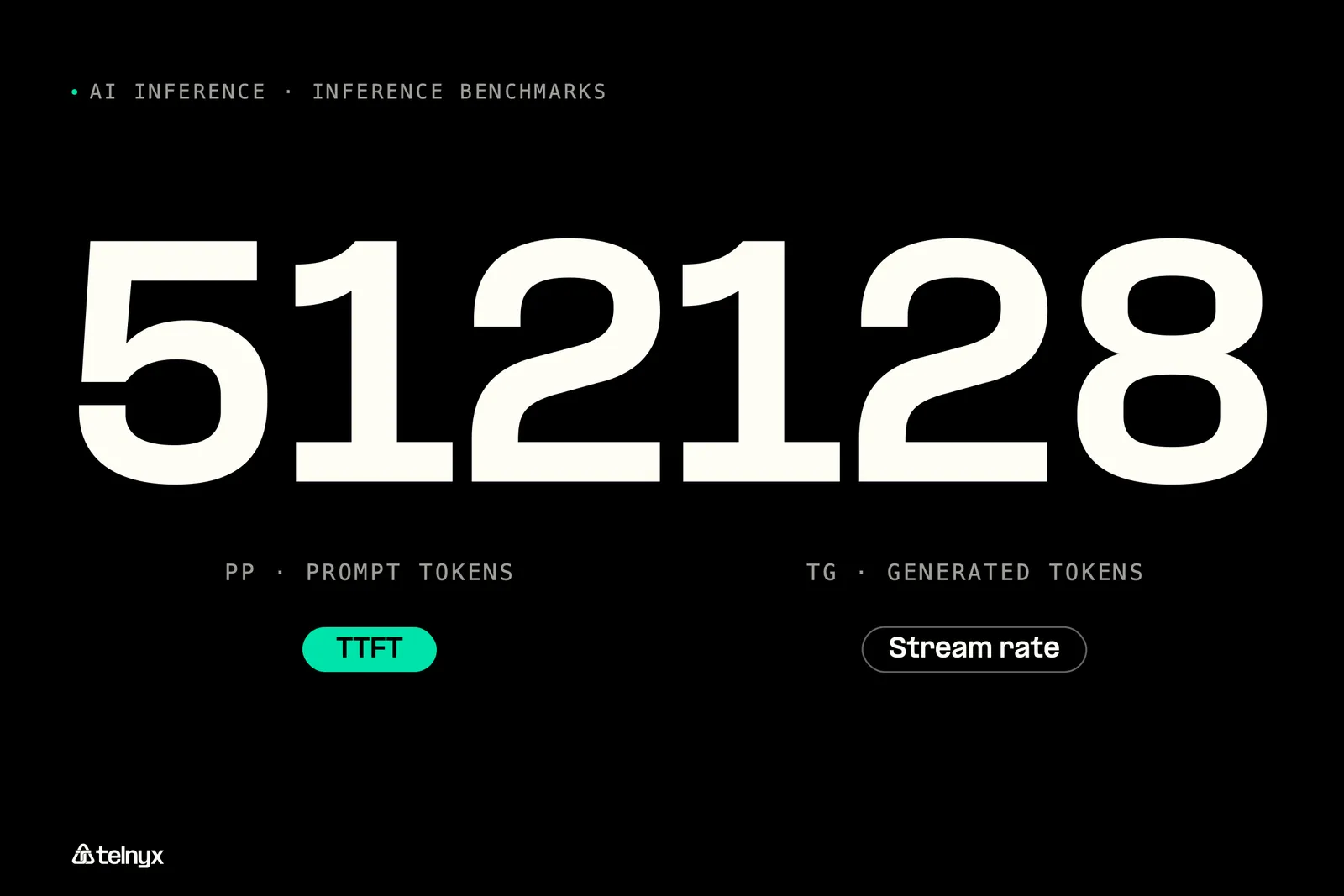
The llama-bench tool in llama.cpp reports two speeds separately: prompt processing, labeled pp and run on 512 tokens by default, and token generation, labeled tg and run on 128 tokens by default. Prompt processing is the prefill step, so it governs your time to first token. Token generation is the decode step, so it governs the streaming rate, the inverse of inter-token latency.
Compare each number with its hosted counterpart. A 1,000-token agent prompt leans on prefill, a 1,000-token answer leans on decode, and one blended tokens-per-second figure hides which half is slow.
Version rule: a llama.cpp or AirLLM figure without the commit or release, the quantization level, and the hardware cannot be compared with anything.
AirLLM inference speed benchmarks and what they trade away
AirLLM loads a model's layers one at a time, so a model far larger than your GPU memory can run on a small card. Its speed benchmarks answer a feasibility question, whether the model runs at all on that hardware, and the layer loading makes every token slow by design. Take any AirLLM figure from the project's own repository, with its date, and read it as a floor for small hardware.
Sending the same prompt to a hosted inference API
The Telnyx Inference API is OpenAI-compatible, so the prompt you ran locally goes to api.telnyx.com/v2/ai/chat/completions in one request. Pick a model from the available inference models, put your local prompt in the content field, and time the request. If your client streams the response, the first streamed token gives you TTFT and the last one gives you total time.
A hosted run includes network time that a local run does not. Telnyx serves models on GPUs on the network, in-region across the Americas, Europe, MENA, and APAC, so pick from the inference regions closest to your users before you compare.
How to run inference benchmarks against a hosted API with your own traffic
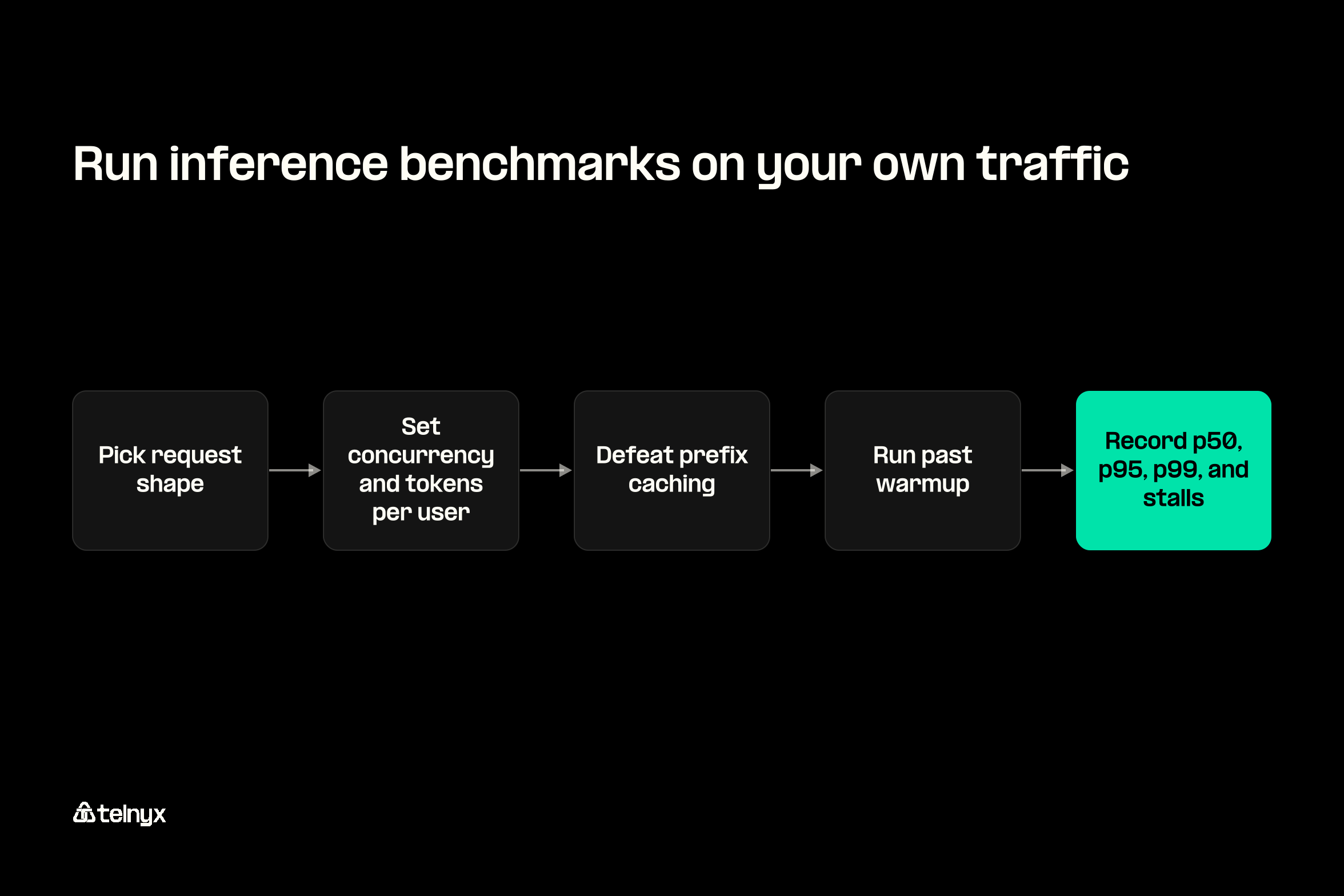
You can compare hosted providers on your own traffic in one afternoon if you fix five things before the first request: request shape, concurrency, caching, warmup, and the percentiles you record. A published inference benchmark that does not state all five is one you can set aside in under a minute. Telnyx publishes provider benchmarks run on GPUs it owns, and every published result refers to the Default tier, so you know the serving point behind each number.
Pick the request shape from your real traffic
Start from your logs. Pull input and output lengths from real agent calls and pick the closest standard shape. InferenceX uses 1024 in / 1024 out for chat, 1024 in / 8192 out for reasoning, and 8192 in / 1024 out for summarization, and it varies input length between 80 and 100 percent of target so the engine cannot tune for one exact length. E2E Networks' task profiles add 128:128 for simple chat, 2024:128 for RAG, 1024:30 for classification, and 200:2024 for creative writing. If you run e-commerce AI agents, catalog and order lookups usually look like the RAG shape, with long retrieved context and short answers.
Set concurrency to your own peak and hold tokens per user at a fixed target, so throughput figures from different providers describe the same experience. Use random inputs to defeat prefix caching, unless your agents reuse a long system prompt in production, in which case keep the cache on and price those tokens as cached input. Our DeepSeek V4 Flash benchmarks show one published run on a fixed shape.
Warmup rule: decide before you run whether warmup requests count. In InferenceX, all parties agreed to disallow warmup and extend run length by up to 5x instead, so cold starts and just-in-time compilation are absorbed inside the measured run.
Measure the tail, not the median
The difference between providers shows up in outlier cells and stalls, which a median smooths away.
"Look at the benchmarks. Together had 15 outlier cells including a 143-second stall. We had 4. When you're orchestrating on rented cloud GPUs, you can't guarantee consistent throughput because you don't control the hardware underneath. That inconsistency doesn't show up in median latency numbers, it shows up at 2am when your production traffic hits a noisy neighbor. Baseten doesn't publish benchmarks at all, which tells you something." Regis David Souza, Staff Software Engineer at Telnyx |
An outlier cell is one combination of shape and concurrency in a run whose latency exceeds your percentile target. Keep every raw per-request timing, because a 143-second stall vanishes inside a mean of 400 requests. Record p50, p95, and p99 for TTFT and inter-token latency, plus a count of stalls. Our GLM 5.2 provider benchmarks and GLM 5.3 latency benchmarks publish results in this form, outliers included.
If you have a developer, this loop sends the documented request 400 times over 16 concurrent connections, one request file per call, and writes time to first byte and total time for each request:
Without streaming, the first byte arrives with the whole answer, so both columns track total time. For TTFT, start from the run-llm-inference-python example in the Telnyx code examples repository, which calls the same endpoint through an OpenAI-compatible client, then stream the response and record the time of the first chunk and the last for every request.
Which serving tier a published number refers to
Every published Telnyx benchmark result refers to the Default tier. Priority and Flex change the serving point on the same hosted model through one field in the request body, so you can benchmark both ends without adding a second provider. The service tier docs list which models support each tier.
Telnyx Inference service tiers
| Tier | Serving point | Use it for |
|---|---|---|
| Default | Standard capacity at standard rates. Every published Telnyx benchmark refers to it. Omit service_tier to get it | General traffic, and like-for-like comparison with published results |
| Priority | Faster serving capacity at a different rate, on select models | Low-latency interactive work, including orchestration for Voice AI agents |
| Flex | Lowest rates, minutes of end-to-end latency acceptable, US only, select models | Offline evaluation, document processing, and background summarization |
Benchmark the tier you will run in production. If you move tens of billions of tokens a month, split the test by job: agent calls on Default or Priority, evaluation and summarization on Flex, each priced per million tokens at its own tier. Our guide to inference cost optimization covers the pricing side.
Inference benchmarks FAQ
How do I benchmark an open-weight model against the closed model my agents use today before I move any traffic?
Run the same procedure against both endpoints. Replay a sample of real agent calls at your peak concurrency, record p50, p95, and p99 TTFT and inter-token latency, and price each run per million tokens, including cached input. Because the Telnyx Inference API is OpenAI-compatible, your existing client needs only a new base URL and model name. Check output quality on the same sample before you compare speed.
Are open-weight models far behind closed models on multimodal benchmarks, and how long until they catch up?
The gap depends on the task, and no benchmark can tell you when it closes. Open-weight vision-language models are now standard test subjects: MLPerf Inference v6.0 made Qwen3-VL-235B-A22B its first multimodal benchmark in April 2026, and Telnyx hosts Kimi K3, a multimodal model with a 1 million token context. Test candidate models on your own images and documents before you decide.
What does an inference benchmark really measure, and what does it leave out?
It measures how fast and how consistently a hardware and software stack answers requests at a given load: time to first token, inter-token latency, throughput per GPU, and tokens per user. It leaves out model quality, your request shape unless the test matches it, network time unless you measure from your side, and often the tail, since many results report a median or a single throughput point.
Why do inference benchmarks go out of date so quickly?
Software moves faster than hardware. Inference engines ship releases days apart, and MLCommons reported with its v6.1 results on September 16, 2026, that the best per-accelerator DeepSeek-R1 Server result was 5.7 times the v5.1 figure from a year earlier. A benchmark without a date and a runtime version describes a stack that may no longer exist.
What is the difference between the MLPerf Closed and Open divisions?
The Closed division requires the same model as the reference implementation, so its results compare hardware and software like for like. The Open division allows a different model or retraining and adds Model Used and Notes columns, so its rows show what a stack can do with changes and cannot serve as a purchase comparison.
Run your own tail-latency check this afternoon
Send your real traffic shape to open-weight models on the Telnyx Inference API and read your own p99, with OpenAI-compatible endpoints where the base URL is the only change and published per-model, per-tier pricing to set beside it.
Start benchmarkingShare on Social


